


First, we start with the scanning phase, just like we do in any lab
nmap -sV -sC -sS 10.82.134.150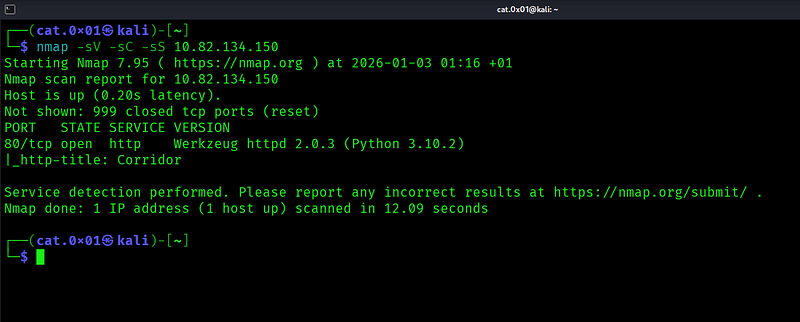
As we can see in the image, port 80 is open, so we will visit it using the browser.
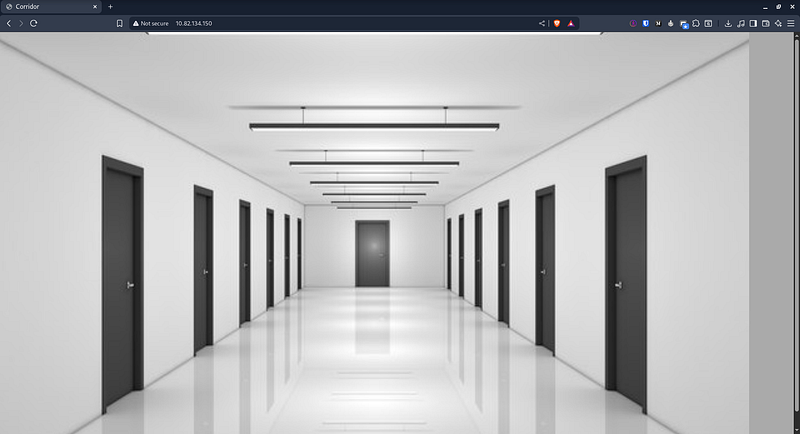
After opening the webpage, we see a corridor with many doors. When we move the mouse over each door, we notice that all of them can be entered because they are open.

When we enter any door, we notice that the URL path is actually a hash. like this
http://10.82.134.150/8f14e45fceea167a5a36dedd4bea2543When we go back to the main page and check the source code, we find many hashes that correspond to the doors.
Each door has its own unique hash

Now, I will collect all these hashes for further analysis
curl http://10.82.134.150 | grep 'alt' | cut -d '"' -f4 > hash.txtWe save them in a file called hash.txt so we can identify the hash type later.
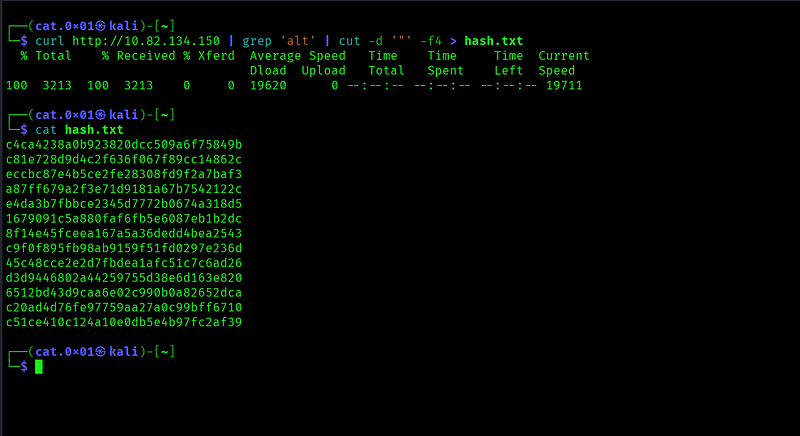
We need to verify the hash type first, even though it clearly looks like an MD5 hash.
echo "c4ca4238a0b923820dcc509a6f75849b" | hash-identifier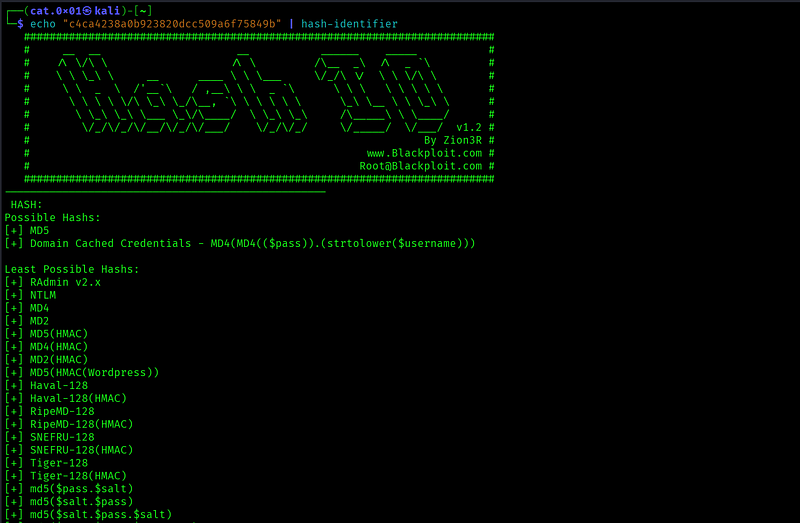
As expected, it’s time to crack these hashes. I prefer using a website called CrackStation.com for this task
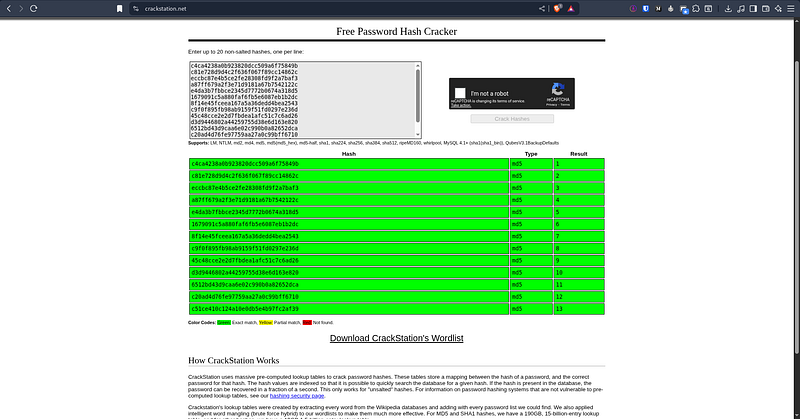
The result was a sequence of numbers from 1 to 13. This makes sense because, at the beginning of the lab, they mentioned that we would be dealing with an IDOR (Insecure Direct Object Reference) vulnerability.**
So why don’t we try using number 14 as well? But first, we need to convert it to an MD5 hash
┌──(cat.0x01㉿kali)-[~]└─$ echo -n 14 | md5sumaab3238922bcc25a6f606eb525ffdc56 -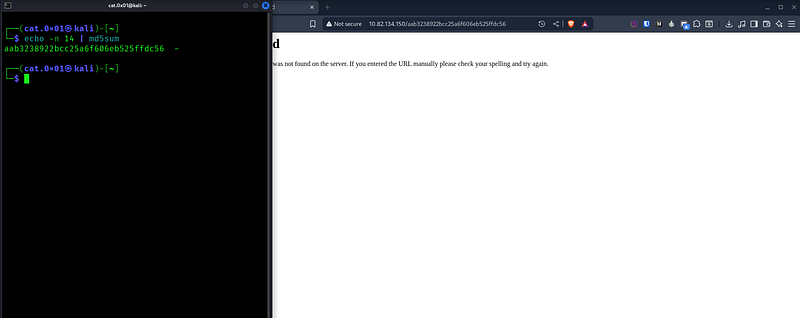
It returned a 404 Not Found, so we will try using number 0.
If nothing happens, we will continue testing the remaining numbers.
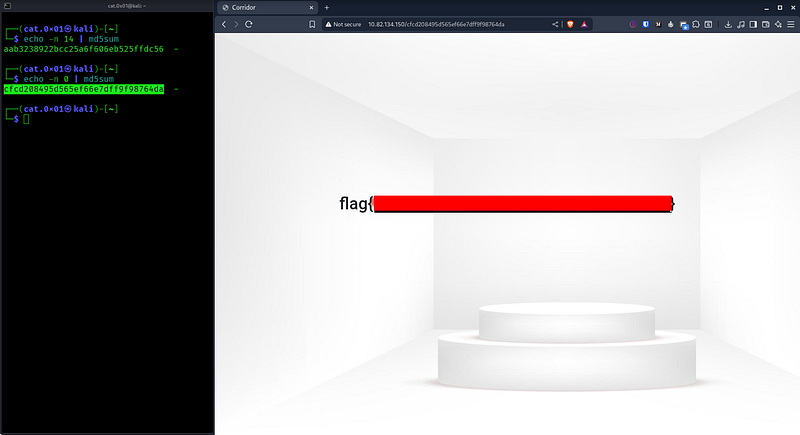
Number 0 worked successfully, and the flag appeared.
I hope the lab was easy to follow!
Overall, this challenge was a good learning experience. It helped reinforce the importance of staying focused, thinking step by step, and not overlooking small details. Each challenge like this contributes to building better problem-solving skills and confidence over time