

Phishing attacks are one of the most common and dangerous techniques used by attackers today. Instead of hacking systems directly, attackers target people by sending fake emails that look real and trustworthy The goal is to trick users into revealing sensitive information such as passwords personal data or even financial details
In this challenge, we focus on analyzing phishing emails and learning how to identify the common tricks used by attackers. These emails often rely on urgency, fear, impersonation, or attractive offers to push victims into making quick and careless decisions.
The lab presents a series of emails and our task is to carefully inspect each one and decide whether it is legitimate or a phishing attempt By applying the concepts explained at the beginning of the challenge we can spot red flags and improve our real world email security awareness
At the end of the challenge successfully identifying the phishing emails will reward us with the flag which confirms the completion of the task
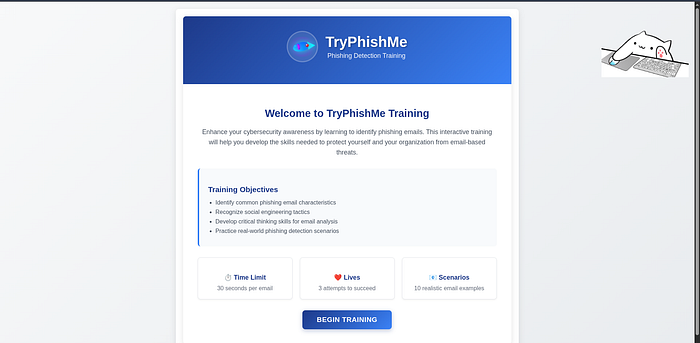
After starting the machine, we are presented with the TryPhishMe Training page This interface introduces the goal of the challenge explains the training objectives and provides basic rules such as the time limit, number of lives, and total scenarios. From here we can begin the phishing detection exercise by clicking Begin Training
Level 1 :
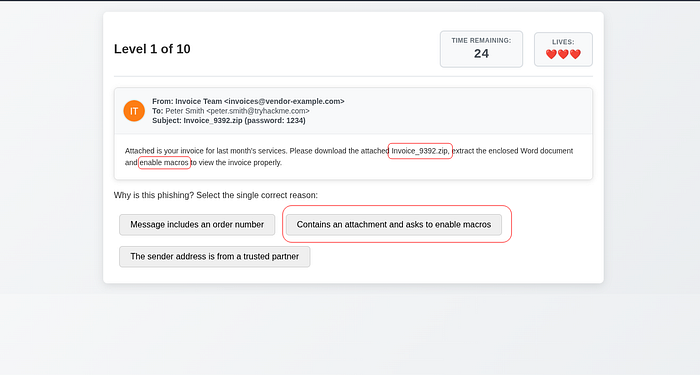
> This is a phishing email
Answer : Contains an attachment and asks to enable macros
Level 2 :
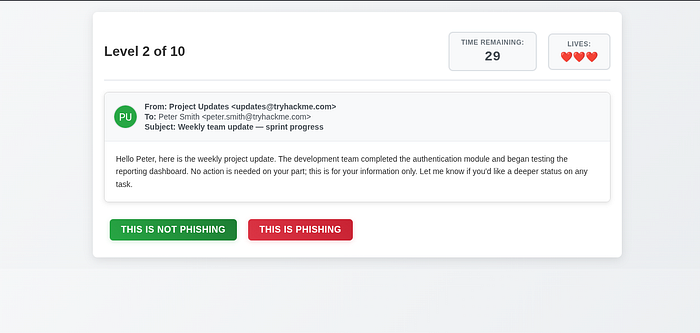
> This is Not Phishing email
Level 3 :
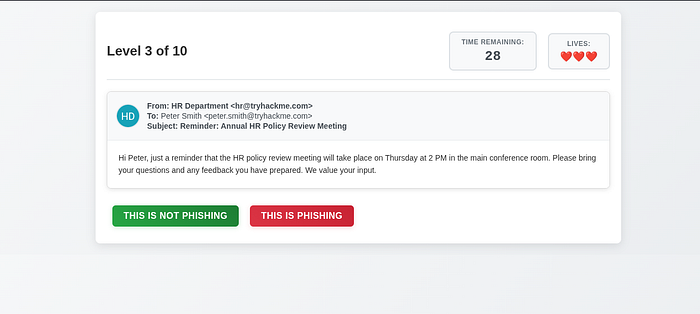
This is Not Phishing email
Level 4 :
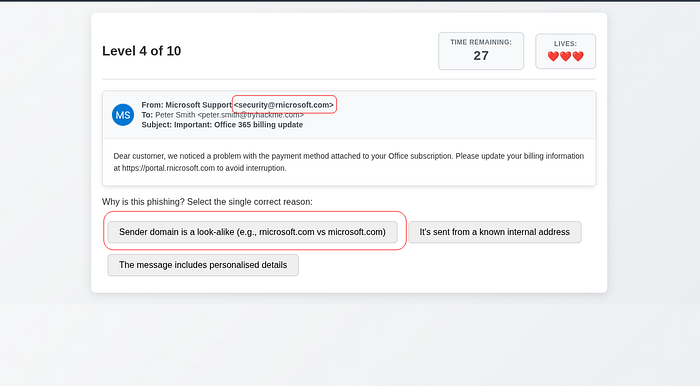
> This is a phishing email
Answer : Sender domain is a look-like (eg., microsoft.com vs rnicrosoft.com)
Level 5 :
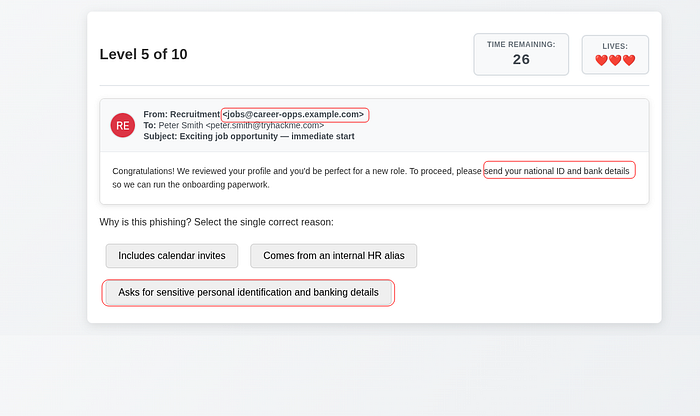
> This is a phishing email
Answer : Asks for sensitive personal identification and banking details
Level 6 :
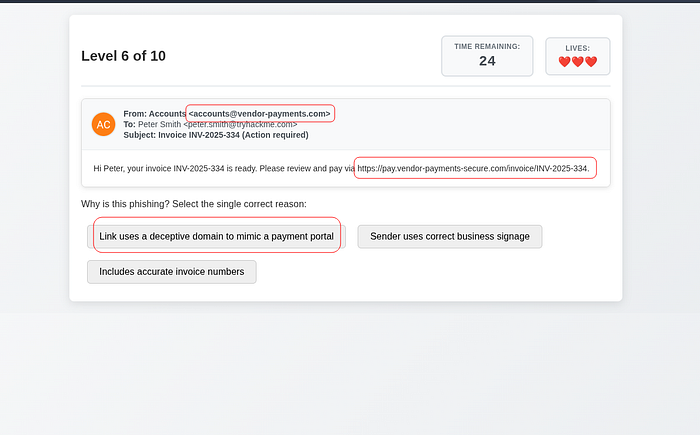
> This is a phishing email
Answer : Link uses a deceptive domain to mimic a payment portal
Level 7 :
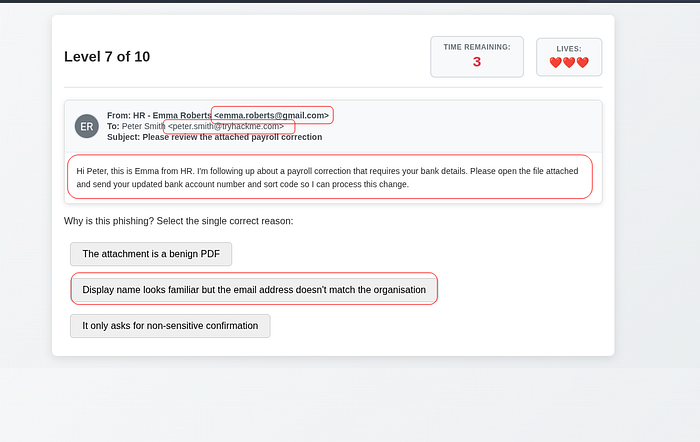
> This is a phishing email
Answer : Display name looks familiar but the email address doesn’t match the organization
Level 8 :
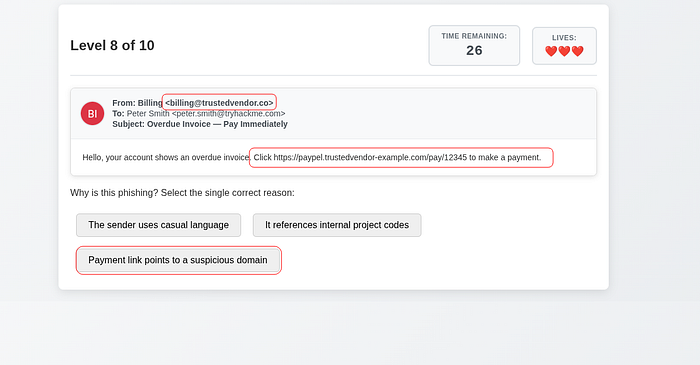
> This is a phishing email
Answer : Payment link points to a suspicious domain
Level 9 :

This is Not Phishing email
Level 10 :

> This is a phishing email
Answer : Contains a suspicious third-party survey link
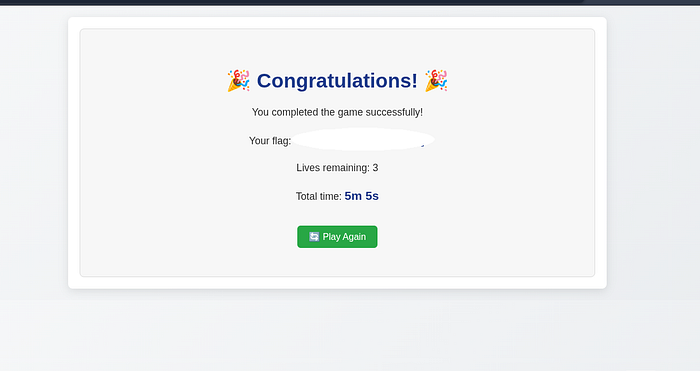
With this we have successfully analyzed and completed the challenge I hope you found this lab informative and enjoyable
Final tip :
always stay cautious when dealing with emails Be especially careful with unexpected attachments, urgent messages, and requests to enable macros or provide personal information When in doubt
never click verify first
X : http://x.com/cat0x01github : https://github.com/cat0x01