

Hello, we are back with a new TryHackMe challenge called:
0x41haz
Challenge Information
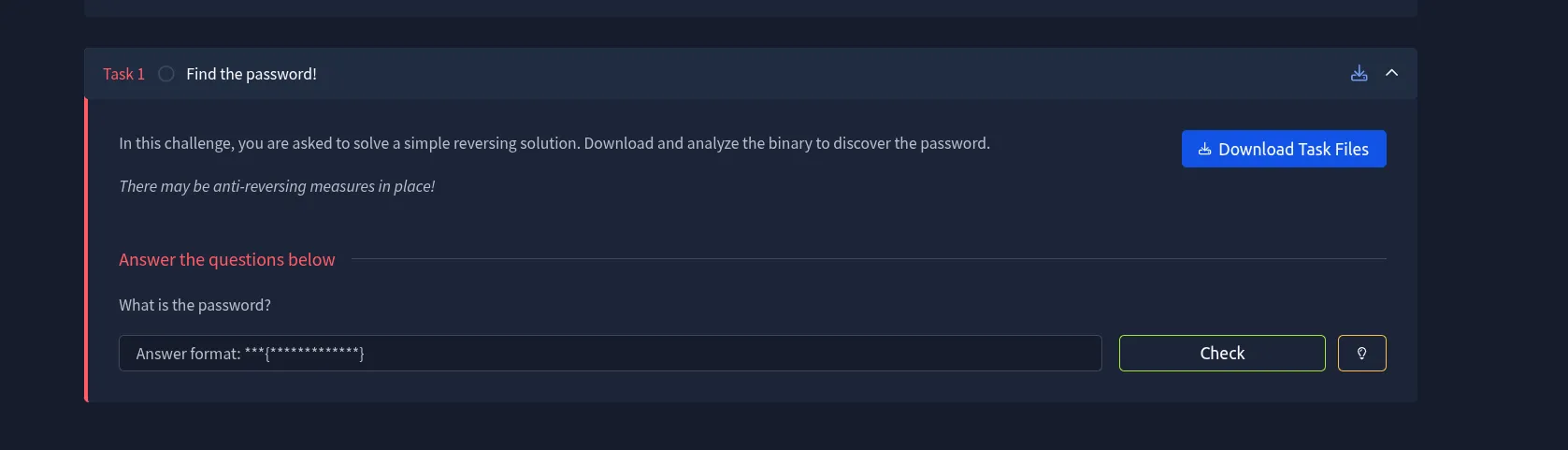
The image explains the goal of the challenge. We need to download a binary file and analyze it to find the password. It also warns us that the file may contain an anti-reversing trick. We will notice this during our first check.
Beginner note: A binary is a file that contains a program ready to run. We do not have its source code, so we must study the binary itself to understand how it works.
Let us download the binary file and start solving the challenge.
After downloading the file, let us check what type of binary it is by using the file command.

The file command does not run the program. It reads the information at the beginning of the file and tries to identify its type. The result shows ELF 64-bit, which means that this is a 64-bit Linux program. However, it also shows MSB *unknown arch 0x3e00*. This unusual result means that part of the file header is not being read correctly.
At this point, it was clear that the file was an ELF 64-bit binary. However, the output also showed something unusual: MSB *unknown arch 0x3e00*. That immediately stood out and explained why the binary wouldn’t execute in its current state.
Fixing the Binary Header
The issue turned out to be related to the ELF header. With some quick research and reference material, I found that the problem could be resolved by patching the sixth byte in the file header. Specifically, changing its value from 0x02 to 0x01.
To do this, I opened the binary using a hex editor.
hexedit 0x41haz-1640335532346.0x41haz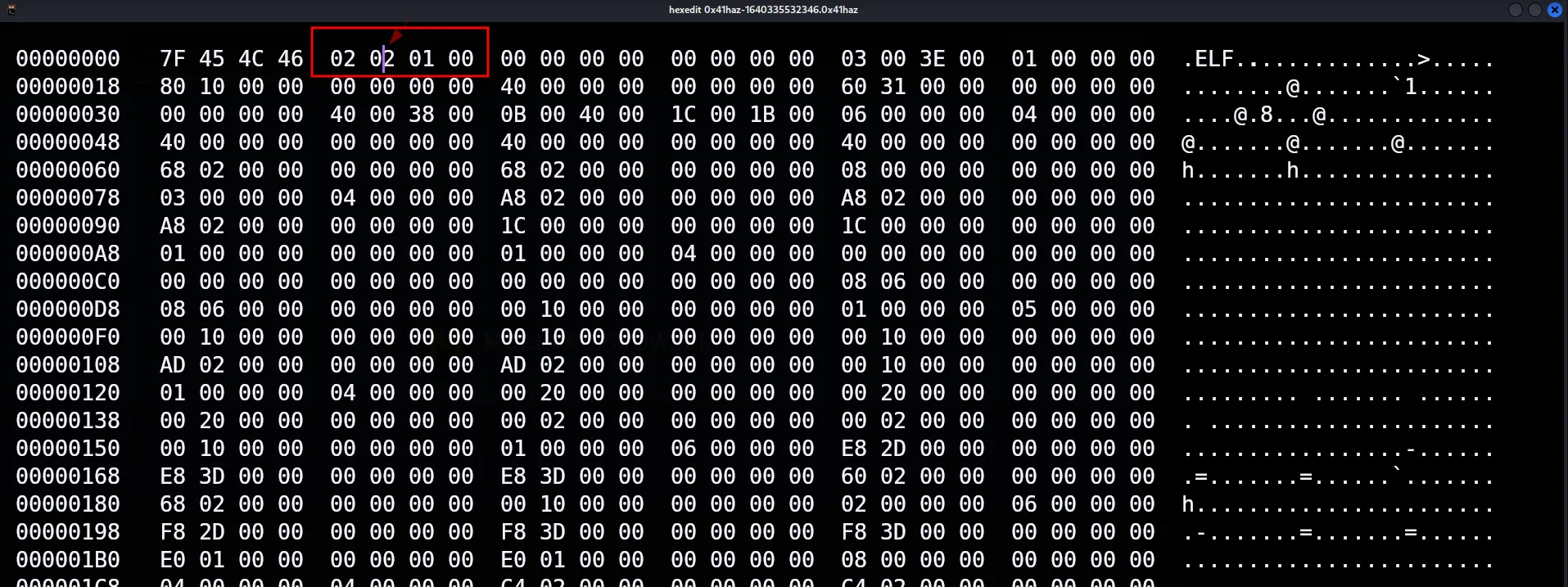
hexedit shows the file as hexadecimal values. On the left, we can see the actual bytes. On the right, we can see their text form when the bytes represent readable characters.
The first line starts with 7F 45 4C 46, and the right side shows .ELF. The bytes after this mark describe the file. The value highlighted in the image is the second 02 from the start, which is the sixth byte.
I navigated to the sixth byte and modified it accordingly.
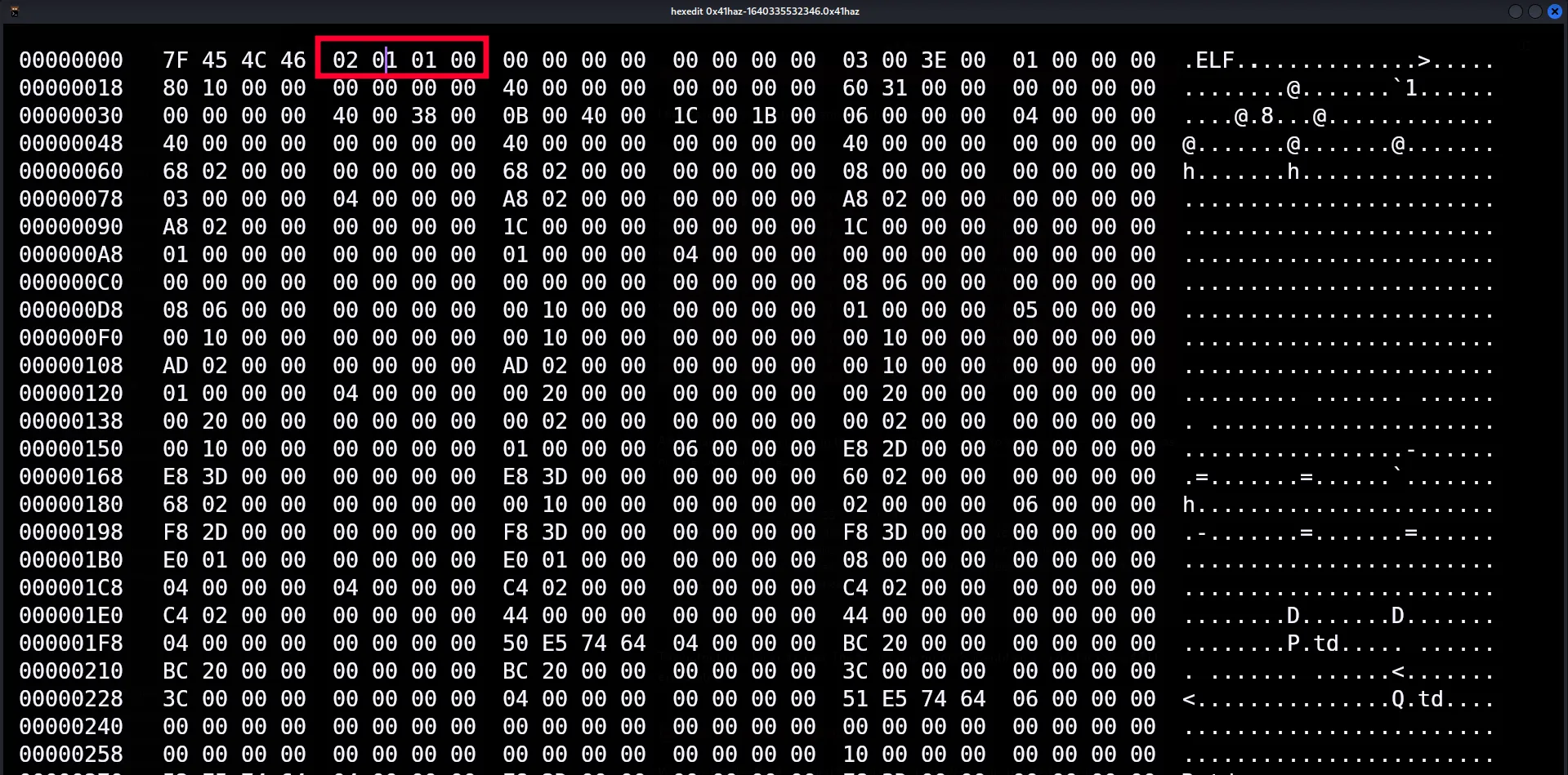
The image clearly shows the change. The header started as 7F 45 4C 46 02 02 01 00 and became 7F 45 4C 46 02 01 01 00. We changed only the sixth byte from 02 to 01 and left the rest of the file unchanged. After making the change, save the file and exit hexedit.
After making the change, I ran the file command again to verify whether the binary was now recognized correctly.
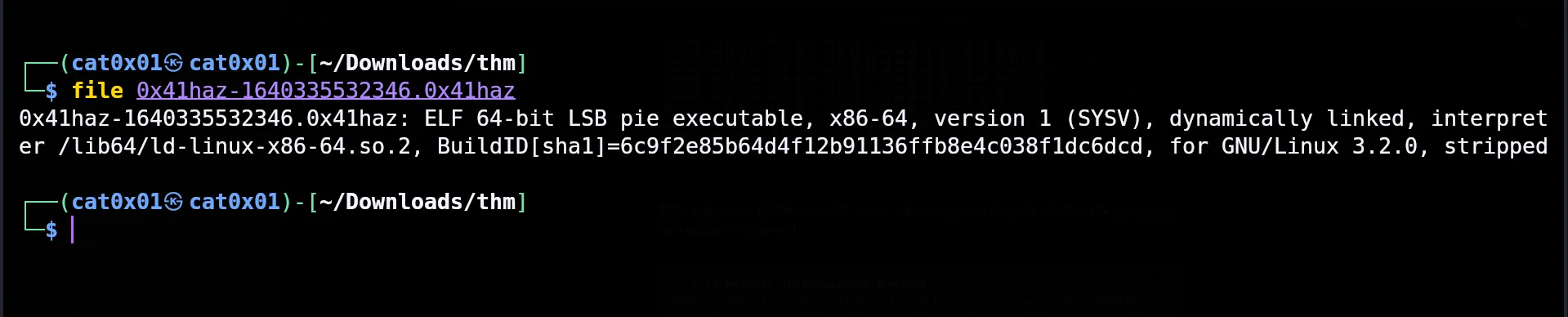
This time, the file command gives a clear result: ELF 64-bit LSB pie executable, x86-64. The important difference is that MSB *unknown arch* is gone. We now see LSB and x86-64, which confirms that the header change worked.
The output now looked clean. The binary was properly identified as a 64-bit x86-64 ELF executable.
With the header fixed, I copied the binary to a simpler name, granted execution permissions, and ran it.
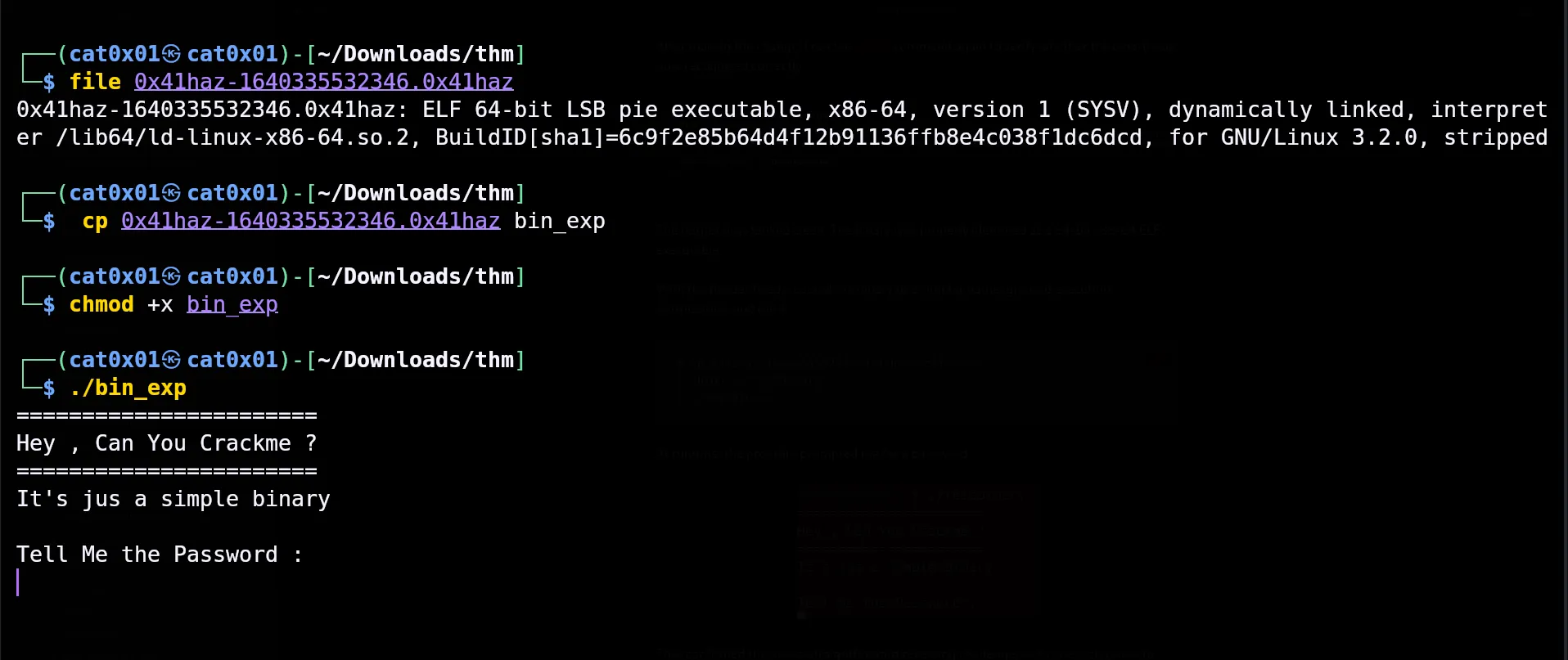
The image shows three steps:
cp ... bin_expcopies the file and gives the copy a shorter name:bin_exp.chmod +x bin_expgives the file permission to run../bin_expruns the program from the current directory.
When the program starts, it prints Tell Me the Password : and waits for input. Our next job is to find the value that the program expects.
At runtime, the program prompted me for a password.
That confirmed this was a straightforward reversing challenge, so the next step was to analyze the binary to understand how the password check was implemented.
For analysis, I used radare2, a command-line reverse engineering framework that I personally find efficient for quick static analysis.
I loaded the binary into radare2.
The first command I ran was a full analysis pass.
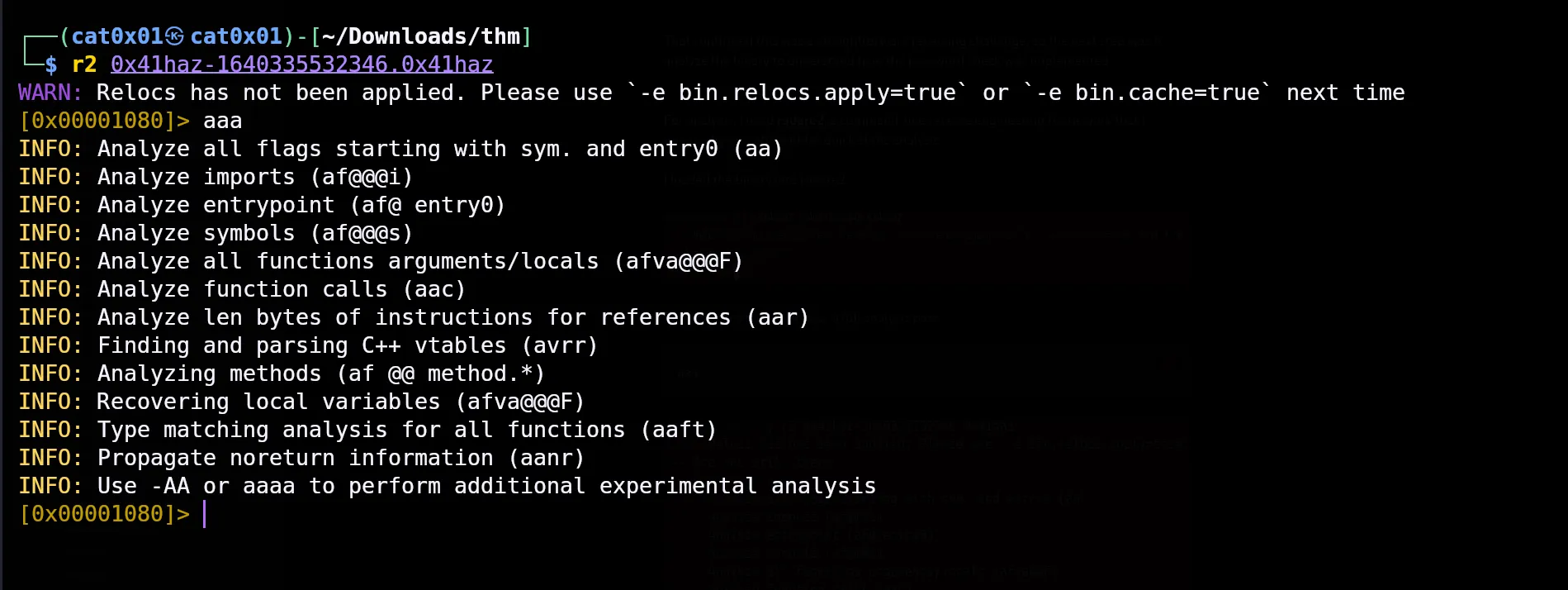
In the image, the file is opened with r2. The next command is:
aaaThe aaa command tells radare2 to analyze the file. The lines beginning with INFO show what it is analyzing, such as the entry point, functions, calls, and variables. When the prompt [0x00001080]> appears again, the analysis is complete and we can enter the next command.
After analysis completed, I navigated to the main function.
s mainThe s main command moves us to the main function. This function contains the main logic of the program.
From there, I disassembled the function to inspect its logic.
pdf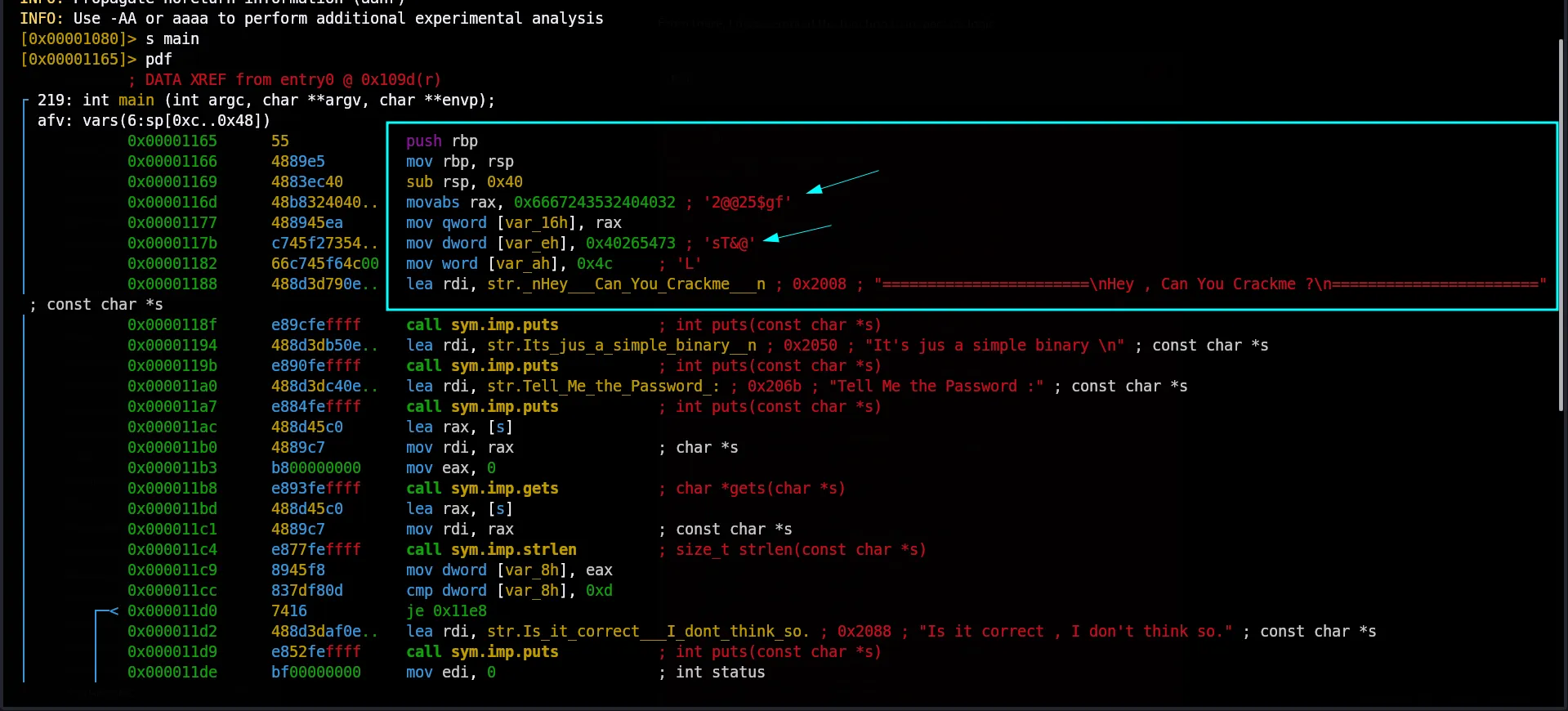
The pdf command shows the instructions inside the current function. A beginner does not need to understand every Assembly instruction in the image. We only need to focus on the clear values related to the password.
Inside the marked box, we can see that the program builds a value in separate parts:
- The first part is
2@@25$gf. - The second part is
sT&@. - The final character is
L.
When we join these parts in the same order, we get 2@@25$gfsT&@L. The image also shows that the program reads our input with gets and checks its length with strlen. We can now try this value as the password.
While reviewing the disassembly, a string pattern stood out during the password comparison logic.
2@@25$gfsT&@LRetrieving the Flag
With that value identified, I executed the binary again and supplied it as the password.
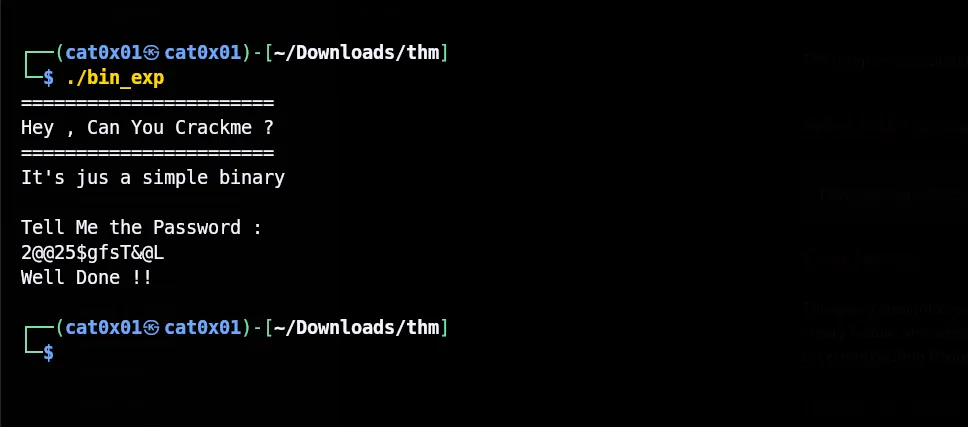
Run ./bin_exp again. When the program asks for the password, enter 2@@25$gfsT&@L. The message Well Done !! confirms that the value is correct.
The program accepted the input and returned the flag.
What is the password?
THM{2@@25$gfsT&@L}The local program accepts 2@@25$gfsT&@L, but the TryHackMe answer box shows the format THM{*************}. Put the same value inside THM{} to get the final answer shown above.
Conclusion
This was a straightforward reversing challenge with a small twist at the start. Fixing the binary header and analyzing the password check was enough to reach the flag without overcomplicating things.
Thank you for reading.